Standing Desk Height Calculator
Getting your desk height right is one of the most impactful things you can do for your comfort at work. Most people set their desk once and never adjust it again, which means most people are working at the wrong height. The calculator above gives you the four key measurements for your specific height so you can dial in your setup correctly.
Enter your height in inches. 5’10” = 70 in, 5’6″ = 66 in, 6’0″ = 72 in
Please enter your height in inches (48 to 96).
How to use your results
The calculator gives you four measurements based on your height, footrest use, and monitor size. Here is what to do with each one.
Chair height is your starting point. Set this first. Your feet should rest flat on the floor and your knees should be at roughly 90 degrees. Everything else builds from a correctly set chair.
Sitting desk height tells you where your desk surface should be relative to your elbows when seated. If your desk is fixed and does not match, a monitor arm and keyboard tray can help compensate without replacing the desk.
Standing desk height is where your motorized frame should sit when you stand. Most quality standing desks have a wide enough height range to cover your ideal position. See our best budget standing desks guide for options that cover the full height range.
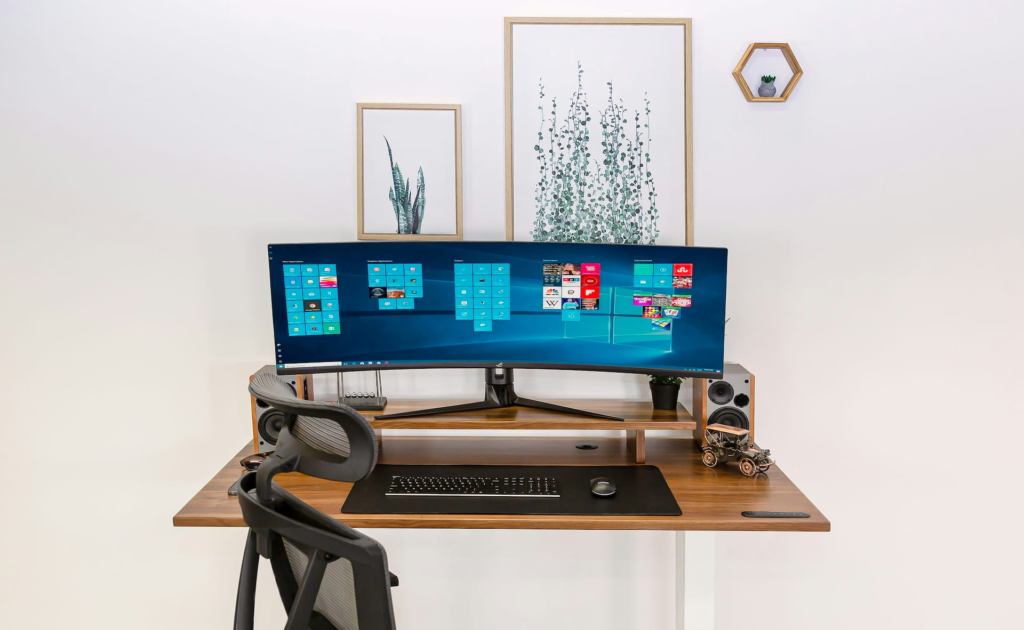
Monitor height above desk tells you how high the top of your monitor should sit above your desk surface. A monitor riser or monitor arm is the easiest way to hit this number without replacing your desk. See our best monitor stand guide for options at every budget.
If you want to figure out how to allocate your hard-earned money you make in your home office, check out our home office budget calculator.
Why desk height matters
Most monitors ship sitting flat on a desk, which puts the screen well below eye level and forces a downward head angle of 20 to 30 degrees. Over an eight hour day that angle accumulates into neck strain, upper back tightness, and fatigue that compounds over weeks and months.
The fix is not complicated. A chair at the right height, a desk at elbow level, and a monitor with the top edge near eye level covers the basics. The calculator gives you the specific numbers for your body rather than generic advice built around an average height that may not apply to you.
For taller users standard desks are almost always too low. For shorter users they are often slightly too high. The four to six inch difference between a correctly set desk and a default desk is small enough to ignore day to day and large enough to matter over a career of sitting at one.
If your desk height is fixed
Most home office desks do not adjust. If your sitting desk height result does not match your current desk there are a few ways to compensate:
A monitor arm lets you raise your screen to the correct height regardless of desk surface height. See our best monitor arm guide for options.
A monitor riser is a simpler and cheaper solution if you just need to raise your screen a few inches. See our best monitor stand guide.
A keyboard tray that mounts under the desk can lower your typing position if your desk is slightly too high. Worth considering before replacing a desk that otherwise works well. See our best under desk keyboard tray guide for five options.
If your desk is significantly off and none of these compensate fully, a sit-stand desk with a wide height range is worth considering. See our best budget standing desks guide for motorised options that cover most height ranges.
Frequently asked questions
What is the ideal standing desk height?
It depends on your height. The calculator gives you a personalised range based on your elbow height when standing. As a general rule your elbows should be at roughly 90 degrees with your shoulders relaxed when your hands are on the keyboard. Most motorised standing desks adjust from around 24 to 50 inches which covers the full range for most people.
How high should my monitor be?
The top of your monitor should sit at or slightly below eye level when you are seated upright. You should look very slightly downward at the centre of the screen. Looking up at a monitor causes more neck strain than looking slightly down. The calculator gives you the height above your desk surface based on your height and monitor size.
Does monitor size affect the correct height?
Yes. A larger monitor has a taller screen so the top edge sits higher than a smaller monitor at the same base position. The calculator adjusts for monitor size so the top edge lands in the right position regardless of whether you have a 24 inch or 32 inch screen.
Should I use a footrest?
A footrest is useful if your chair needs to be set higher than your foot height allows, typically for shorter users at desks that are slightly too high. If your feet rest comfortably flat on the floor at your correct chair height you do not need one. The calculator adds a small adjustment to your measurements when you select the footrest option.
How often should I alternate between sitting and standing?
Most ergonomics guidance suggests alternating every 30 to 60 minutes. Starting with one or two standing sessions per day and building up is more sustainable than standing for hours from day one. A walking pad under your standing desk is a natural complement if you want to add light movement during standing sessions. See our best walking pads guide for options.
Set up your workspace
Measurements are guidelines based on standard ergonomics research. Individual comfort varies. If you experience persistent pain or discomfort consult a healthcare professional or certified ergonomics specialist.