Best Desk Power Strip for Home Office 2026
Category: Desk Setups | Reading time: 8 min | Last updated: August 2026
Disclosure: This post contains affiliate links. If you buy through our links we may earn a small commission at no extra cost to you.
All 6 picks at a glance
A good desk power strip does two things: gives you enough outlets and USB ports to run your entire setup from one point, and stays out of the way. This guide covers six options across flat desktop, wall mount, under desk mount, and clamp-on styles. All come in black and white to match any desk setup.
If you are looking to connect dual monitors to one of these awesome power strips and want a place to hide it, see our best monitor stand guide for dual monitor riser options.
Jump to a pick
1. Anker 351: Best overall

The Anker 351 is the most proven desk power strip available. 20,004 reviews at 4.8 stars and 10,000+ bought last month makes it the benchmark everything else in this guide is measured against. 12 outlets is enough for a full home office setup including monitors, desktop, speakers, laptop charger, and accessories all running from one strip.
The extra-spaced outlets accommodate bulky power adapters without blocking adjacent plugs. The 5ft flat plug cord sits flush against the wall and keeps the area behind your desk tidy. The 2100J surge protection and 8-point safety system give confidence for a strip running expensive equipment all day.
“As with all of Anker’s other products, it’s overbuilt and underpriced for what you’re getting. Thing feels like a brick in your hand, which I like in a power strip. Just what you need to clean up your desk.”
Who it’s for: Anyone who wants the most proven flat desk power strip with maximum outlets and Anker build quality.
Pros:
- 20,004 reviews at 4.8 stars, most validated strip in this guide
- 12 AC outlets
- 2100J surge protection
- Extra-spaced outlets fit bulky adapters
- 5ft flat plug
- Mountable
- Lifetime connected equipment warranty
Cons:
- No USB-C fast charging above 20W
- Flat desktop only, no clamp
| Spec | Detail |
|---|---|
| AC outlets | 12 |
| USB ports | 1x USB-C 20W, 2x USB-A |
| Surge protection | 2100J |
| Cord length | 5ft |
| Mounting | Screw mountable |
| Warranty | 18 months plus lifetime equipment |
2. TROND Wall Mount Power Strip: Best wall mountable

The TROND wall mount is the cleanest solution for anyone who wants power off the desk entirely. Four mounting tabs let you secure it to a wall behind your monitor, under your desk surface, or inside a cabinet. The low-profile design sits close to the surface without sticking out.
Five widely-spaced outlets with 1.5 inch spacing between them accommodate larger adapters without blocking adjacent plugs. Four USB ports (2 USB-A and 2 USB-C) handle phone and device charging without needing extra adapters. At 9,358 reviews and 4.8 stars it is the second most validated strip in this guide.
“The outlets are spaced out just right, so I don’t have to fight with bulky plugs anymore. The USB ports are super handy. I also love how the flat plug sits flush against the wall. It feels solid and well-made and it’s made my setup so much neater.”
Who it’s for: Anyone who wants to mount their power strip to a wall or under desk surface to keep the desktop completely clear.
Pros:
- 9,358 reviews at 4.8 stars
- Four mounting tabs: wall, under desk, or cabinet
- 5 widely-spaced outlets
- 4 USB ports including USB-C
- Flat plug sits flush
- ETL listed
- 3 sustainability features
Cons:
- 5 outlets only, fewer than the Anker 351
- No individual outlet switches
| Spec | Detail |
|---|---|
| AC outlets | 5 |
| USB ports | 2x USB-A, 2x USB-C |
| Surge protection | 1300J |
| Cord length | 5ft |
| Mounting | 4 mounting tabs |
| Certification | ETL listed |
3. ANNQUAN 40W Under Desk Power Strip: Best under desk mountable

The ANNQUAN is designed specifically for under desk mounting. The 4-side outlet layout arranges plugs on all four sides of the strip so large adapters never block adjacent outlets regardless of which port you use. The 45-degree flat plug at just 0.35 inches thick fits into tight spaces behind drawers and desks where standard plugs cannot reach.
40W total USB output with PD 20W USB-C fast charging handles laptop charging alongside regular device charging. The on/off switch cuts power to everything connected in one click, useful at the end of the work day. At 12 outlets it matches the Anker 351 for capacity while adding fast USB charging.
“If you are obsessed with keeping cables neatly organized for your desk, this is the perfect power strip to get. The outlets on all three sides is very convenient and makes it a snap to fit all your devices even with very large adapters. I have already purchased a couple more.”
Who it’s for: Anyone who wants to mount a high-capacity power strip under their desk with fast USB charging included.
Pros:
- 12 outlets
- 4-side design fits large adapters on any port
- PD 20W USB-C fast charging
- 45-degree flat plug, 0.35 inches thick
- On/off switch
- Mounts under desk or behind furniture
Cons:
- 183 reviews, lowest review count in this guide
- Total USB output shared across all 4 ports at 40W
| Spec | Detail |
|---|---|
| AC outlets | 12 |
| USB ports | 2x PD 20W USB-C, 2x QC 20W USB-A |
| Total USB output | 40W |
| Flat plug thickness | 0.35 inches |
| Overload protection | 1500W |
| Switch | On/off |
4. Jgstkcity Desk Clamp Power Strip: Best clamp-on

The Jgstkcity clamps to the back or side of your desk edge for a semi-permanent mount that keeps outlets at arm’s reach without taking up desktop space. The edge mount bracket fits desks up to 1.96 inches thick which covers most standard and standing desks.
Four PD 20W USB-C ports is the most USB-C output of any strip in this guide. Wide spaced outlets on all sides accommodate bulky adapters. At 4,505 reviews and 4.6 stars it is the most proven clamp-on strip available. Worth noting the USB port-sharing caveat from the verified buyer review. Spreading devices across both sides of the strip avoids the occasional charging interruption some users report.
“The clamp mounting design is great for keeping cords organized and off the floor, and having five AC outlets right at the desk edge is super practical for a workspace. As long as you spread out what you’re plugging in, the unit works fine.”
Who it’s for: Anyone who wants a clamp-on strip with maximum USB-C fast charging ports at their desk edge.
Pros:
- 4,505 reviews, most proven clamp-on in this guide
- 4x PD 20W USB-C ports
- Clamps to desk edge, no screws needed
- Wide spaced outlets
- Fits desks up to 1.96 inches thick
- Fireproof plastic
Cons:
- USB ports can interrupt when overloaded on one side
- 5 AC outlets only
- Does not fit desks thicker than 1.96 inches
| Spec | Detail |
|---|---|
| AC outlets | 5 |
| USB ports | 4x PD 20W USB-C, 2x USB-A |
| Total USB output | 40W |
| Desk thickness | Up to 1.96 inches |
| Surge protection | 1200J |
| Mounting | Edge clamp |
5. TROND Desk Clamp Power Strip: Best compact clamp

The TROND clamp is the smallest and most low-profile clamp-on strip in this guide. If you want something at your desk edge that you barely notice is there this is the pick. The compact form factor means fewer ports than the Jgstkcity but the 4.7 star rating across 759 reviews confirms the build quality justifies the trade-off.
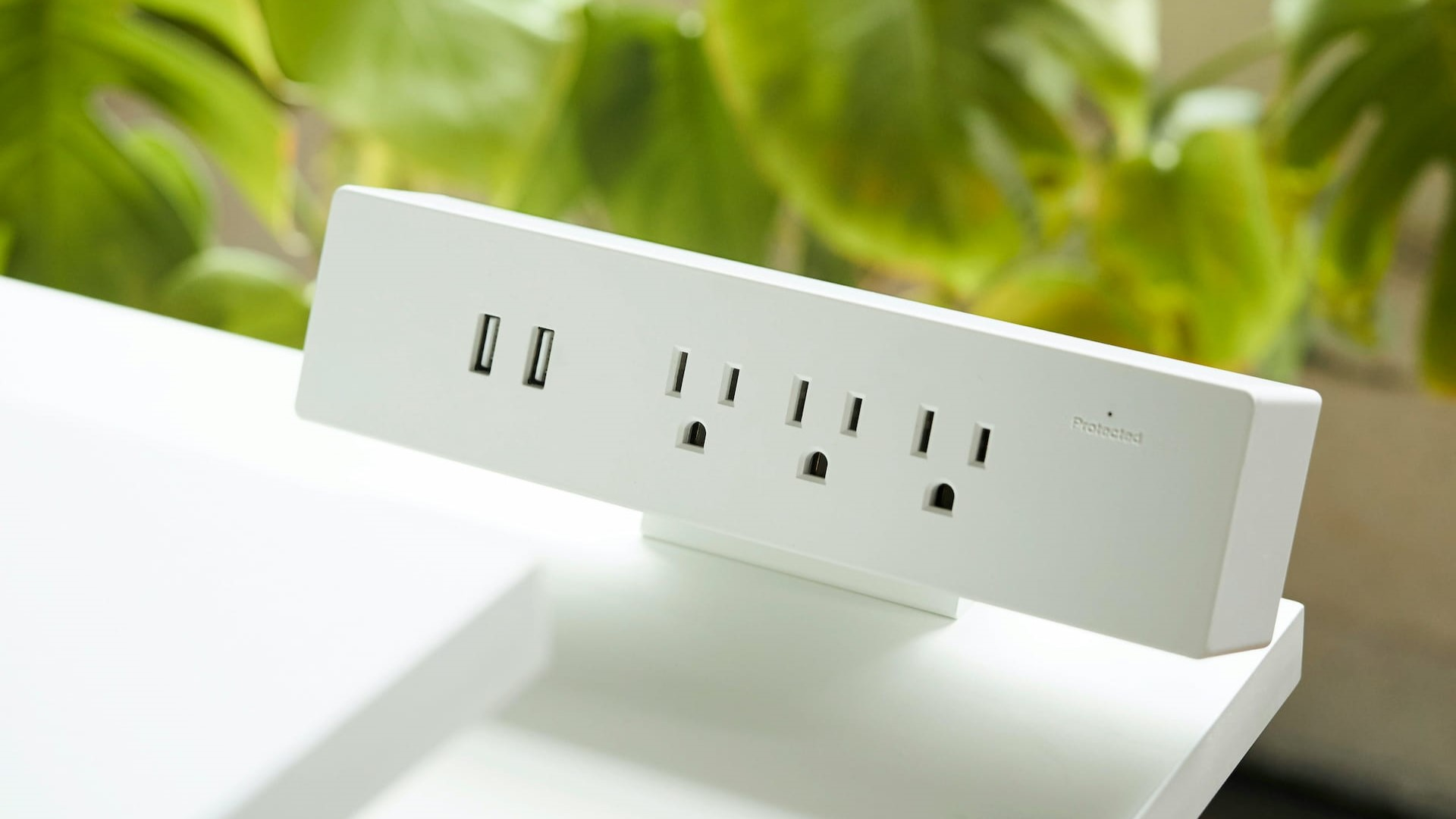
Five outlets arranged on three sides with an on/off switch that cuts everything connected in one click. The switch is readily accessible on the hub itself rather than requiring you to reach behind or under the desk. For minimalist desk setups where the clamp strip needs to disappear visually this is the right choice.
“This is great for the person who wants to minimize desktop clutter. It’s not large and you barely know it’s there. All plugs and ports work and I love that you can shut off power to everything connected with the switch on the hub.”
Who it’s for: Anyone who wants a compact low-profile clamp-on strip that stays out of sight and has an accessible on/off switch.
Pros:
- 4.7 stars, highest rated clamp strip in this guide
- Compact low-profile design
- On/off switch accessible on the hub
- 5 outlets on three sides
- 1440J surge protection
- 3 sustainability features
Cons:
- 759 reviews, lower review count than Jgstkcity
- 3 USB ports only, no USB-C fast charging
- Fewer outlets than larger strips
| Spec | Detail |
|---|---|
| AC outlets | 5 |
| USB ports | 1x USB-C, 2x USB-A |
| Surge protection | 1440J |
| Cord length | 6ft |
| Desk thickness | Up to 1.97 inches |
| Switch | On/off |
6. Anker Nano Power Strip: Best premium clamp

The Anker Nano is the premium clamp strip in this guide and the only one that can charge a laptop through USB-C at 70W. GaN technology delivers the kind of wattage that standard USB-C ports on power strips cannot match, enough to keep a MacBook or Windows laptop topped up while running the rest of your setup.
The dual-zone 10-port layout splits outlets into top and bottom zones to reduce cable clutter. The adjustable clamp fits desks from 0.6 to 1.8 inches thick, a slightly narrower range than the TROND and Jgstkcity, but covers most standard desk thicknesses. At 4.8 stars it matches the Anker 351 for rating and the 24-month warranty is the longest in this guide.
“The Anker Nano Power Strip is by far the best power strip I’ve ever used. The desk clamp design keeps the outlets easily accessible without taking up valuable desk space. The combination of AC outlets, USB ports, and built-in surge protection makes it incredibly versatile.”
Who it’s for: Anyone who wants to charge a laptop via USB-C at full speed from a clamp-on power strip, or anyone who wants the best-built clamp strip available.
Pros:
- 70W USB-C laptop charging via GaN
- 4.8 stars, tied for highest rated strip in this guide
- Dual-zone layout reduces cable clutter
- Adjustable clamp
- 24-month warranty, longest in this guide
- Anker build quality
Cons:
- Most expensive strip in this guide
- Clamp range 0.6 to 1.8 inches, narrower than some alternatives
- Not compatible with curved or angled desk edges
| Spec | Detail |
|---|---|
| AC outlets | 6 |
| USB ports | 2x USB-C, 2x USB-A |
| Max USB-C output | 70W |
| Surge protection | 1500J |
| Desk thickness | 0.6 to 1.8 inches |
| Warranty | 24 months |
How to choose
You want the most outlets and the most proven option: Anker 351. 12 outlets, 20,004 reviews, Anker build quality.
You want power off the desk entirely: TROND Wall Mount. Mounts to wall or under desk surface, 9,358 reviews, flat profile.
You want under desk mounting with fast USB charging: ANNQUAN. 12 outlets, 4-side design, PD 20W USB-C, hides under the desk completely.
You want a clamp-on with maximum USB-C ports: Jgstkcity. 4 PD USB-C ports, 4,505 reviews, clips to desk edge.
You want a compact clamp that disappears: TROND Clamp. Low profile, on/off switch, barely noticeable on the desk edge.
You want to charge a laptop via USB-C from a clamp strip: Anker Nano. 70W GaN USB-C charging, premium build, 24-month warranty.
A desk power strip pairs well with good cable management. See our desk cable management guide and our best USB hubs guide for keeping everything connected and tidy.
Frequently asked questions
What is the difference between a desk power strip and a regular power strip?
Desk power strips are designed specifically for workspace use. They typically have flatter profiles, extra-spaced outlets to fit large adapters, USB charging ports, and mounting options like clamps or screws. Regular power strips are designed for floor use and lack these features.
Do I need surge protection in a desk power strip?
Yes. Computers, monitors, and other electronics connected to your desk are sensitive to power surges. All six strips in this guide include surge protection ranging from 1200J to 2100J. Higher joule ratings offer more protection.
Can a desk power strip charge a laptop?
Most desk power strips include USB-C ports but at low wattage, typically 20W. The Anker Nano is the exception with 70W USB-C charging via GaN technology, enough to charge most laptops at full speed. For standard laptop charging through a dedicated charger any strip in this guide works fine.
What does clamp-on mean for a power strip?
A clamp-on power strip attaches to the edge of your desk using a bracket that tightens around the desk surface. No screws or tools required, giving you outlets at desk level without taking up desktop space. Check your desk thickness before buying. Each clamp strip in this guide specifies its maximum compatible thickness.
Continue reading
All prices approximate and subject to change. Check current pricing at checkout. Last updated August 2026.