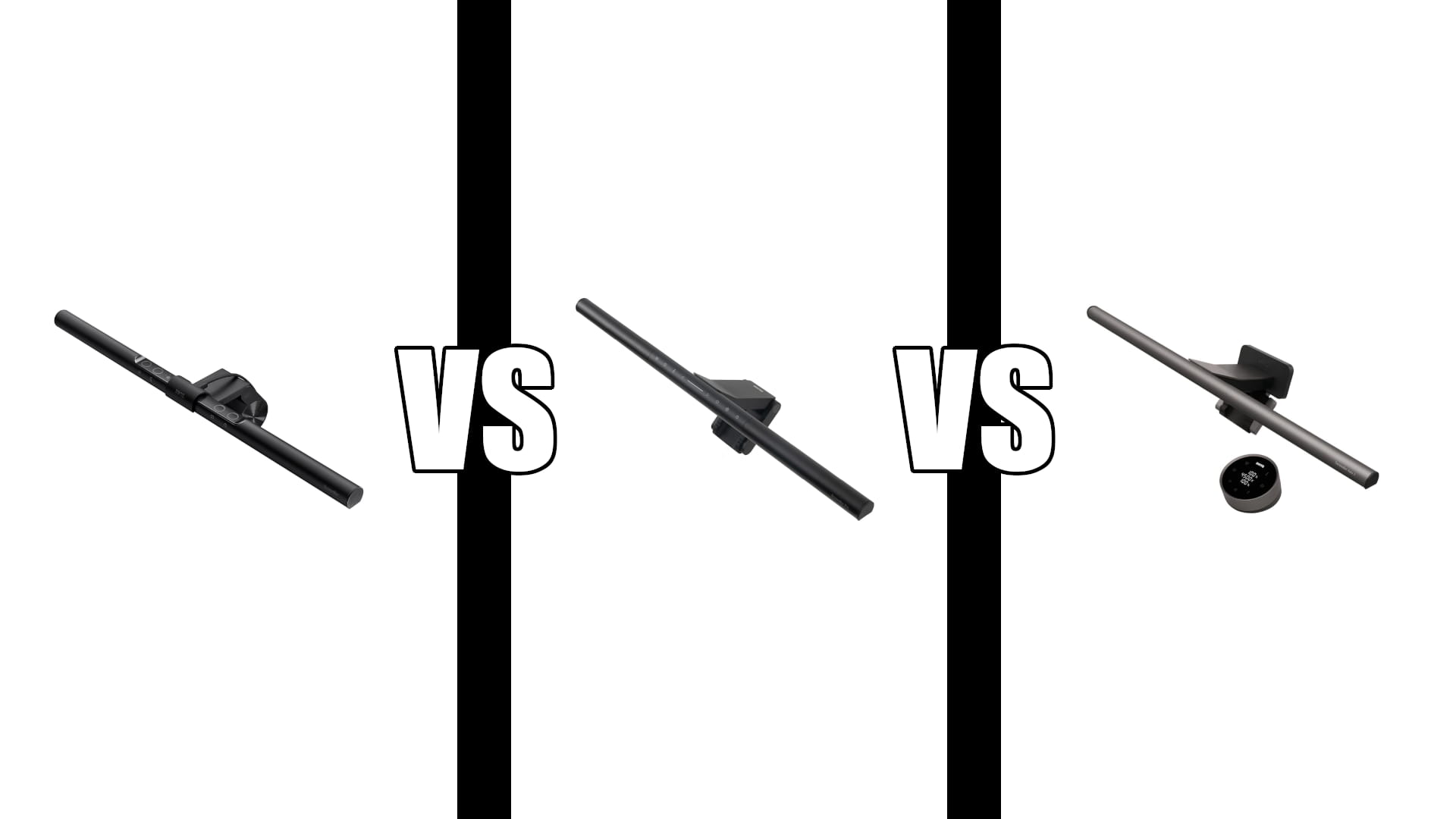
BenQ ScreenBar vs Pro vs Halo 2: Same Light, Less Money
Category: Tech & Gear | Reading time: 13 min | Last updated: October 2026
Disclosure: This post contains affiliate links. If you buy through our links we may earn a small commission at no extra cost to you.
BenQ sells three monitor light bars and the naming does not tell you what separates them. ScreenBar, ScreenBar Pro, ScreenBar Halo 2, each one more expensive than the last, each one described in roughly the same language.
Here is the part that decides it, and it is not on any comparison chart: the Pro and the Halo 2 produce exactly the same light. Same coverage area, same brightness, same colour rendering. The extra money buys a rear backlight and a wireless dial. Nothing about the light itself changes.
Which means the real question is not which light is better. It is whether you have a wall behind your monitor, and whether reaching up to the bar bothers you.
Jump to a section
The short answer
Buy the ScreenBar Pro. It is the best light in the range for the money, it fits the widest span of monitors, and it has the motion sensor. For most desks this is the one.
Buy the Halo 2 if there is a wall close behind your monitor, or if you want a dial on the desk instead of touch controls on the bar. Those are the only two things it adds. If your desk faces into an open room, you are paying for a backlight that has nothing to bounce off.
Buy the original ScreenBar only if the budget is tight and your monitor is thin. It covers a much smaller area, it has no motion sensor, and its touch controls are the most consistently criticised thing in the whole range.
Same light, different interface
This is the finding that should change how you shop, so it goes before everything else.
BenQ’s own published specification for the Halo 2 gives lighting coverage of 85 by 50cm at 500 lux, with centre illuminance above 1000 lux measured at 50cm, and CRI of Ra 95 or better on the front light. The Amazon listing for the ScreenBar Pro gives over 1000 lux central brightness and a 500 lux range within 85 by 50cm.
Those are the same numbers. The front light on the Pro and the Halo 2 is the same light.
What the Halo 2 adds is a rear backlight that throws adjustable ambient light behind the monitor, and a wireless dial with a small display instead of buttons on the bar. Both are real features. Neither makes your desk brighter or your colours more accurate.
The step that is a light upgrade is from the original ScreenBar to the Pro. The base model covers 60 by 30cm at 500 lux. The Pro covers 85 by 50cm and adds the brighter centre. That is a genuine jump, and it is the cheaper of the two upgrades.
ScreenBar Pro in detail

The Pro holds the highest rating in the range at 4.8, and it is the model BenQ appears to be pushing hardest. The motion sensor is the feature owners end up talking about, and the implementation is more thoughtful than the spec sheet suggests.
“I also own the Halo version of this light that I use in my office, which is pretty fantastic, but this one is even better if you don’t need the backlight from the Halo, and don’t care about having the wireless remote control. The motion detection feature is also a really nice addition, which partly makes up for not having the remote control puck since you only have to set it to what you want to use it at and then enable the motion detection mode and forget it. The implementation is even thoughtful enough that you can either walk away and let it turn itself off after 5 minutes, or tap the power icon to turn it off immediately, in which case it temporarily disables the motion detection for 30 seconds so you can step away from your computer before it re-enables the sensor again.”
Worth noting that this reviewer bought in mid-2024, which means the Halo he is comparing against is the first generation, not the Halo 2. His point about the backlight and the remote being the only differences still holds, since those remain the two things the Halo line adds.
One real bug to know about. If you run the motion sensor and auto brightness together, the light cycles on, off, and on again while it works out the right level. BenQ support has confirmed this is expected behavior rather than a fault.
“I tried 5 different monitor light bars before this one. I tried cheap ones and moderately priced ones. A couple were good, but I still felt like they were struggling to light up my desk fully. I finally caved and bought this one. Oh. My. Goodness. The difference is literally night and day. It is SO bright compared to the cheeper alternatives out there. I don’t necessarily agree with the price, but the quality is surely far superior than the alternatives. My only real con has to do with the motion sensor and auto brightness. When you have both enabled, the light will turn on, turn off, and then turn on again. I reached out to BenQ support, and they informed me this is normal and that the light is determining the correct brightness.”
You can work around it by picking a fixed brightness and leaving auto off, which is what most people with the issue end up doing.
ScreenBar Halo 2 in detail

It is the most bought model in the range and the one every other light bar gets measured against. The dial genuinely is nicer than reaching up to a bar. But the long-term owner reviews are where the useful detail sits, because they name things a spec sheet will not.
“This light bar is probably the definitive light bar at the time of this review. It perches elegantly on top of my Apple Studio Display without blocking the built-in webcam. It casts a highly customizable glow onto my desk without putting a single glare onto the glass of my monitor screen, no matter how brightly it’s shining. The control puck is elegant and feels nice to use. My desk floats in the room, and thankfully the rear light can be turned off and kept off to accommodate that kind of setup. It’s not quite perfect though. The first is that it has a captive/non-removable USB C power cord. If this cord breaks or becomes faulty, the entire light bar needs repair or more likely replaced. The second is the height/placement over the monitor, which I wish was just a bit higher. Every time I look at my monitor, I also see a grey bar over top where I expect to see the room behind my desk. Lastly, while it’s great to be able to set a favorite, one-touch setting, I’d really appreciate the ability to toggle between at least two favorites, one for daytime and one for nighttime.”
Three things worth pulling out of that. The power cord is captive, so a cable failure means replacing the whole unit. The bar sits low enough in your field of view that some people never stop noticing it. And the “My Favorite” mode stores one setting, not two, which is a real annoyance if your room changes brightness between morning and evening.
Also note what that reviewer did with the backlight: turned it off and left it off, because his desk sits away from a wall. That is the single most useful sentence in the review, and it is the whole case for buying the Pro instead.
“This light bar has been a great addition to my 32″ curved 4K monitor setup. What impressed me most is the adjustability and how well it fits without interfering with the screen. Fit-wise, it sits securely on top of my curved monitor without wobbling or sliding. The counterweight design balances well and doesn’t block any part of the display. No glare or reflection issues either, the asymmetric light distribution keeps illumination on the desk, not in my eyes.”
ScreenBar in detail

It has by far the most reviews in the range at 2,943, which is seven years of accumulated feedback rather than evidence that it is the best model. It is the cheapest way into BenQ’s optics, and for a small desk with a thin monitor it does the job.
Two limitations come up repeatedly, and they are worth knowing before you save the money.
“Pros: No issues attaching to 2 of my curved monitors and 1 flat monitor. Really bright at highest setting, great for day use. No glare issues. Brightens my desk area without having to light up the whole room. Cons: Not good for night use, too bright, hurts my eyes to use during the evening. Touch controls are not very intuitive, I guess it’s their way of telling you to buy the light bar plus with the added controller. Auto Dimmer is a gimmick, I stopped using it altogether since it never really worked. The touch controls on the light bar are just awful. For the price, they should be a lot better. I really wish it had a chill or night time mode.”
That review is the clearest argument for spending more. The touch controls are the most criticised part of the base model, and the complaint is not that they look bad but that adjusting the light is genuinely fiddly. The Pro replaces them with physical function buttons. The Halo 2 moves them to a dial on your desk.
The second issue is about where your monitor sits.
“My only gripe is that if you have your monitor at an ergonomic height, you have to decide between rotating the light forward and having it glare in your eyes, or rotating it far back to the maximum, which will glare at the top of the monitor. This will be fine if your monitor is really low. But with the top of your monitor being eye level, you will be staring into this light. Ultimately, I decided to tilt it toward my monitor. It does glare off the bezel, but that’s preferable to in the eyes. With consideration to the overall good quality of the item and excellent light, I would still recommend this item. It has gone a long way to reduce the amount of eye strain I get, especially in low light situations.”
This matters because the top of your screen should be at eye level, which is what our ergonomic setup guide recommends and what a monitor arm is for. Get that height right and the base ScreenBar’s narrower tilt range becomes a problem. The Pro and Halo 2 use the 18 degree ASYM-Light angle and sit deeper, which is why their glare complaints are rarer.
Specs side by side
| ScreenBar | Pro | Halo 2 | |
|---|---|---|---|
| Rating | 4.7 / 2,943 | 4.8 / 1,315 | 4.7 / 1,325 |
| Coverage at 500 lux | 60 x 30 cm | 85 x 50 cm | 85 x 50 cm |
| Centre brightness | 500 lux | Over 1000 lux | Over 1000 lux |
| Rear backlight | No | No | Yes, adjustable |
| Controls | Touch on bar | Buttons on bar | Wireless dial with display |
| Motion sensor | No | Yes, ultrasonic | Yes |
| Auto dimming | Yes | Yes | Yes |
| Colour temperature | 2700K to 6500K | 2700K to 6500K | 2700K to 6500K |
| CRI | Above 95 | Above 95 | Ra 95 or better |
| Monitor thickness | 1 to 3 cm | 0.43 to 6.5 cm | 0.43 to 6 cm |
| Curve support | 1500R and above | 1000R to 1800R | 1000R to 1800R |
| Power | USB-A | USB-C or adapter | USB-C, captive cord |
| Depth | 3.54 in | 5.31 in | 5.6 in |
Will it fit your monitor
This is the spec most people skip and the one most likely to cost you a return.
The base ScreenBar clamps monitors between 1 and 3cm thick and only handles curves of 1500R and gentler. The Pro and Halo 2 go from 0.43cm up to 6cm or more and handle curves from 1000R, which covers aggressively curved ultrawides the base model will not.
Even the Pro has a limit, and it is worth hearing it plainly:
“Mounting bracket requires a thin monitor, if you have a deep monitor the light bar will tilt and will shine on your screen, light output is amazing”
These bars balance on a counterweight rather than screwing on. A deep or unusually shaped back panel can tip the bar forward no matter what the thickness figure says. Measure the top bezel depth before you order, and if your monitor has a thick or oddly contoured back, check the return window.
One more compatibility note: if you clip a webcam to the top of your screen, a light bar competes for the same space. Our video call setup guide covers how to position both.
Controls and night use
All three run 2700K to 6500K, so all three can go warm. The difference is how easily you can get there, and that is where the money actually goes.
On the base ScreenBar you adjust by touching the bar itself, which means reaching over your keyboard and past your screen every time. Owners describe the touch zones as unintuitive, and because the light is bright at its lowest setting, evening work usually means adjusting it rather than leaving it alone.
The Pro uses physical buttons in the same position, which is a meaningful improvement but still a reach. The motion sensor helps more than it sounds, because once you have set a level you like, the light simply comes on when you sit down.
The Halo 2’s dial sits on your desk with a display showing exact values, so changing brightness is a half-second action. If you work across a wide range of room brightness through the day, that convenience is the strongest case for the Halo 2 outside the backlight. Just know it stores one favourite setting, not two.
Who the backlight is actually for
The Halo 2’s rear backlight exists to solve one problem: a bright screen in a dark room creates a harsh contrast at the edges of your display, and your eyes work harder because of it. Lighting the wall behind the monitor softens that edge.
It works, and for late evening work in a dim room it is a real comfort improvement. But the mechanism should tell you who it is not for. The backlight needs a surface close behind your monitor to bounce off. If your desk sits in the middle of a room, faces a window, or backs onto open space, the light goes nowhere and you have paid for a feature you will switch off, which is exactly what the four-star owner above did.
Check your own desk before you decide. If there is a wall within arm’s reach behind your screen, the Halo 2 earns its premium. If there is not, the Pro gives you the identical front light for less.
Our home office lighting guide covers the room side of this, including why facing a window beats sitting with one behind you.
What about the ScreenBar Plus
The ScreenBar Plus is the original bar paired with a wired desktop dial, and it was BenQ’s answer to the touch-control complaints before the Pro and Halo existed.
It is still listed, usually as a “ScreenBar with Dial” variant on the standard ScreenBar page, but it is scarce and frequently priced higher than the Halo 2 despite being an older product with a weaker light. At that point there is no argument for it.
If you want a dial, get the Halo 2 and have it wirelessly. If you want the best light for the money, get the Pro. The Plus only makes sense if you find it close to the base model’s price, and that is rare enough not to plan around.
Which one to buy
| If you | Buy |
|---|---|
| Have no wall behind your monitor | Pro |
| Have a wall within arm’s reach behind the screen | Halo 2 |
| Work late in a dark room | Halo 2 |
| Want the best light for the least money | Pro |
| Have a thick or steeply curved monitor | Pro |
| Adjust brightness several times a day | Halo 2, for the dial |
| Have a small desk and a thin monitor | ScreenBar |
| Hate reaching up to touch controls | Pro or Halo 2, not the base |
| Want a webcam on top of the screen too | Pro |
| Are not sure | Pro |
The Pro is the honest default. It holds the highest rating of the three, it has the same front light as the model above it, it fits the widest range of monitors, and the only things you give up are a backlight most desks cannot use and a dial you can live without.
For the wider field including cheaper brands, our monitor light bar guide covers six options, and our desk lamp guide covers the case for a conventional lamp instead.
Frequently asked questions
Is the ScreenBar Halo 2 brighter than the ScreenBar Pro?
No. Both are specified at 500 lux across 85 by 50cm with centre illuminance above 1000 lux at 50cm. The front light is the same. The Halo 2 adds a rear backlight, which lights the wall behind your monitor rather than your desk.
Is the ScreenBar Pro worth it over the original ScreenBar?
Yes, and this is the upgrade that actually buys you more light. The Pro covers 85 by 50cm against the base model’s 60 by 30cm, doubles the centre brightness, adds a motion sensor, replaces the criticised touch controls with buttons, and fits far more monitors.
Do monitor light bars cause glare on the screen?
All three use BenQ’s ASYM-Light asymmetric optics, which aim the beam down at the desk rather than forward at the panel. Owners of all three report no screen glare. What some base ScreenBar owners do report is light reaching their eyes once the monitor is at a proper ergonomic height, because its tilt range is narrower.
Will a light bar fit a curved monitor?
The Pro and Halo 2 handle 1000R to 1800R, which covers most curved displays including ultrawides. The base ScreenBar only handles 1500R and gentler, so a steeply curved screen rules it out.
Do I need two for a dual monitor setup?
One Pro or Halo 2 covers 85cm, which handles a single large monitor or reaches across to the inner edge of a second. Owners running two screens often buy two bars to light the full width evenly. Our dual monitor guide covers the rest of that setup.
Does the motion sensor work well?
Mostly. It detects movement within roughly 60cm and shuts off after five minutes away. The known quirk is that running it alongside auto brightness makes the light cycle on and off once while it settles, which BenQ has confirmed is expected. Picking a fixed brightness avoids it.
Sources and references
- ScreenBar Halo 2 specifications, BenQ
- BenQ launch the new ScreenBar Halo 2, TFTCentral
- ScreenBar Halo 2 review, Parka Blogs
Continue reading
Prices change often. Check current pricing at checkout. Last updated October 2026.