Best Monitor Light Bars for Home Office 2026
Category: Tech & Gear | Reading time: 13 min | Last updated: June 2026
Disclosure: This post contains affiliate links. If you buy through our links we may earn a small commission at no extra cost to you.
Quick picks


See all 6 options below ↓
Most home offices have one of two lighting problems. Either there’s too little light and you’re squinting at your screen in a dim room, or there’s overhead light creating glare and reflections that make your monitor harder to read. Both problems cause the same thing — eye strain that builds up over a workday and leaves you with tired eyes, headaches, or that unfocused feeling by 4pm.
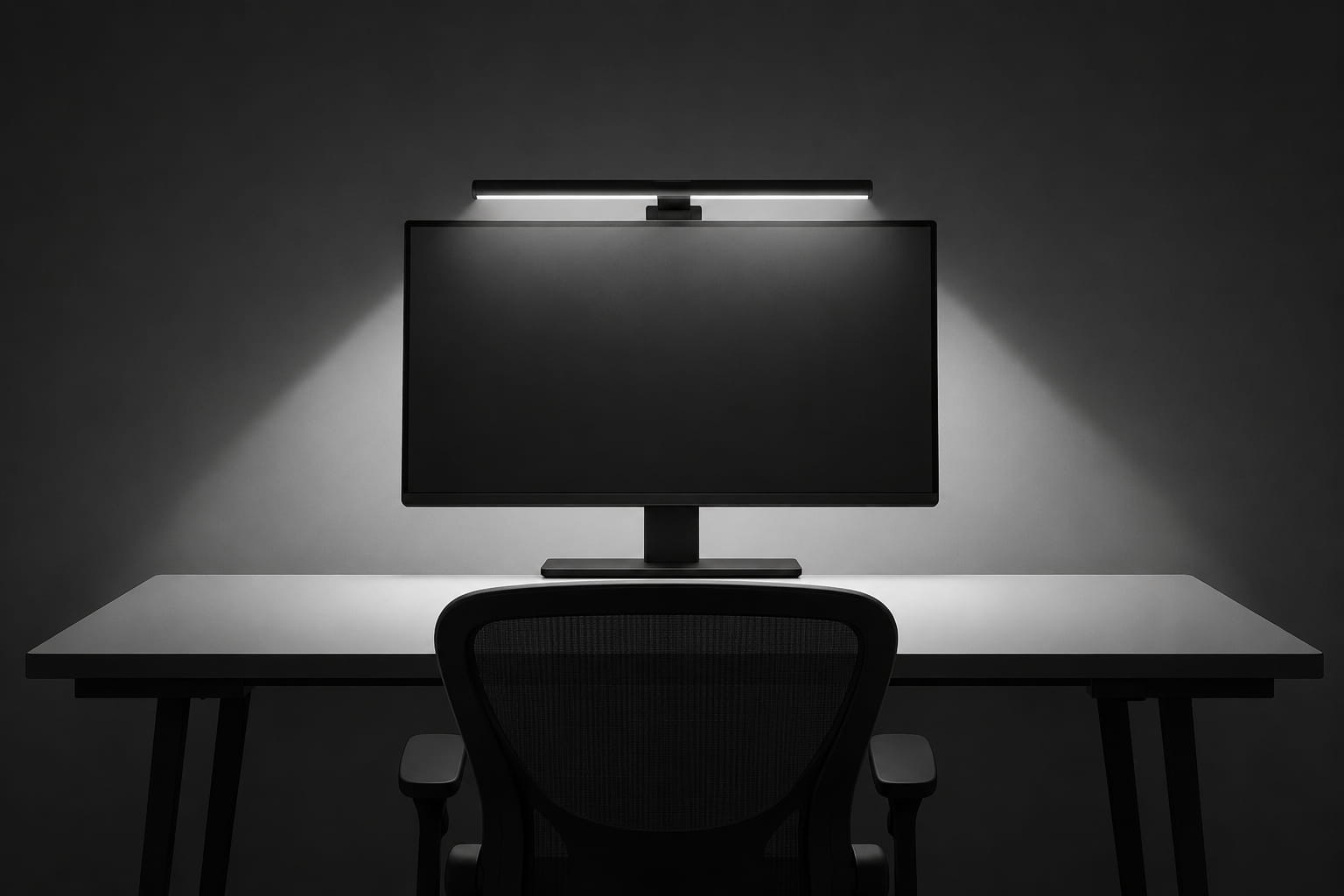
A monitor light bar solves this specific problem. It clamps onto the top of your monitor and shines light downward onto your desk — illuminating your keyboard and workspace without putting any light on your screen. The result is balanced lighting that reduces the contrast between your bright screen and a dark room, without creating the glare that overhead or desk lamps cause.
If eye strain from screen time is a broader concern our guide to staying focused while working from home covers the 20-20-20 rule and other habits that help.
If you want broader ambient desk lighting alongside your monitor light bar our desk lamp guide covers six options from clamp lamps to wireless charging picks.
This guide covers six options from $40 to $199.
1. BenQ ScreenBar — Best overall
The BenQ ScreenBar is the product that created this category and it’s still the reference point everything else gets measured against. At $109 it’s not the cheapest option here, but it’s the one with 5,376 reviews and a 4.7 star average — that combination of volume and rating is hard to find anywhere in this space.
The ASYM-Light technology is the core feature — carefully calculated beam angles mean the light illuminates your desk surface without reflecting back at your screen. No glare, no washed out monitor, just a lit desk and keyboard.
Auto-dimming via a built-in light sensor means once you set it up you mostly forget about it — it adjusts to ambient light throughout the day automatically. Touch controls let you manually adjust brightness and color temperature from 2700K (warm, evening) to 6500K (cool, daylight) when you want to override the automatic setting.
The patented clamp mounts on monitors 0.4″-1.2″ thick and fits ultrawide and curved monitors with 1500R curvature or tighter. CRI over 95 means colors look natural and accurate under the light — relevant if you do any design or photo work.
“Exactly as advertised, maybe better. Easy to install, holds securely to the monitor, and lights the desk area without interfering with the monitor itself or shining in your eyes. Bought two for a dual monitor setup and together they light the entire desk work area nicely.”
Who it’s for: Anyone who wants the most proven, most reviewed option in this category. If you’re not sure which to pick, this is the safe choice that almost never disappoints.
Pros:
- ASYM-Light prevents glare completely
- Auto-dimming based on ambient light
- Wide color temperature range
- CRI 95+ for accurate colors
- 17-year tested LED lifespan
- Fits ultrawide and curved monitors
Cons:
- $109 is mid-range for this category
- USB-A powered — needs a free port
- Special monitor back designs may affect fit
| Spec | Detail |
|---|---|
| Price | ~$109.00 |
| Power | USB-A |
| Brightness | 500lx across 23.6″ x 11.8″ |
| Color temperature | 2700K–6500K |
| CRI | >95 |
| Monitor thickness | 0.4″–1.2″ |
2. Quntis Computer Monitor Lamp — Best budget pick
At $39.95 — roughly a third of the BenQ ScreenBar’s price — the Quntis lamp covers nearly every feature that makes a monitor light bar worth buying. 13,553 reviews at 4.6 stars makes this one of the most purchased products in this entire category, and the numbers back up why.
Like the BenQ, it uses an asymmetrical optical design that illuminates your desk without reflecting on your screen. The auto-dimming sensor targets 900 lux and adjusts continuously based on ambient light. Manual adjustment covers brightness and color temperature from 3000K-6500K.
78 LED beads with Ra98 CRI is a genuinely high spec for this price point — close to the BenQ’s CRI 95+ and noticeably better than cheaper alternatives that often sit around Ra80.
It’s certified to IEC/TR 62778 and IEC/EN 62471 standards for blue light safety — the same eye protection certifications you’d want from any light bar in this category.
“The best purchase for a home office. I spend 8 to 10 hours a day at my computer, often analyzing data — eye strain is real. Tried several desk lamps before finding this. Automatically turns off when I shut down my computer and back on when I restart. My headaches from eye strain are gone.”
Who it’s for: Anyone who wants 90% of the BenQ ScreenBar experience for a third of the price. The pick that makes the most sense if budget matters and you’re trying this category for the first time.
Pros:
- Ra98 CRI — excellent color accuracy for the price
- Auto-dimming targets 900 lux
- Blue light certified
- 13,500+ reviews — heavily proven
- Weighted clip mounts without tools
Cons:
- Slightly narrower coverage than premium options
- No motion sensor
- Build quality is plastic vs BenQ’s more premium feel
| Spec | Detail |
|---|---|
| Price | ~$39.95 |
| LEDs | 78 |
| CRI | Ra98 |
| Brightness | Up to 900 lux |
| Color temperature | 3000K–6500K |
| Mounting | Weighted clip |
3. BenQ ScreenBar Pro — Best wide coverage

The ScreenBar Pro takes everything the standard ScreenBar does and scales it up. Over 1000lx central brightness and a 500lx range across a 33″x20″ area is significantly wider coverage — relevant if you have an ultrawide monitor, dual monitors, or just a larger desk surface to light.
For the full setup guide on running two monitors smoothly our dual monitor guide covers cable management, positioning and display settings.
The motion sensor is the standout new feature — an ultrasonic sensor detects movement within roughly 24 inches and turns the light on when you’re at your desk, automatically shutting off after 5 minutes of absence. Small detail, but it means you never walk away and forget to turn it off.
It fits monitors from 0.17″ to 2.56″ thick and curvature up to 1000-1800R — wider compatibility range than the standard ScreenBar, including monitors with unusual back designs or non-flat top bezels. USB-C powered with an included adapter for flexibility.
At 4.8 stars across 1,217 reviews it has the highest rating of any product in this list.
“Really exceeded my expectations. Fits seamlessly on a 34-inch curved Dell monitor and the silver color blends in perfectly. The mounting design impressed me most — soft rubber clamps grip the monitor securely without scratching anything, even on a curved screen. Powers straight through USB-C on the monitor, so no wall adapters or extra cables.”
Who it’s for: Anyone with an ultrawide monitor, dual monitor setup, or a wider desk who finds the standard ScreenBar’s coverage area too narrow.
Pros:
- 1000lx central brightness — brightest in this list
- 33″x20″ coverage area
- Motion sensor auto on/off
- Wider monitor compatibility (0.17″-2.56″)
- USB-C powered
- Highest rated product here at 4.8 stars
Cons:
- $139 — most expensive standard option
- Larger size takes more space on monitor top
- Motion sensor range may trigger from nearby movement
| Spec | Detail |
|---|---|
| Price | ~$139.00 |
| Brightness | 1000lx central, 500lx across 33″x20″ |
| Power | USB-C |
| Monitor thickness | 0.17″–2.56″ |
| Curvature | 1000R–1800R |
| Motion sensor | Yes — 24″ range |
4. ONWAY Curved Monitor Light Bar — Best with remote control

At $59 the ONWAY sits between the Quntis budget pick and the BenQ options, and it brings a feature none of the others have at this price — a wireless remote control. Click twice on the remote or use the on-lamp sensor switch to adjust brightness automatically, or use the remote to manually cycle through modes and color temperatures.
The camera base is a clever design touch — a small platform above the light bar that holds a webcam, keeping your camera at eye level without it competing for space with the light bar itself. If you’re using an external webcam this solves a placement problem the other options don’t address.
ONWAY’s marketing claims this is “the world’s first curved screen asymmetric optical design” — that’s a marketing claim worth taking with some skepticism since BenQ’s ASYM-Light predates this product, but the underlying glare-free design does work as described according to reviewers.
Passed IEC62778 anti-blue light certification. The 3-piece base design adapts to monitors from 0.12″ to 2.36″ thick, including irregular display shapes.
“The actual light is great — mounts sturdy on the monitor and light output is good. One minor gripe with the remote: auto brightness is a little finicky since the same knob controls power, manual brightness, and auto toggle. It’s easy to accidentally switch from auto back to manual unintentionally.”
Who it’s for: Anyone who wants remote control convenience and uses an external webcam — the camera base solves a real placement problem.
Pros:
- Wireless remote control
- Built-in camera base for webcams
- Blue light certified
- Fits irregular monitor shapes
- Mid-range price point
Cons:
- “World’s first” marketing claim is questionable
- Remote adds another small device to keep track of
- Fewer reviews than BenQ or Quntis options
| Spec | Detail |
|---|---|
| Price | ~$59.00 |
| Control | Wireless remote + on-device sensor |
| Monitor thickness | 0.12″–2.36″ |
| Certification | IEC62778 |
| Extra feature | Camera base |
5. BenQ ScreenBar Halo 2 — Best premium pick
The Halo 2 is a different proposition from the other ScreenBars — it adds a rear-facing ambient backlight in addition to the front desk lighting. The idea is to reduce the contrast between your bright monitor and a dark room behind it, which is a real source of eye fatigue that front-only lighting doesn’t address.
The front light still uses ASYM-Light at an 18° anti-glare angle — same glare-free principle as the other BenQ options. The rear backlight is wide and adjustable, creating a halo effect around your monitor that softens the transition between screen and room.
The wireless dial controller is genuinely premium — a physical dial with a built-in display showing exact brightness and color temperature values, rather than touch controls or a phone app. Stepless brightness adjustment and the full 2700K-6500K range apply to both front and rear lighting independently.
Smart features include automatically turning on/off with your monitor, ambient light adjustment, and a “My Favorite” mode that remembers your preferred settings. Built with an LED rated for over 50,000 hours.
At $199 this is a genuine investment — double the price of the standard ScreenBar — but for anyone working in a dim room for long hours, the rear ambient lighting addresses a problem the front-only options simply don’t solve.
“One of those upgrades I didn’t realize I needed until I had it. The automatic brightness adjustment just gets it right without constant tweaking. The backlight creates a nice ambient glow behind the monitor — feels more premium and less harsh than a typical desk lamp. No screen glare at all, and fits perfectly on a curved monitor too.”
Who it’s for: Anyone working in a dark room, doing evening work sessions, or anyone who’s tried a standard light bar and still experiences eye fatigue from the screen-to-room contrast.
Pros:
- Front and rear lighting — addresses contrast not just glare
- Wireless dial with display for precise control
- 50,000 hour LED lifespan
- Auto on/off with monitor
- “My Favorite” mode saves preferred settings
Cons:
- $199 — most expensive option here
- Overkill if your room already has decent ambient light
- Two light sources to position correctly during setup
| Spec | Detail |
|---|---|
| Price | ~$199.00 |
| Lighting | Front (desk) + rear (ambient) |
| Front angle | 18° anti-glare |
| Color temperature | 2700K–6500K |
| LED lifespan | 50,000+ hours |
| Control | Wireless dial with display |
6. Govee Smart LED Light Bars — Alternative for color and ambiance

Worth including as a different category entirely — the Govee bars aren’t designed to reduce eye strain like everything else on this list. They’re RGB ambient lighting that mounts behind your monitor or around your desk for a colorful, customizable lighting effect.
16 million colors, music sync that reacts to audio in real time, and voice control through Alexa or Google Assistant. Versatile placement — lay flat, stand vertically, or mount behind a monitor or TV using included brackets.
If your goal is eye comfort and reducing glare, this isn’t the product — go with the BenQ or Quntis options above. But if you want to add some personality to your setup, or you’re setting up a gaming-adjacent home office aesthetic, these are a genuinely well-reviewed option for that purpose at a similar price to the Quntis.
“A fantastic product with a reasonable price tag. My home office needs low light for the type of work I do, and I was getting eye strain from the lack of backlight behind my monitors. Ordered these for relief and I’m very pleased — they attach easily to the back of a monitor with the included adhesive bracket. This has drastically improved my eye strain, and as a bonus I can set my office ambiance to whatever mood I’m in.”
Who it’s for: Anyone who wants colorful ambient lighting for their desk setup in addition to (not instead of) proper monitor lighting. Not a replacement for a glare-reducing light bar.
| Spec | Detail |
|---|---|
| Price | ~$39.99 (from $49.99) |
| Colors | 16 million (RGBICWW) |
| Control | App, voice, music sync |
| Placement | Flat, vertical, or mounted |
| Cord length | 106 inches |
Lighting is part of a well-organized setup — our home office organization guide covers every other aspect of keeping a home office tidy and productive.
How to choose
You want the safest, most proven option:
→ BenQ ScreenBar. 5,376 reviews at 4.7 stars — the benchmark.
Budget is the priority:
→ Quntis Computer Monitor Lamp. 90% of the BenQ experience at $40.
You have an ultrawide or dual monitor setup:
→ BenQ ScreenBar Pro. 33″x20″ coverage and motion sensor.
You use an external webcam:
→ ONWAY. The camera base solves a real placement problem.
You work in a dark room or do evening sessions:
→ BenQ ScreenBar Halo 2. Front and rear lighting addresses contrast, not just glare.
You want colorful desk ambiance alongside your lighting:
→ Govee Smart LED Light Bars — as an addition, not a replacement.
For the complete home office lighting picture our home office lighting guide covers nine picks across seven categories.
Pairing a light bar with a new monitor makes a big difference — our budget monitors guide covers the best value displays for work from home if you’re also upgrading your screen.
Continue reading
Frequently asked questions
Do monitor light bars actually reduce eye strain?
Yes — the mechanism is well understood. Working in a dark room with only your screen lit creates high contrast between the bright display and dark surroundings, which is a known contributor to eye fatigue. A monitor light bar illuminates your immediate surroundings without adding glare to your screen, reducing that contrast. Combined with proper screen brightness and the 20-20-20 rule — every 20 minutes look at something 20 feet away for 20 seconds — it’s one of the more effective low-effort changes for screen-related eye fatigue. American Academy of Ophthalmology.
Will a monitor light bar fit my monitor?
Most monitor light bars use a clamp that hooks over the top edge of your monitor and counterbalances on the back. Check your monitor’s thickness against the product’s compatibility range — most modern monitors fall within 0.4″-1.2″ which all the BenQ and Quntis options cover. Curved and ultrawide monitors need to check the curvature rating, measured in R, where lower numbers mean tighter curves.
Is the BenQ ScreenBar worth the extra cost over the Quntis?
For most people the Quntis covers what matters — auto-dimming, no glare, decent CRI — at a third of the price. The BenQ’s advantages are slightly better build quality, marginally better CRI, and the reputation of being the most proven option in the category. If budget is tight the Quntis is a genuinely good choice, not just a compromise.
Do I need a motion sensor on a monitor light bar?
It’s a convenience feature rather than a necessity. The main benefit is not having to remember to turn the light off when you step away, which has a minor energy saving and means the light isn’t on unnecessarily. The BenQ ScreenBar Pro is the only option here with this feature.
Can I use a monitor light bar with a standing desk?
Yes — the clamp stays attached to your monitor regardless of desk height, so as you raise or lower a standing desk the light bar moves with the monitor and continues to illuminate the same relative area. No adjustment needed when changing desk height.
All prices approximate and subject to change. Check current pricing at checkout. Last updated June 2026.