Best Webcams for Remote Work in 2026 — Ranked by Real Video Call Users
Category: Tech & Gear | Reading time: 10 min | Last updated: May 2026
Disclosure: This post contains affiliate links. We may earn a small commission if you buy through our links at no extra cost to you. We research products using verified owner reviews, YouTube comparison videos, and remote work community feedback — we disclose when we haven’t personally tested something.
Quick picks
- Best overall: Logitech C920 — Check price →
- Best for low-light / darker rooms: Logitech C922x — Check price →
- Best 4K: Logitech Brio 4K — Check price →
- Best budget: NexiGo N660P — Check price →
- Best for Mac: Logitech MX Brio — Check price →
- Best Compact: Anker PowerConf C200 — Check price →
Why your built-in webcam is making you look bad
Before we get into the best webcams for remote work, here’s what’s actually happening when your colleagues squint at your grainy, pixelated face on Zoom.
Built-in laptop webcams — even on $1,500+ MacBooks — are a known weak point. Apple and Dell aren’t webcam companies. The camera is an afterthought crammed into a thin bezel, with a tiny sensor and fixed focus that can’t adapt to variable lighting conditions. The result: decent in perfect lighting, bad in anything less.
An external webcam does two things your built-in camera can’t:
Bigger sensor. More light means less grain. A larger physical camera sensor captures more light, which directly translates to cleaner video in real conditions (overhead office lighting, window backlighting, dimmer rooms).
Proper autofocus and exposure. When you lean forward, look down at notes, or your room lighting changes, a good external webcam adjusts. Built-in cameras often struggle with this.
The result is visible and immediate — multiple remote workers in r/WFH report colleagues or managers commenting on the improvement the same day they switched. If you need a monitor to put your webcam on check out How to Set Up Dual Monitors for Your Home Office.
Good audio matters as much as good video on calls — our Bose QC Ultra 2nd Gen review covers a headphone with USB Voice specifically designed for cleaner call microphone quality.
How I researched these picks
These recommendations are based on:
- Verified amazon reviews filtered to 3-star and above (removing fake positives and outlier complaints)
- YouTube comparison tests from channels
- The reddit rabbit hole that all of us go down every once in a while
I note where community consensus and publication recommendations agree or diverge.
We also have a full professional video call set up guide for zoom, teams, streaming you can find here
The 6 best webcams for remote work in 2026
1. Logitech C920 — Best overall
Check current price on Amazon →
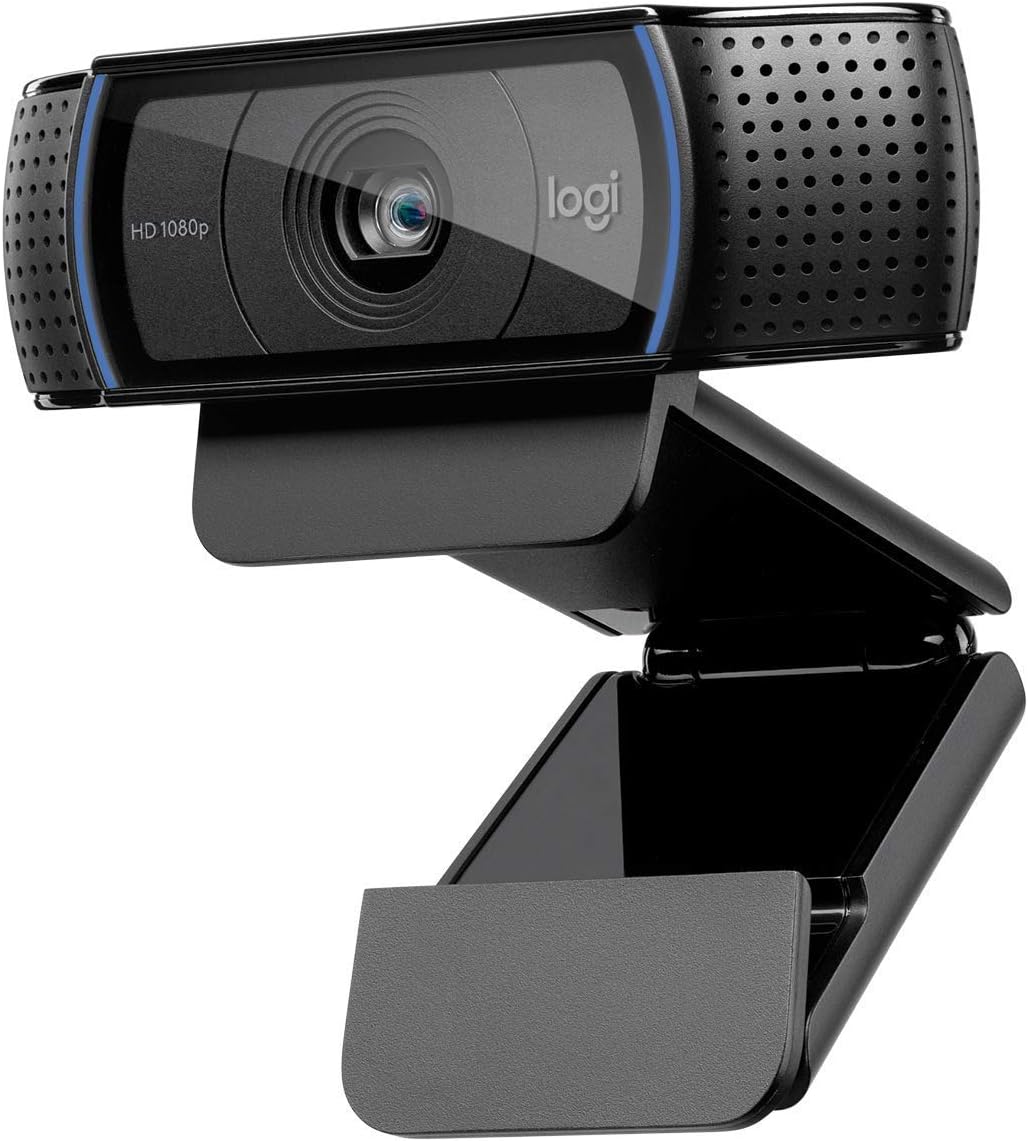
The C920 has been the benchmark webcam recommendation in virtually every remote work community for more than five years.
At 1080p 30fps, autofocus, and stereo microphones, it’s the “you can’t go wrong” pick that Reddit reliably returns to whenever someone asks “what webcam should I buy for work calls?”
What verified owners consistently say:
The positive pattern: Plug-and-play on Mac and Windows with zero driver installation. Video quality is a dramatic improvement from laptop webcams across virtually all lighting conditions. Stereo microphones are rated “good but not great” — adequate for calls but you’d want a dedicated mic for podcasting.
The complaints: About 10% of reviewers note the autofocus can hunt in very low light — noticeable, not usually a dealbreaker. The design is utilitarian — a small black bar that sits on your monitor. Not flashy, not ugly.
r/homeoffice Testimonies
“Works flawlessly across every platform”
“Used it in Teams, Zoom and Hangouts without a single issue. A little pricey for a webcam but the quality is great.”
— u/Hatch3r on Reddit · 5 upvotes
“I bought an off-brand Logitech competitor during the pandemic and the quality of the picture and even the mic is worlds apart from the C920.”
— u/AirForceSpouse on Reddit
Who it’s for: Anyone who does regular video calls and wants the most reliable pick with the most Reddit backing. The answer to “what webcam should I get” for 90% of remote workers.
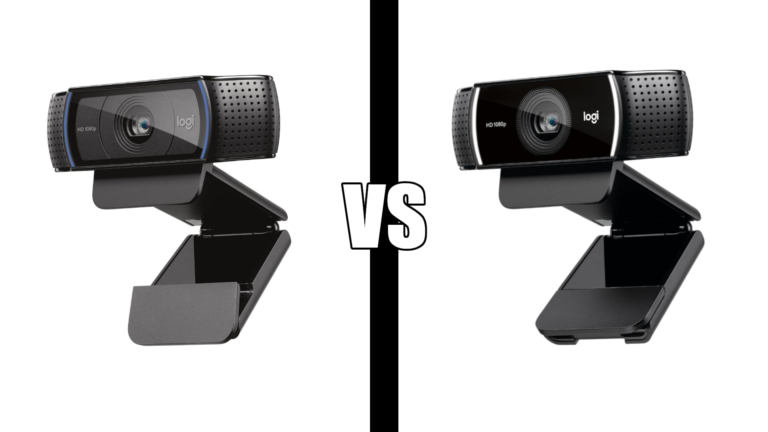
If you are choosing between Logitech’s two most popular webcams see our C920 vs C922 comparison.
| Spec | Detail |
|---|---|
| Resolution | 1080p / 720p |
| Frame rate | 30fps (1080p) |
| Autofocus | Yes |
| Field of view | 78° |
| Microphone | Stereo built-in |
| Compatibility | Windows, Mac, Chrome OS |
| Price | ~$65–$80 |
2. Logitech C922x — Best for darker rooms / low light
Check current price on Amazon →
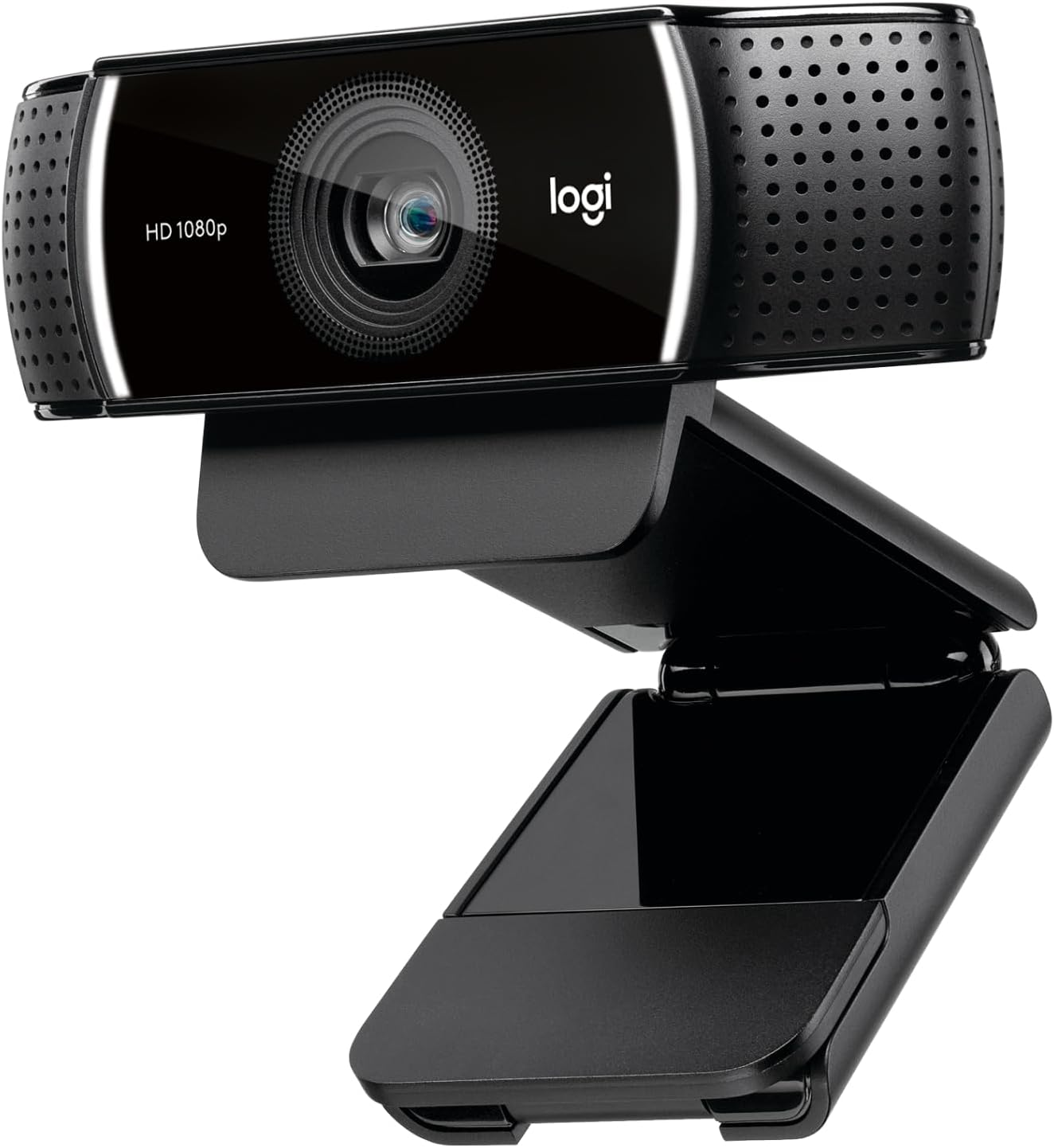
The C922x is the C920’s sibling with one meaningful upgrade: improved low-light performance. If your home office has less-than-ideal lighting — a room without windows, overhead lighting that creates shadows, or you work in the evenings — the C922x consistently handles it better.
The other addition is 60fps at 720p (vs. 30fps on the C920), which matters less for video calls and more for streaming or recording.
What verified owners consistently say:
The positive pattern: The low-light improvement is real and noticeable — owners who’ve compared directly report meaningfully less grain in dim conditions. The video quality is marginally better than the C920 in all conditions, not dramatically better in good light.
The complaints: Costs about $40–$50 more than the C920. In good lighting the improvement is subtle enough that some reviewers say it’s not worth the premium. In bad lighting, reviewers consistently say it is.
“Excellent performance for the price”
“The automatic light correction does a great job even in lower lighting — I don’t have to constantly adjust my room lighting before calls. Setup was plug and play, works seamlessly with Zoom, Teams and Google Meet, and the autofocus keeps the image crisp without annoying lag. The built-in dual microphones sound surprisingly clear for a webcam too — good enough for meetings without needing a separate mic.”
— Verified Amazon Buyer, January 2026 · ⭐⭐⭐⭐⭐ · Logitech C922x
The call: If your room gets good natural light, save the money and get the C920. If you’re in a basement office, north-facing room, or work evenings, the C922x is worth the upgrade.
| Spec | Detail |
|---|---|
| Resolution | 1080p |
| Frame rate | 30fps (1080p), 60fps (720p) |
| Low-light | Improved vs C920 |
| Price | ~$90–$120 |
3. Logitech Brio 4K — Best webcam for all day users
Check current price on Amazon →
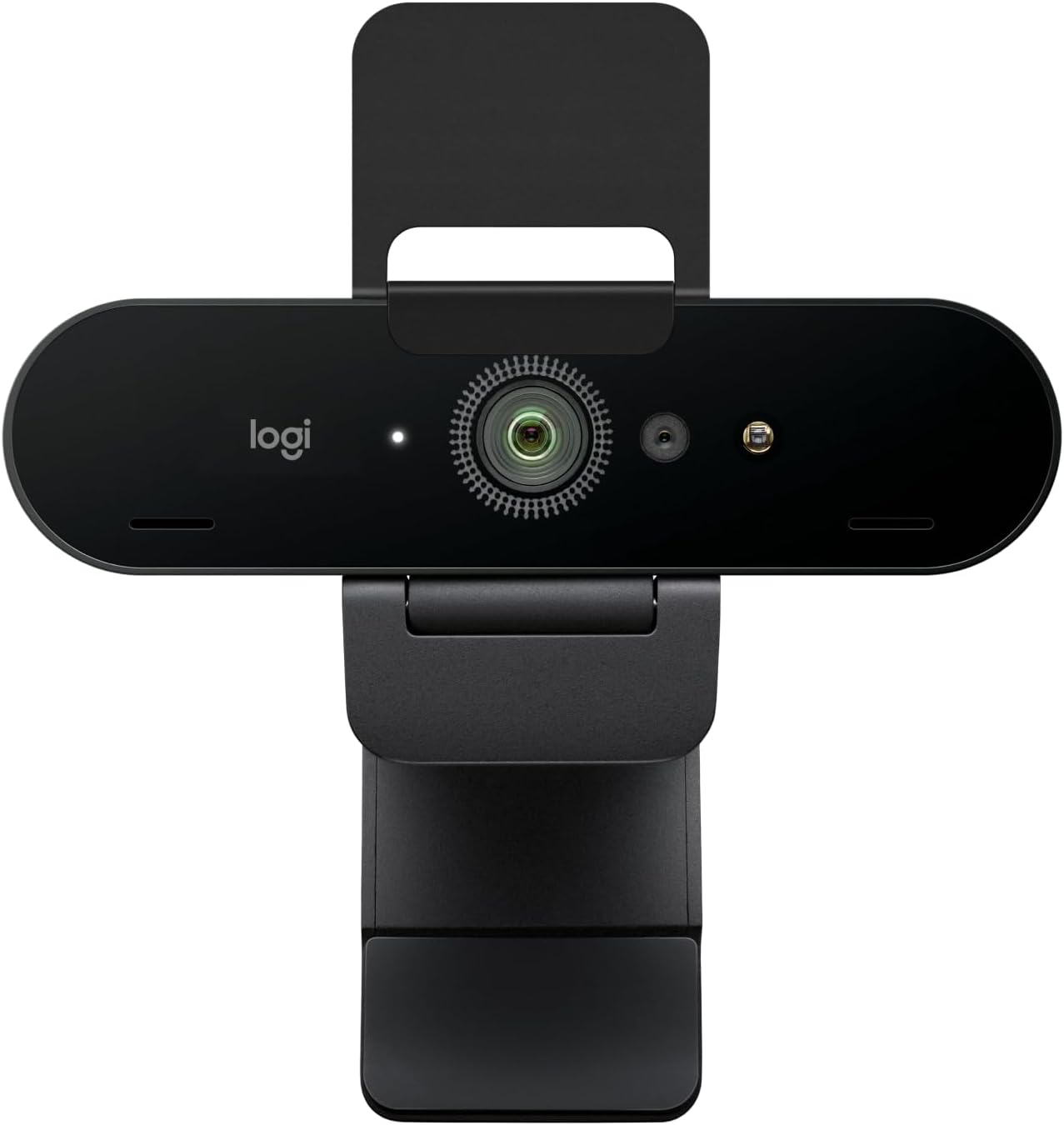
The Brio is Logitech’s flagship webcam — 4K resolution, HDR support, a 90° wide field of view, and RightLight 3 lighting optimization that genuinely handles backlit situations better than anything else in this range.
Honest assessment from community research:
Zoom, Google Meet, and Microsoft Teams all cap at 1080p by default. That means in standard video calls, the 4K resolution doesn’t actually display — the camera downsamples to 1080p. Where 4K matters: recording video content, streaming, or apps that support 4K passthrough.
For pure remote work calls, the Brio’s real advantage over the C920 isn’t resolution — it’s the superior sensor size (produces cleaner, sharper 1080p even when downsampled), the HDR that handles challenging lighting, and the wider field of view.
“As close to an in-person meeting as possible”
“The auto light correction is the standout feature — it adjusts automatically to your environment so your face stays well lit even in less than ideal lighting. The noise-cancelling mic is effective at blocking out background noise including pets, which matters if you work from home. Wide field of view is useful for showing documents or visual aids on camera. Plug and play on both PC and Mac with no complicated setup. One honest complaint: it does get a little warm during back-to-back sessions, though it hasn’t impacted video or audio quality.”
— Verified Amazon Buyer, March 2024 · ⭐⭐⭐⭐⭐ · Logitech Brio 4K
Who it’s for: Home office setups with challenging lighting (window behind you, overhead lights), content creators who record video alongside calls, or anyone who wants the absolute best image quality for calls.
| Spec | Detail |
|---|---|
| Resolution | 4K Ultra HD |
| Frame rate | 30fps (4K), 60fps (1080p/720p) |
| HDR | Yes |
| Field of view | 65°/78°/90° (adjustable) |
| Price | ~$150–$200 |
4. NexiGo N660P — Best budget pick
Check current price on Amazon →
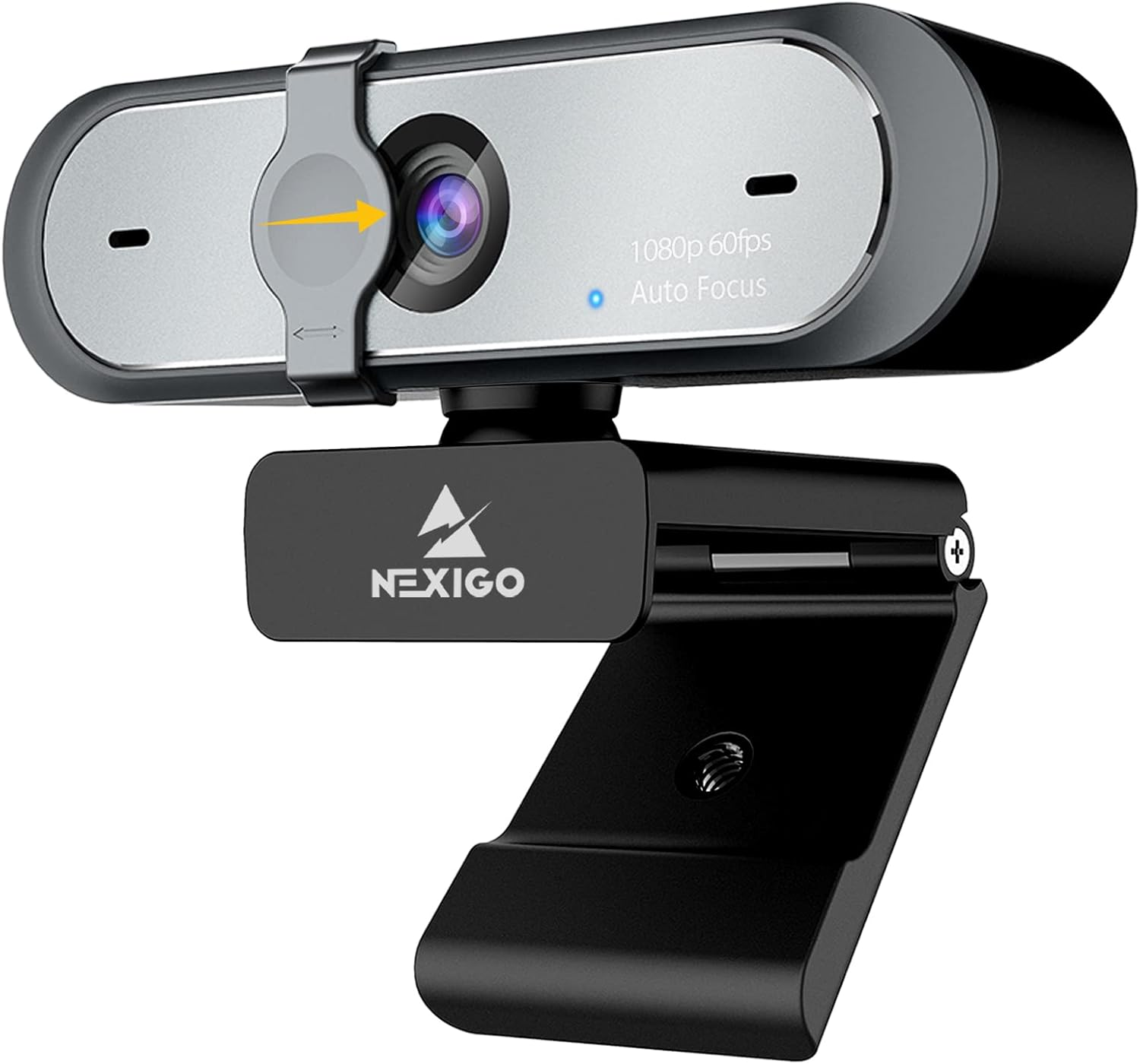
For people who want a step up from their built-in webcam without spending $65+ on a Logitech, the NexiGo N660P is the most consistently recommended budget option in r/homeoffice.
At around $45–$65, it delivers 1080p at 60fps with autofocus and a privacy cover built in — making it a clean, no-fuss upgrade for anyone on a tight budget. The plug-and-play setup means no drivers or software needed on Mac or Windows.
What verified owners consistently say:
The positive pattern: Significant improvement over built-in laptop webcams for a fraction of the price. Owners praise the autofocus for keeping the image sharp during movement and the privacy cover as a genuinely useful feature for anyone security conscious. Simple setup that works immediately out of the box.
The complaints: Image quality is noticeably behind the Logitech lineup — fine for calls, not great for recording. Low light performance is the main weakness — if your room is dim you’ll need a separate ring light. Build quality is budget-tier — the clip mechanism gets some complaints after extended use.
“Decent for work calls, not much else”
“Works fine for business meetings and video calls — smooth 60fps and the privacy cover is a genuinely nice addition. The mounting claw holds but isn’t particularly stable if anything nudges the camera from the side. Where it falls short is anything beyond basic calls: the image has constant noise and the white balance makes skin tones look oily regardless of lighting. Fine for Zoom, not great for recording or streaming. If video quality matters to you, paying up for a Logitech is worth it.”
— Verified Amazon Buyer, February 2021 · ⭐⭐⭐⭐ · NexiGo N660P
Who it’s for: People who want to spend under $60 and just need a reliable 1080p webcam for work calls without any frills.
| Spec | Detail |
|---|---|
| Resolution | 1080p |
| Frame rate | 60fps |
| Auto Focus | – |
| Price | ~$45–$60 |
5. Logitech MX Brio — Best for Mac users / Apple Silicon
Check current price on Amazon →

The MX Brio is Logitech’s 2024 flagship aimed squarely at Mac users who want premium video quality and tight Apple ecosystem integration. It supports Show Mode (turns your camera into an overhead document cam), works with Apple Center Stage equivalent features, and outputs the sharpest 1080p image Logitech makes.
What verified owners consistently say:
Strong positive reviews from MacBook users who find the image quality meaningfully sharper than the Brio 4K in real call conditions. The physical privacy shutter is well-designed. Works well with macOS Sequoia’s enhanced camera controls.
The complaint consistent across reviews: it’s expensive. At $150–$200, it’s priced at Brio 4K territory, and which is “better” depends heavily on your use case and platform.
“The first webcam where I don’t miss my mirrorless camera”
“I work remotely full-time in Microsoft Teams all day and previously used a Lumix GH3 mirrorless camera as my webcam. The MX Brio replaced it completely. The biggest surprise was real-world meeting quality — Teams compresses video heavily anyway so the practical gap between this and a mirrorless is smaller than people think. Where it genuinely stands out is virtual background segmentation — cleaner edge separation than any other webcam I’ve tested. Autofocus is reliable, low light recovery is solid without getting smeary, and color handling is noticeably improved over older Brio models. Two honest tradeoffs: Logitech’s software is fragmented between apps, and if you’re primarily a streamer there may be better options. For professional video meetings though, this is the one.”
— Verified Amazon Buyer, May 2026 · ⭐⭐⭐⭐⭐ · Logitech MX Brio
Who it’s for: Mac-first users on MacBook Pro/Air who want the best image quality for calls and occasionally use Show Mode for sharing documents over camera.
| Spec | Detail |
|---|---|
| Resolution | 4K (2160p) |
| Frame rate | 30fps (4K), 60fps (1080p) |
| Platform optimization | Mac + Windows |
| Privacy shutter | Physical |
| Price | ~$150–$200 |
6. Anker PowerConf C200 — Best compact option
Check current price on Amazon →

Anker’s PowerConf C200 brings 2K resolution to the sub-$60 price range — a meaningful step up from standard 1080p without jumping to Brio 4K prices. The AI noise-cancelling stereo microphones are the standout feature, consistently rated as the best built-in webcam mic at this price point. The adjustable field of view (65°, 78°, or 90°) lets you choose how much of your background appears on calls — useful if your home office is messy.
Audio matters as much as video quality — see our noise cancelling headphones guide for the best options for remote workers.
“Good enough, stop shopping”
“Setup was completely plug-and-play — no configuration needed for a good image straight out of the box. The monitor mount is surprisingly stable and secure, autofocus stays locked without hunting during calls, and the image is clean for the price point. Lighting in my space is mixed and the camera handled it without any tweaking. Compared to other webcams I’ve used this is better than basic Logitech models. Who should NOT buy this: anyone expecting 4K or professional camera results. For everyone else — for the price, the image quality is surprisingly good and the mounting is more solid than expected.”
— Verified Amazon Buyer, January 2026 · ⭐⭐⭐⭐ · Anker PowerConf C200
Who it’s for: Remote workers who do a lot of voice-heavy calls and don’t want to spend on a separate microphone yet.
| Spec | Detail |
|---|---|
| Resolution | 2k |
| Frame rate | 30fps |
| Microphone | AI noise cancelling |
| Price | ~$55–$70 |
How to choose: the decision tree
Are you on a tight budget (under $50)?
→ NexiGo N660P, best value with 1080 60 fps
Is your room well-lit with windows?
→ Logitech C920 — the standard recommendation, hard to beat for the price
Is your room dim, dark, or do you work evenings?
→ Logitech C922x for the low-light improvement
Do you record video content or stream as well as call?
→ Logitech Brio 4K — the 4K recording is worth it for content creation
Are you on a Mac and want the best call quality available?
→ Logitech MX Brio
Do you do a lot of audio-heavy calls and hate your audio quality?
→ Anker C200 for the best built-in microphone
One thing that’ll improve your video quality more than the webcam
Before spending $80 on a webcam: check your lighting.
If you have a window behind you, you’re backlit — you’ll look like a dark silhouette regardless of what webcam you use. Move so the window is in front of you, or to your side. This free change often improves call quality more than a webcam upgrade.
If your room is dark, a $25 ring light or LED panel placed at eye level in front of you makes a dramatic difference. This + the C920 is a better combo than the Brio 4K with no lighting.
For desk lighting that also helps reduce eye strain our monitor light bars guide covers the best options including ones with built-in camera mounts.
Recommended lighting: Neewer 8″ Ring Light with Stand — Best budget lighting for video calls. Check ring light prices →
Starting your home office from scratch?
Need more Office Gadgets?
Setting up dual monitors too?
Frequently asked questions
Does webcam quality actually matter for normal work calls?
Yes, but with context. Most of the benefit comes from moving from a bad built-in webcam to any decent external webcam. The difference between a $70 C920x and a $200 Brio 4K is smaller. The biggest jump in perceived quality is: lighting improvement → any decent external webcam.
Will 4K actually show on Zoom or Teams calls?
No. Zoom caps at 1080p on most plans. Teams also defaults to 1080p. For standard video calls, 4K is captured then downsampled — you get a cleaner 1080p output, not actual 4K on screen.
Do I need a separate microphone?
For typical work calls, a good webcam’s built-in stereo microphone is adequate. For podcast recording, frequent presentations, or if people say your audio sounds bad, a dedicated USB microphone ($50–$100) makes a meaningful jump. The Anker C200 has the best built-in webcam mic if you want to delay that purchase.
What’s the best webcam for a standing desk setup?
Same webcams — the mounting changes. A flexible arm mount ($15–$25 on Amazon) lets you position the webcam independently of your monitor, which is useful at variable-height desks.
Summary comparison
| Webcam | Price | Best for | Key strength |
|---|---|---|---|
| Logitech C920 | ~$70 | Most remote workers | Proven reliability, value |
| Logitech C922x | ~$90 | Dim rooms | Low-light performance |
| Logitech Brio 4K | ~$170 | Content creators, best quality | 4K, HDR, wide FOV |
| NexiGo N660P | ~$50 | Budget buyers | Built-in ring light |
| Logitech MX Brio | ~$180 | Mac users | Apple integration, image quality |
| Anker C200 | ~$60 | Audio-focused calls | Best built-in mic |
All prices approximate and subject to change. Check current pricing at checkout.