10 Amazon Buys Every Remote Worker Needs Under $250
Category: Gear & Tech | Reading time: 8 min | Last updated: May 2026

Disclosure: This post contains affiliate links. We may earn a commission if you purchase through our links at no extra cost to you.
Not every home office upgrade costs $300. Some of the most impactful changes to your work-from-home setup cost $10–$40 and arrive tomorrow with Prime.
This list is built from aggregating recommendations from reddit, amazon reviews, and friends’ setups— specifically the threads where people ask, “what’s the best cheap upgrade you’ve made to your home office?” The products below appear repeatedly, with owners explaining exactly why they made a difference.
Everything is under $50. Most are under $30.
1. Monitor riser / laptop stand — $10–$15
If you’re staring at a monitor that’s sitting flat on your desk, you’re craning your neck downward all day. Your eyes should be level with the top third of your screen — which for most people means the monitor needs to be 3–6 inches higher than desk level.
A monitor riser fixes this for under $30. The bonus: most have a drawer or shelf underneath for keyboard storage, cable management, or just getting your lunch off the desk.
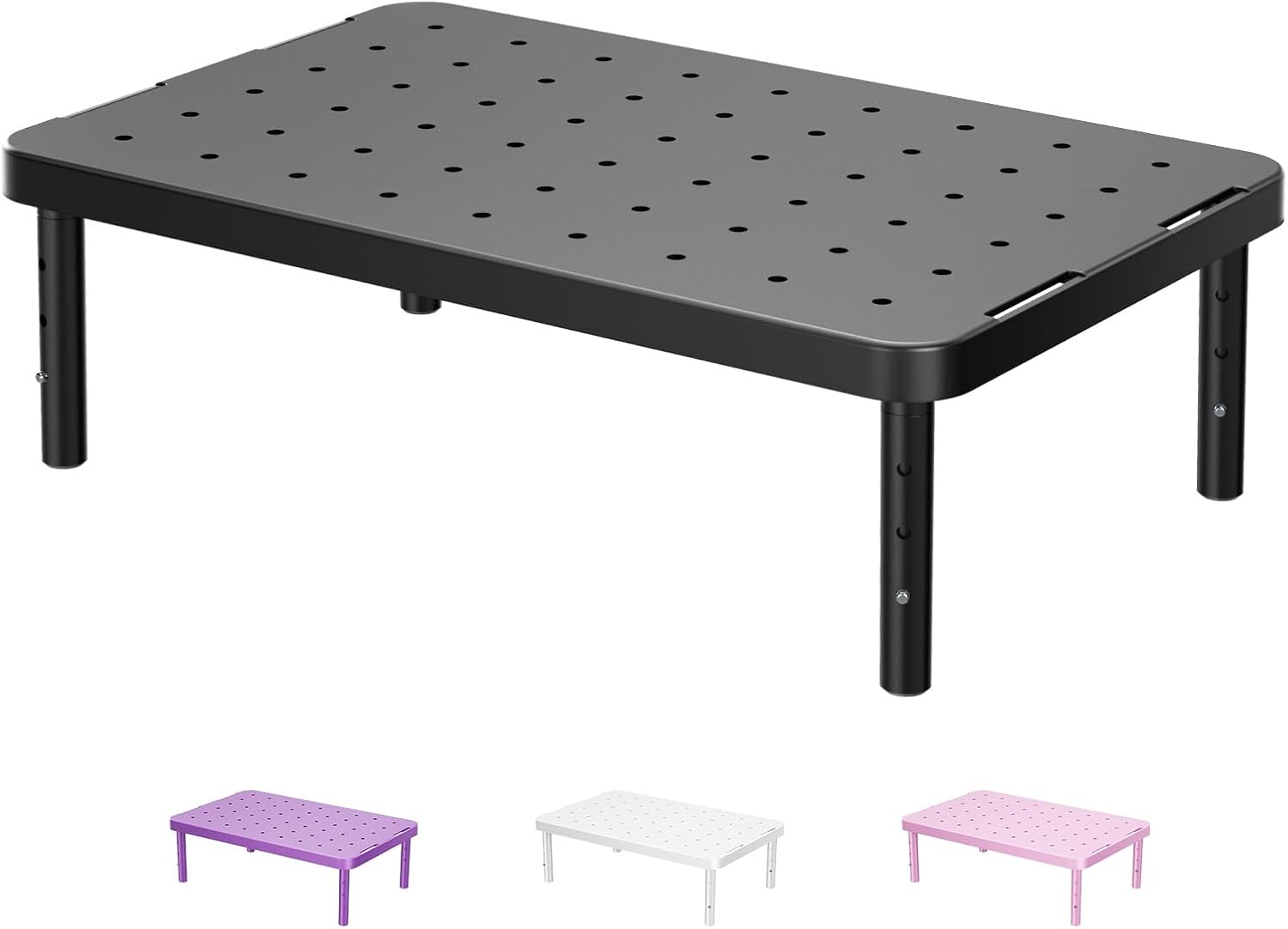
Top pick: WALI Monitor Riser — metal finish, ~$10–$15. Recommended consistently in r/homeoffice for the price-to-quality ratio. This one allows you to adjust from 4 to 6 inches to find that perfect height for your eyes and also has a 4.7 star rating. Check price →
“Nicer than expected for the cost”
“The riser is made of metal and is nice and wide — sturdier than you’d expect at this price. Legs screw on by hand in under a minute, no tools needed, and the height adjustment is straightforward. Does exactly what it’s supposed to do.”
— Verified Amazon Buyer, May 2026 · ⭐⭐⭐⭐⭐ · WALI Monitor Riser
2. Blue light glasses — $8-15
Controversial in some circles, but consistently mentioned in remote work communities by people who noticed a difference in evening eye fatigue. The evidence on blue light glasses is mixed scientifically, but the anecdotal reports from people who work 8+ hours on screens and then struggle to sleep are consistent enough to be worth the $20 experiment.
What to look for: Lenses with a slight amber tint (not clear) for noticeable blue light filtering. Computer glasses, not sunglasses — you still need to see your screen clearly.
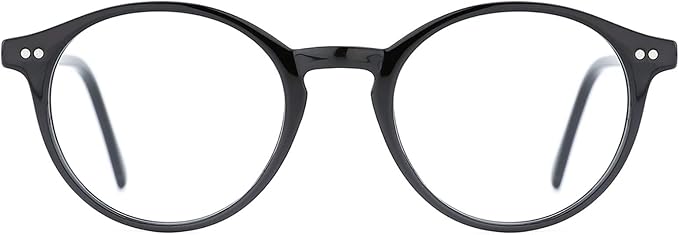
Top pick: TIJN Blue Light Glasses — the most recommended budget option across Reddit. Also come with tons of styles and colors. Around $8–$20. Check price →
3. USB hub — $18–$35
Modern laptops have 2–4 ports. You need to plug in: external monitor, keyboard, mouse, webcam, phone charger, headset. That’s 6 things. A USB hub solves this immediately.
What to look for:
- USB-C input (for MacBooks and modern Windows laptops)
- At least 4 USB-A outputs
- HDMI pass-through if you need another monitor connection
- A brand with consistent reviews (Anker, Uni, Cable Matters)
Top pick: Anker USB C Hub, 7in1 Multi-Port USBC Hub with 4K HDMI, 85W PD, USB-C and 2 USB-A 5Gbps Data Ports, microSD and SD Card Reader. ~$35. The most recommended hub in r/homeoffice under $40. Check price →
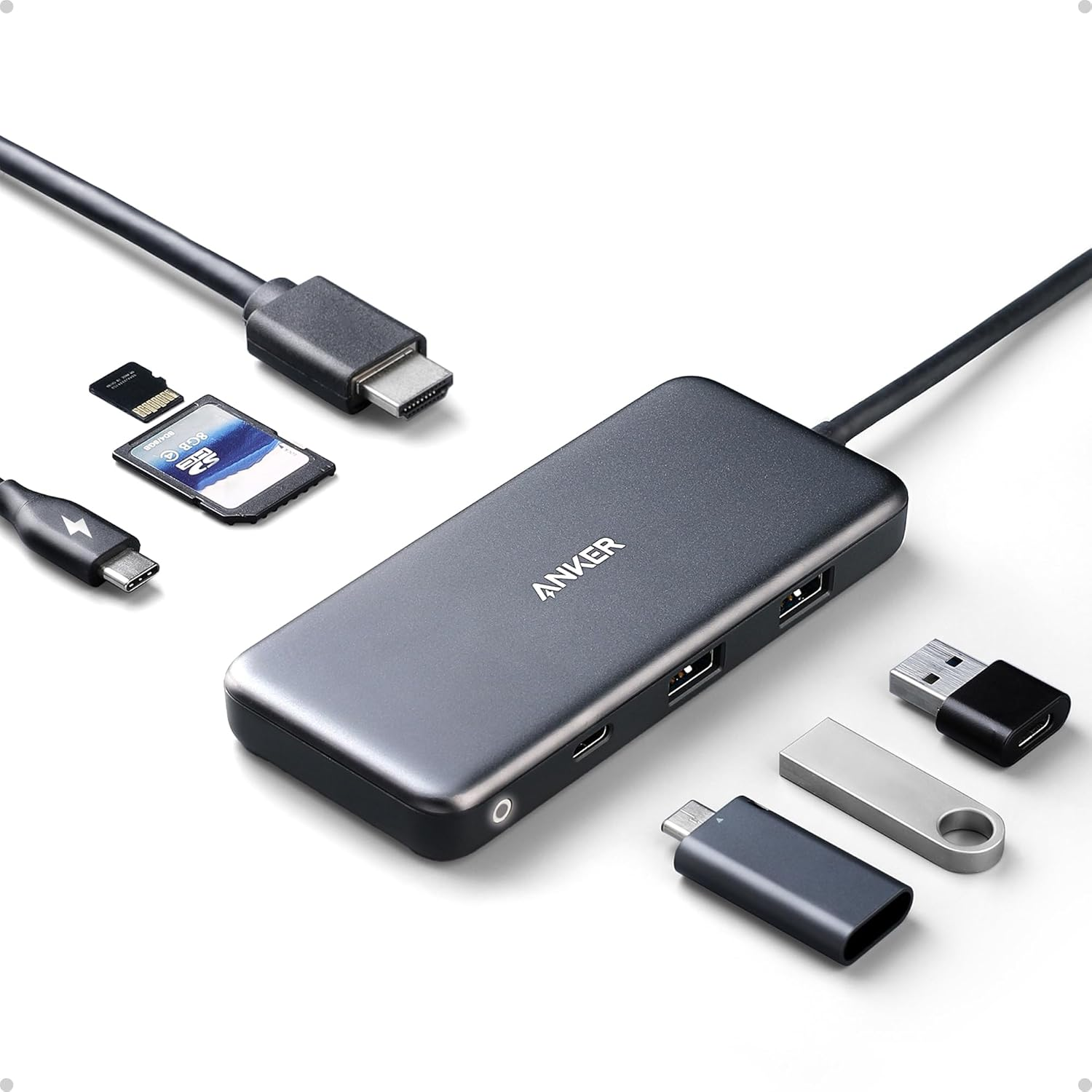
Budget pick for basic needs: AmazonBasics USB 3.0 4-port hub — ~$18 if you just need extra USB-A ports. Check price →
4. Cable Management — $7–$12
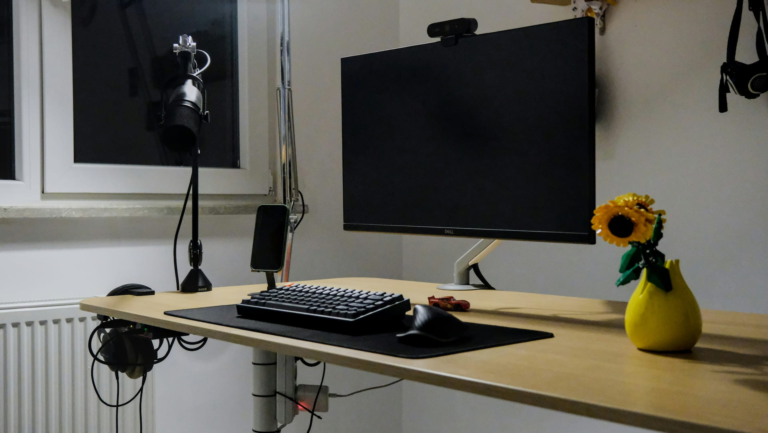
The lowest cost, highest impact purchase on this entire list. Cable management is essential for keeping your area look clean and for keeping you wanting to work in a cozy environment.
The difference in how your desk looks on video calls — and how it feels psychologically to sit at it — is genuinely disproportionate to the cost. We also talked about cable management in our $500 Home Office Setup That Beats Most $2,000 Ones post.
Top pick: Lets be real, cable management cannot get too complicated. It is dealers’ choice. Check price →
5. Desk pad / mat — $20–$35
A large desk pad does three things: protects your desk surface, gives your mouse a better tracking surface than bare wood or glass, and makes your desk look intentional and clean on video calls.
The most recommended size is 31″ × 15″ — fits most desks without overwhelming them.
Top pick: AFIING Cork Desk Mat 47″ x 23.6″, Dual-Sided Natural Cork & PU Leather Desk Pad, ~$26. Non-slip base, easy to wipe clean, available in a variety of colors. Check price →

“Functional, stylish, and well worth the price”
“The combination of cork and PU leather gives it a premium feel that you don’t expect at this price. Large enough to fit a laptop, mouse, and notebook without feeling cluttered, the non-slip cork backing keeps it firmly in place during long work sessions. Waterproof and easy to clean too — essential if you’re someone who keeps a coffee nearby.”
— Verified Amazon Buyer, July 2025 · ⭐⭐⭐⭐⭐ · 36″ x 17″ Desk Pad
6. Wrist rest for keyboard — $15–$35
Carpal tunnel and wrist strain are occupational hazards for heavy keyboard users. A wrist rest keeps your wrists in a neutral position rather than bent upward while typing — the position that causes RSI over time.
Memory foam rests are significantly more comfortable than the gel options for most users.
Top pick: Kensington Memory Foam Keyboard Wrist Rest — the most recommended option on Amazon. About $15–$35. Check price →
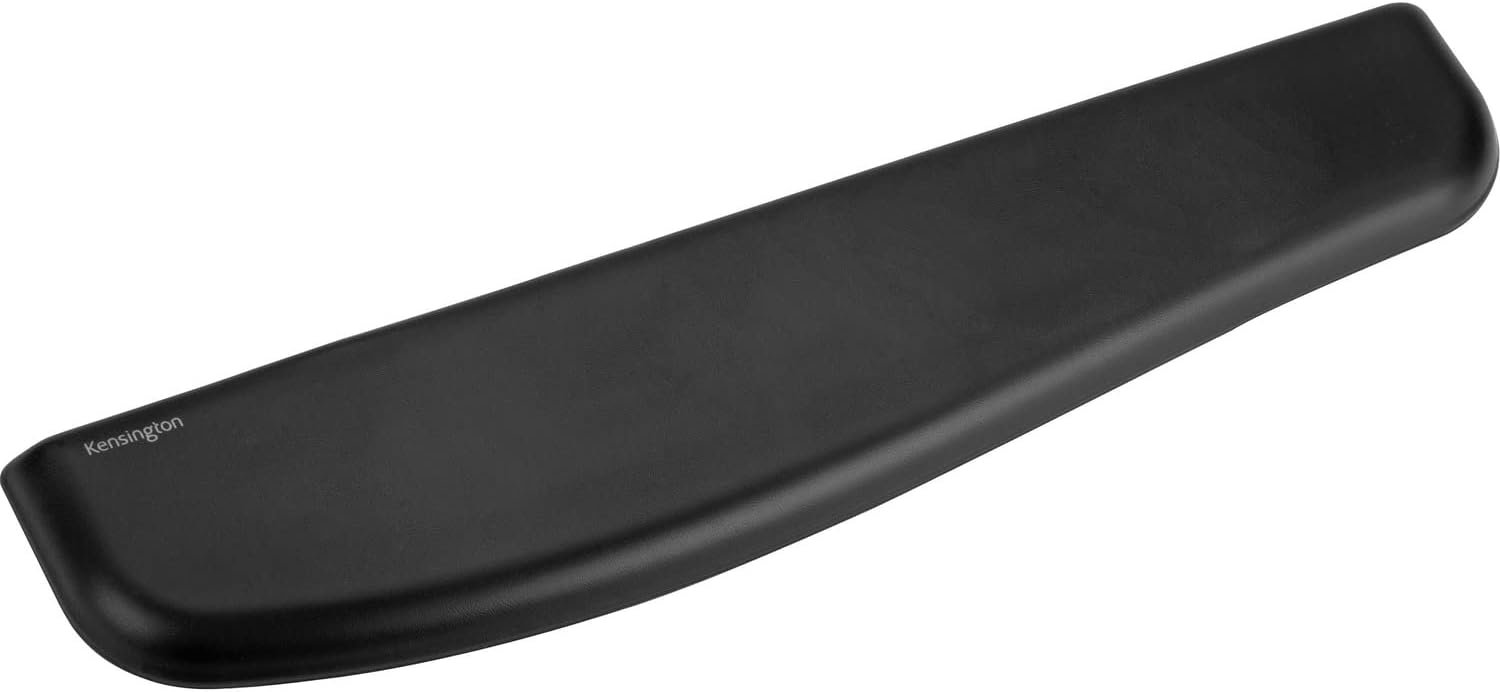
“Comfortable, easy to clean, and great value”
“Works with any full-size keyboard, not just mechanical. The vegan leather exterior is the standout feature — one wipe and it’s clean, unlike fabric wrist rests that build up grime over time. Soft enough to be comfortable during long sessions but firm enough that it holds its shape. About $7 cheaper than Kensington’s standard model too.”
— Verified Amazon Buyer, October 2020 · ⭐⭐⭐⭐⭐ · Kensington Memory Foam Wrist Rest · 2,847 people found this helpful
Note: Wrist rests are for resting between typing bursts, not while actively typing. Your wrists should float above the keyboard when typing and rest when pausing.
7. Headset with microphone — $25–$45
Your laptop’s built-in microphone picks up everything in the room — keyboard clicks, background noise, room echo. A headset with a boom microphone (the arm that sits near your mouth) fixes this for under $35 by capturing your voice directly while ignoring background noise.
This is especially impactful in open-plan apartments, shared spaces, or rooms with hard floors that create echo.
Top pick: Logitech H390 USB Headset — plug and play USB connection, noise-cancelling boom mic, padded headband comfortable enough for all-day wear, and in-line audio controls so you can mute yourself without touching your computer. Over 50,000 Amazon reviews with a 4.3 star average — one of the most purchased headsets for remote work and home office use. Around $28–$35. Check price on Amazon →

“Solid work headset for long shifts”
“I wear mine for a full 8-hour customer service shift and it holds up. The noise cancelling works well enough that customers usually can’t hear my dogs barking in the background. Two things to know going in: the wire can get in the way when typing, and the boom mic sits on the left side — if you prefer your mic on the right this will bother you. For the price though it does the job and it’s wired which makes it work-compliant for most remote jobs.”
— Verified Amazon Buyer, April 2026 · ⭐⭐⭐⭐ · Logitech H390 USB Headset
If you want something more discreet: A lapel/clip-on microphone ($20–$30) clips to your shirt and improves audio without the headset look.
8. Foot rest — $25–$40
Ignored by most home office setup guides. Relevant for anyone under 5’8″ or anyone whose desk height puts their feet dangling slightly rather than flat on the floor.
Proper ergonomics requires your feet to be flat and supported. If your chair is adjusted for your desk height and your feet don’t quite reach the floor, you’re putting pressure on your thighs and lower back all day. A foot rest fixes this.
Top pick: HUANUO Adjustable Footrest — tilts, has a massage surface, adjustable height. ~$30. Recommended in r/ergonomics for people who find they can’t get their chair height right. Check price →

“Solid comfort upgrade, just watch out for hard floors”
“The adjustable height is genuinely useful for finding the right position, and the rocking motion stops your legs going stiff during long sessions. The massage surface is a nice bonus when you kick your shoes off. Two real complaints: it slides on hard floors if you fidget, and the rocking motion doesn’t lock in place. If your office has carpet you won’t notice either issue. For a budget footrest that makes a real difference to comfort during long days, it does the job.”
— Verified Amazon Buyer, August 2024 · ⭐⭐⭐⭐ · HUANUO Adjustable Footrest
9. Monitor arm (single) — $25–$40
Frees up significant desk space by removing the monitor stand footprint. Lets you position your monitor at exactly the right height and distance. Makes your desk look dramatically cleaner.
A basic single monitor arm from VIVO is the most recommended budget option at around $25–$35.
Top pick: VIVO Single Monitor Arm — adjustable height, tilt, and swivel. Fits most monitors up to 27″. ~$40. Check price →

“Outstanding quality for the price — but read this before buying”
“Checked multiple quality-focused forums before buying and this delivered. The arms don’t sag or shift after you’ve positioned them, assembly wasn’t difficult, and the range of movement covers everything — higher, lower, further back, closer in. Holding heavy monitors with heavy cables without any issues. One thing you must know before buying: if your desk is close to a wall, pushing monitors further away actually pushes the arms backward toward the wall in a W shape. Leave some space between your desk and wall or the arms will hit it.”
— Verified Amazon Buyer, July 2025 · ⭐⭐⭐⭐⭐ · VIVO Dual Monitor Arm
Important: Verify your monitor has VESA mounting holes (75×75mm or 100×100mm) on the back before buying.
10. Noise-cancelling earplugs (for deep focus) — $12–$25
Not headphones — earplugs. Physical foam or silicone earplugs for when you need to block out everything and work in silence. Used by developers, writers, and anyone who needs deep focus work without music or noise-cancellation technology.
I have personally used similar silicone earplugs and they are incredible. Fit nicely in my ears, keep out a ton of noise, and I don’t have to constantly readjust them.
Top pick: Mack’s Pillow Soft Silicone earplugs — reusable, NRR 22, comfortable for long sessions. ~$12 for a multi-pack. Check price →

If you want something more serious: Loop Quiet earplugs ($25) are the premium version — reusable, adjustable fit, and recommended in r/nootropics and r/concentration for distraction-free work sessions.
For more tech-focused upgrades our home office gadgets guide covers monitor light bars, docking stations and smart power strips worth adding to your setup.
The under-$50 home office upgrade priority order
If you’re buying these for the first time, here’s the order that gets you the most improvement fastest:
- Cable Management ($9) — immediate visual improvement
- Desk pad ($26) — desk looks intentional, mouse works better
- Monitor riser ($15) — neck pain prevention
- USB hub ($35) — stops the port scramble
- Wrist rest ($32) — RSI prevention before it starts
- Headset ($16) — audio quality improvement on calls
- Foot rest ($30) — ergonomics fix most people ignore
- Blue light glasses ($10) — evening fatigue experiment
- Monitor arm ($40) — desk space and positioning upgrade
- Earplugs ($12) — deep focus unlock
Total if you bought all 12: ~$225. Pick the ones most relevant to your specific problems.
Lose Focus in your Office?
Need a Webcam for your Monitor Check Out:
What remote workers say about these purchases
The common thread across dozens of Reddit posts about home office upgrades: people consistently say the cheapest purchases made the biggest visible difference. A $9 velcro tie pack changes how a desk looks more dramatically than a $200 monitor upgrade in some setups.
Start with the friction — what’s actually annoying you about your setup today? Cable chaos? Neck pain? Bad video call quality? Address the specific problem, and these sub-$50 tools are almost always the first place to look.
All prices approximate and subject to change. Always check current pricing before purchasing.