Best Desktop Speakers for a Home Office (2026)
Category: Tech & Gear | Reading time: 15 min | Last updated: November 2026
Disclosure: This post contains affiliate links. If you buy through our links we may earn a small commission at no extra cost to you.
We read through more than 15,000 owner reviews for desktop speakers across these four, and the useful findings were not about sound quality. They were about two things that appear on no spec sheet.
Two of these four come with a cable between the left and right speaker that is too short to put them where they should go, and on one of them the manufacturer does not sell a longer one. And if you connect desk speakers over USB, Windows can power the port down during quiet moments and clip the first fraction of a second off the next sound you play. One owner spent weeks thinking he was losing his mind over it.
Both of those will affect your day more than whether a speaker reaches 55Hz or 60Hz. Picks first, then the parts that matter.
Jump to a section
The short answer
Edifier M60 for most people. Highest rating here at 4.5 across 2,256 reviews, the smallest share of unhappy buyers of any speaker on this page, Amazon’s Choice, and it arrives with angled aluminum stands that two of the others either charge for or leave you to solve. It sits in the middle of the price range and it is the one I would buy without thinking hard.
Creative Pebble V3 if you want to spend as little as possible. It costs roughly a seventh of the dearest speaker here, it has 6,032 reviews behind it, and it sells more than five thousand units a month. The bass is almost absent and it will not fill a room, but for calls, video and podcasts at a desk it is a genuine upgrade over laptop speakers.
Logitech Z407 if you want actual bass without spending much. It is the only set here with a real subwoofer, and 20 watts of it. Two owners report the USB connection dropping out, so plan on using the analog jack.
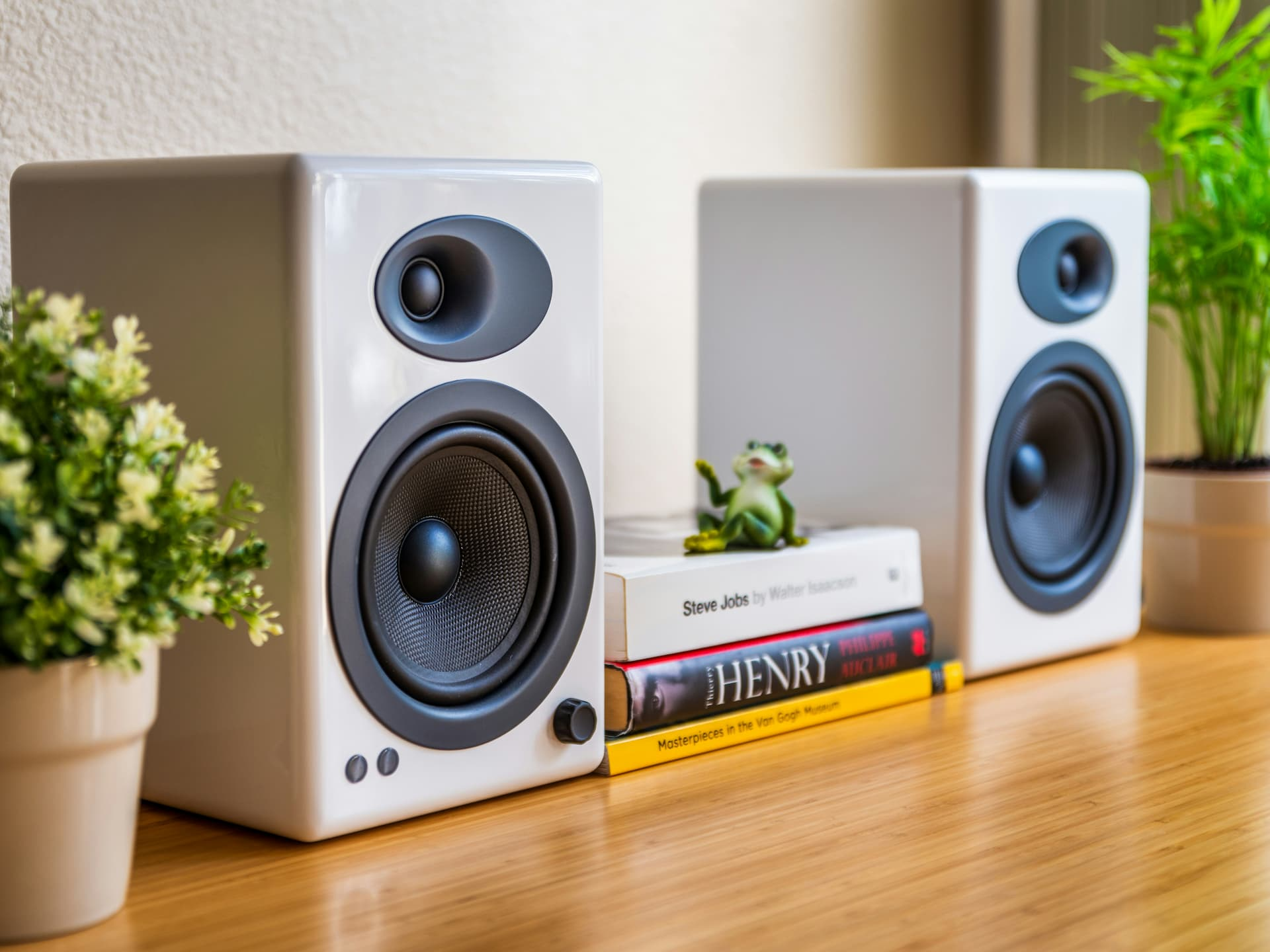
Audioengine A2+ if you want the most neutral sound, real wood cabinets, RCA inputs for a turntable, or speakers more than six feet apart. It is the only one here whose cable you can replace with a longer one.
Creative Pebble V3

With 6,032 ratings and more than 5,000 sold a month, this is by far the most popular speaker on this page and it earns that on value rather than performance. One cable, no power brick, no setup.
Creative is also the only manufacturer here that solved the desk angle inside the speaker rather than with an accessory. The drivers tilt up at a fixed 45 degrees, which matters more than it sounds and is covered further down.
“I had been using a cheap set of Dollar General speakers for years and never felt the need to upgrade. I wasn’t expecting such a dramatic improvement. The sound is clearer, voices are natural, and there is far more depth than I thought possible at this price point. There are YouTubers I’ve watched for years whose voices used to sound harsh and fatiguing, and now they sound completely normal. My only complaint is that the cable between the speakers could be a little longer. With dual 27-inch monitors, I can’t quite spread them as far apart as I’d like.”
Note the cable complaint, because Creative advertises a longer one. Their listing specifically claims a longer cable between right and left speaker for more placement flexibility, and an owner with two 27 inch monitors still cannot spread them as far as he wants.
The honest limit is bass and scale. A four-star owner who bought them for Zoom calls said the clarity is really good, but if you want to jam out, not with these speakers, and the bass is pretty much nonexistent. He did not mind, because calls were the point. A three-star owner using them for films and music found the sound muddy with no sense of a soundstage. Both are describing 2.25 inch drivers accurately.
Who it’s for. Calls, video, podcasts, background music, and anyone upgrading from laptop speakers who does not want to think about it. Not for music as the main event.
Logitech Z407
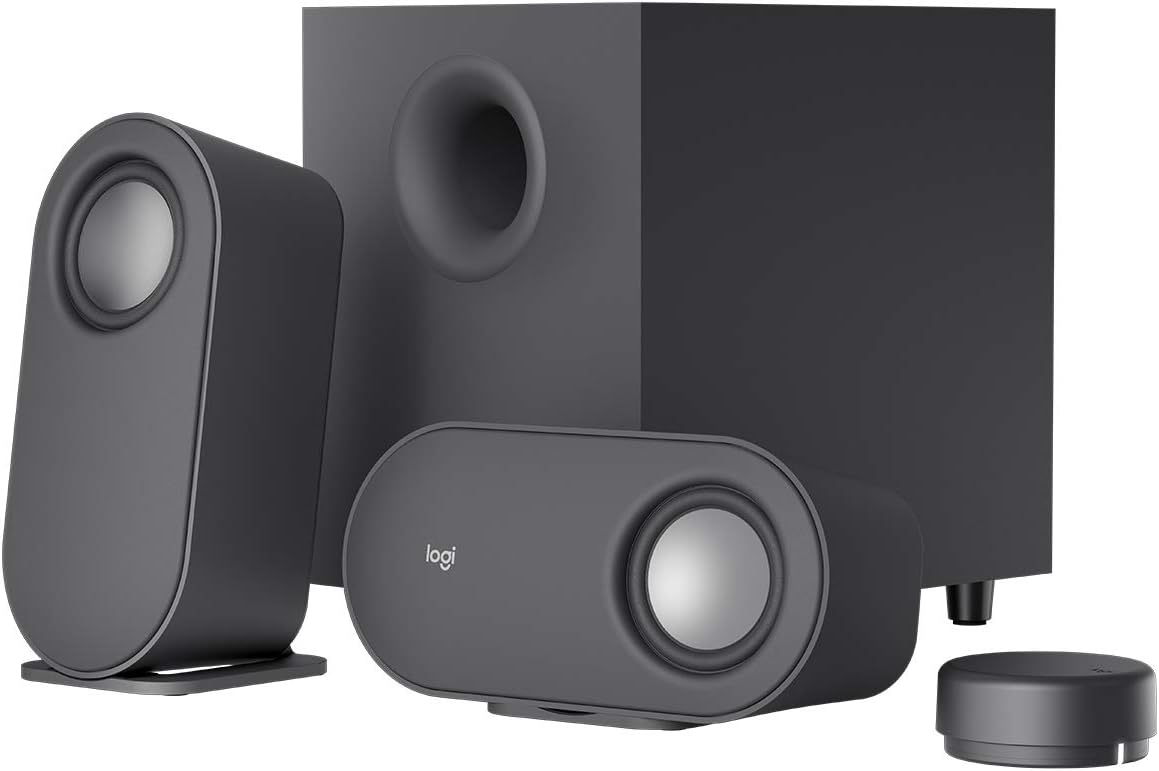
This is the only set here with a real subwoofer, and it is Logitech’s Overall Pick with 3,932 ratings and 500+ sold a month. If the thing missing from your desk is low end, this is the cheapest honest fix on this page by a wide margin. Everything else here stops somewhere around 60Hz and leaves you adding a sub later.
It also produced the most useful owner review of the whole set, from someone who spent a long time diagnosing a problem that affects every USB speaker.
“I am doing language learning and so the speakers had to have a way for me to connect via an old-fashioned 3.5mm jack. With language audio files, there are silent gaps between sounds and if you connect via Bluetooth or USB the audio may cut off the first second of sound. Which makes it impossible to hear the correct pronunciation. Modern Windows PCs have ‘power saving’ features which can turn off Bluetooth and USB connections when Windows decides there is no sound. I had recently purchased a new PC, and I plugged my speakers in via a Thunderbolt connection. And the audio would cut off at the beginning of words for a nanosecond. I thought I was losing my mind. Anyway, I finally figured out what the problem was, so I used the Audio Jack and all was well. I had tried turning off the power control of my USB ports, but that didn’t help. I love the fact that the speakers can be horizontal so they fit under my monitors.”
The wireless dial splits owners. He calls it more convenient than a wired control. A four-star owner using the speakers with a TV found it genuinely annoying: no visual indication of the current volume or whether your turn registered, and the dial sleeps when idle and has to re-pair with the subwoofer when you touch it, so you wait before it responds. It only chimes at minimum and maximum.
And the longevity warning is specific. A three-star owner had the USB connection power off repeatedly in the middle of Zoom meetings, easily fixed by tapping the puck but not something you want mid-call. His subwoofer then died after four years of light use and now emits a constant buzz whenever it has power. One report is one report, but combined with the USB dropouts it points at the connection and power handling rather than the drivers.
Who it’s for. Gaming, films, and music where you want to feel the bass, on a budget. Use the 3.5mm input rather than USB and most of the complaints above stop applying to you.
Edifier M60

At 4.5 across 2,256 ratings with 76 percent five stars and only 6 percent at one or two, the M60 has the cleanest distribution here. It also publishes every specification, down to cabinet dimensions in millimeters, which the Audioengine listing does not.
And it includes the angled stands. That is the single thing that pushes it to the top of this list. Audioengine sells equivalent stands separately and its own reviewers complain about it. Edifier put them in the box and explained in its listing exactly why they matter.
“I WFH and just set up a dedicated home office. I wanted a speaker system that would satisfy my needs for meetings and listening to audio content. I had a pair of Pebble speakers in place that we’re doing what they do, I just wanted a bit more than they were able to provide. When they arrived I was taken back by their size and heft. They have a solid construction and feel good to the touch, almost velvety. There no rattles, shakes of shimmys. The sound. Excellent. These are not heavy bass producers. My M60s can produce a signal at 60hz. Anything below that does not register. Again, the dishes will not rattle in the cabinet, but the sound at the desk is immersive and pleasing to my ear.”
Worth noting he upgraded from the Creative Pebble, which is a common path and a sensible one. His 60Hz figure is the most useful number any owner here has given: enough body for speech, music and dialogue, nothing you feel in your chest.
Two real drawbacks. The inter-speaker cable caps you at roughly six feet of separation, and an owner who wanted more found that Edifier support could not supply a longer one that works and confirmed they do not sell one. And the controls, while better placed than Audioengine’s, are fiddly: switching inputs often means the ConneX app rather than the panel.
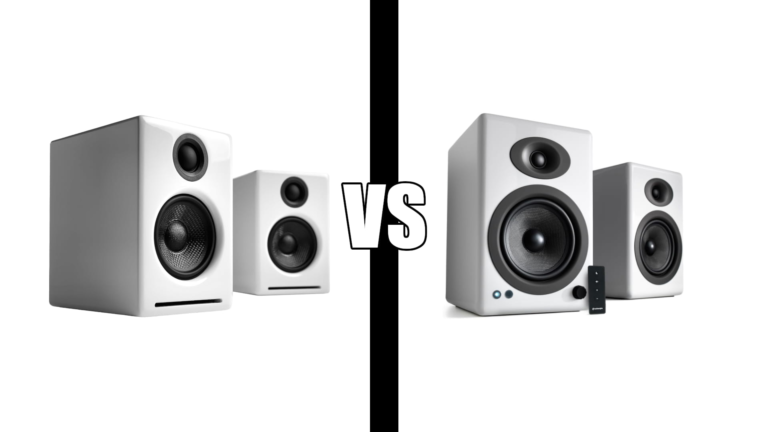
We compared this against the Audioengine in detail in Audioengine A2+ vs Edifier M60, including why one owner bought the M60 first and then replaced it.
Who it’s for. Almost everyone. Best ratings here, best value at its price, and the only one in this range that solves placement for you without an extra purchase.
Audioengine A2+

The A2+ has been on sale longest and has 3,086 ratings to show for it, at 4.4 with 74 percent five stars. It is the only speaker here with RCA inputs, which matters if you have a turntable, and the only one with a subwoofer output.
It is also the most neutral, which people experience in opposite ways. One owner who switched from the Edifier M60 wrote that the M60 sounded artificial with vocals muddled at low volume, and praised the A2+ because everything sounds normal, which is good. Another running them through a dedicated sound card called the sound dull and the bass underwhelming and marked it down to two and a half stars for sound while crediting the packaging, connections and warranty.
Those are the same speaker described by two people with different expectations. The M60 processes the signal with DSP and dynamic range control. The A2+ advertises no processing. If you have ever found processed audio tiring over a long day, that is the reason to pay more here.
The volume knob is on the back, and the most detailed reviewer on the listing calls that his primary complaint. If all your audio comes from one computer you will set it once. If you switch between sources at different levels, you will be reaching round a speaker for years.
If you are also considering Audioengine’s larger model, that is a question about desk space rather than sound, and we worked through it in Audioengine A2+ vs A5+.
Who it’s for. People who want flat rather than exciting, turntable owners, anyone planning a subwoofer later, and anyone with a desk wide enough that the other cables will not reach.
Specs side by side
| Pebble V3 | Z407 | M60 | A2+ | |
|---|---|---|---|---|
| Rating | 4.4 | 4.3 | 4.5 | 4.4 |
| Reviews | 6,032 | 3,932 | 2,256 | 3,086 |
| One and two star | 10% | 11% | 6% | 9% |
| Bought last month | 5,000+ | 500+ | 500+ | Not stated |
| Power | 8W RMS | 40W RMS | 66W RMS | Not stated |
| Subwoofer | No | Yes, included | No | Output only |
| Driver | 2.25 in full range | Not stated | 3 in plus 1 in | Not stated |
| USB | USB-C | Micro USB | USB-C | USB-C with DAC |
| Bluetooth | 5.0 | Yes | 5.3 with LDAC | 5.4 with aptX-HD |
| 3.5mm input | Yes | Yes | Yes | Yes |
| RCA input | No | No | No | Yes |
| Angle solved | Yes, built in at 45° | No | Yes, stands included | No, stands extra |
| Replaceable speaker cable | No | Not applicable | No | Yes |
| Controls | On speaker | Wireless dial | Touch panel and app | Knob on rear |
| Colors | Two | One | Three | Five |
The cable problem
Stereo sound works best when the gap between your speakers roughly matches the distance from the speakers to your head. On a desk with a large monitor, or two, that can easily be more than six feet. It is also the single biggest improvement you can make for free, which is why it matters which speakers physically prevent it.
- Edifier M60: capped around six feet. An owner who wanted more was sent by Edifier support to another Edifier site, found a cable listed for several models but not the M60, and was then told it would not work anyway and that no compatible longer cable is sold.
- Creative Pebble V3: Creative advertises a longer inter-speaker cable than the previous model, and an owner with two 27 inch monitors still reports he cannot spread them as far as he would like. Another says the cable to the computer barely reached.
- Logitech Z407: satellites run to the subwoofer rather than to each other, so your placement depends on where the sub can sit. Owners do not raise it as a complaint, but it is a three-box layout to plan around.
- Audioengine A2+: the only set here using binding posts and ordinary speaker wire. An owner specifically praises that and notes you can fit banana plugs. Longer wire costs almost nothing.
So measure before you buy. Decide where the two speakers are going, measure the run between them, and add slack for routing round the back of the desk. Under six feet and this changes nothing. Over six feet and it eliminates the M60, which is otherwise my top pick, and that is the one circumstance where I would buy the Audioengine instead.
While you are planning that, think about where the rest of it runs, since powered speakers add a brick and at least two more cables to your desk. Our desk cable management guide covers that side.
Why your speakers clip the start of words
This is the most useful thing any owner in this set discovered and it applies to every USB speaker, not just Logitech’s.
Windows has a power-saving feature called USB selective suspend, which lets the system shut down an individual USB port while leaving the others running. Puget Systems’ guide to disabling USB selective suspend describes it as a power-saving measure aimed mainly at laptops, and lists the symptoms as ports disconnecting apparently at random and devices failing to wake properly.
On a speaker, waking up slowly means losing the beginning of the sound. The Z407 owner quoted earlier found audio cut off at the start of words for a fraction of a second, which made language learning files unusable because the gaps between phrases were long enough for Windows to decide nothing was playing. He described thinking he was losing his mind before he worked out the cause.
Worth being precise: Puget documents the mechanism and the fix but does not mention audio devices, so the connection between the two is the owner’s diagnosis rather than a vendor’s. It is a plausible one, and a second Z407 owner independently reports the USB connection powering off during Zoom meetings, which is the same behavior in a different form.
What to do about it, in order:
- Search the Start menu for Edit power plan, open Change advanced power settings, expand USB settings, and set USB selective suspend to Disabled for both on battery and plugged in.
- If that does not fix it, open Device Manager, expand Universal Serial Bus controllers, and for each USB Root Hub and controller untick “Allow the computer to turn off this device to save power” under the Power Management tab.
- If neither works, use the 3.5mm analog input. That is what the owner above ended up doing after the power settings made no difference, and it bypasses the problem entirely because there is no port to suspend.
That last point is a genuine argument for buying speakers with an analog input rather than USB only. All four here have one.
And if the audio problem you are chasing is how you sound rather than how things sound to you, that is a different set of answers and we covered them in why you sound bad on video calls.
The angle, and who solves it for you
A speaker sitting flat on a desk fires horizontally, which aims the tweeter at your chest rather than your head. Treble is directional in a way bass is not, so this genuinely dulls the sound, and it is the most common reason desk speakers disappoint people who otherwise bought the right thing.
Three of these manufacturers have taken three different positions on it. Creative built the angle into the speaker, with the Pebble’s drivers fixed at 45 degrees. Edifier put stands in the box, aluminum, at 15 degrees, with the listing stating they direct audio to ear level on a desktop. Audioengine sells stands separately, and its own owners notice: a five-star reviewer volunteers that they are worth buying and not a scam, while a three-star reviewer complains they should have been included and points out that Audioengine selling them proves the company knows they help.
Logitech’s satellites can be laid horizontally, which one owner likes because they then fit under his monitors, but that is about clearance rather than aim.
If you buy anything here without a built-in angle, do this before you judge the sound. Put something solid under the front edge so the tweeter points up at you, pull the pair apart until the gap between them roughly matches your distance from them, and turn them inward toward your chair. All three are free and together they make more difference than stepping up a price tier.
Which one to buy
| If you | Buy |
|---|---|
| Are not sure | Edifier M60 |
| Want to spend as little as possible | Creative Pebble V3 |
| Mostly take calls and watch video | Creative Pebble V3 |
| Want bass you can feel | Logitech Z407 |
| Game or watch films at the desk | Logitech Z407 |
| Want speakers more than six feet apart | Audioengine A2+ |
| Have a turntable | Audioengine A2+, it takes RCA |
| Listen quietly and want clear voices | Audioengine A2+ |
| Do not want to buy accessories | M60 or Pebble, both solve the angle |
| Keep losing the start of sounds over USB | Any of them, on the 3.5mm input |
Most people should buy the Edifier M60. Best rating and fewest unhappy owners here, it tells you what is inside it, and it is the only speaker in its price range that solves the desk angle without an extra purchase. The one thing that would send me elsewhere is a desk wide enough that its cable cannot reach.
If money is the constraint, the Pebble is not so much a compromise as a different product, and it is the right product for a lot of desks. If bass is the constraint, the Z407 is the only sensible answer here. If neutrality or cable length is the constraint, pay more for the Audioengine.
And whichever you choose, spend ten minutes on placement before you decide what you think of it.
Frequently asked questions
What are the best desktop speakers for a home office?
The Edifier M60 for most people, on the strength of a 4.5 rating across 2,256 reviews, the lowest share of one and two star reviews here, and the angled stands it includes in the box. The Creative Pebble V3 if budget is the main constraint, and the Logitech Z407 if you want real bass without spending much.
Why do my USB speakers cut off the first part of a word?
Windows USB selective suspend is powering the port down during silence, and the device takes a moment to wake. Disable it under Edit power plan, then advanced settings, then USB settings. If that fails, untick the power-saving option on each USB Root Hub in Device Manager. If it still happens, use the 3.5mm analog input, which is what one owner did after the settings changes made no difference for him.
Are expensive desktop speakers worth it?
Up to a point. The jump from laptop speakers to the cheapest pair here is dramatic and owners describe it that way. The jump from the middle of this list to the top is about neutrality, cabinet materials and inputs rather than volume or clarity, and one Audioengine owner argues in his own four-star review that the premium is harder to justify than it used to be.
Can I use desktop speakers for video calls?
You can hear fine, but the people you call will hear themselves echo back, because your microphone picks up your speakers. Use headphones or a headset for calls and keep the speakers for everything else.
Continue reading
The link between Windows USB selective suspend and clipped audio is an owner’s diagnosis; Puget Systems documents the feature and the fix but does not mention audio devices, which is noted where it appears. Wattage, driver sizes, codecs and processing are the manufacturers’ own published figures, and the Audioengine listing states neither power nor driver size. Bass figures are owner reports rather than lab measurements. Specifications taken from current manufacturer listings and verified buyer reviews. Prices change often, so check at checkout. Last updated November 2026.