Why You Sound Bad on Video Calls and How to Fix It
Category: How To Guides | Reading time: 11 min | Last updated: November 2026
Disclosure: This post contains affiliate links. If you buy through our links we may earn a small commission at no extra cost to you.
Why do you sound bad on video calls? Almost nobody who sounds bad on video calls has a microphone problem. They have a distance problem, a room problem, or a settings problem, and all three are free to fix.
That matters because the instinct is to buy something. People spend real money on a microphone, put it on a hard desk in a room with bare walls, leave aggressive noise suppression switched on, and sound worse than they did on the laptop. The gear was never the bottleneck.
So this is in order of how much difference each change makes, not in order of what you can buy. The first four cost nothing. The gear section is last on purpose, and most people reading this will not need it.
If you work with speakers on your desk rather than headphones, that is worth reconsidering, and the Audioengine A2+ and A5+ are both a poor choice for call audio for the same reason.
Jump to a section
First, hear what you actually sound like

You cannot fix this by guessing, and the way you sound in your own head is not the way you arrive on a call. Spend two minutes getting a recording before you change anything.
Record inside the app you actually use. Zoom will do a local recording of a meeting with just you in it. Teams has a test call that plays your voice back. Google Meet has a mic check in its settings. Do not use the voice memo app on your phone, because that is a different microphone with different processing and it will tell you nothing useful about your call setup.
Then talk normally for thirty seconds, at the distance and position you really sit in, and listen back. What you hear points at the cause.
| What you hear | What it usually is |
|---|---|
| Hollow, boxy, like a bathroom | Room reflections |
| Thin and far away | Microphone too far |
| Beginnings of words clipped off | Noise suppression too aggressive |
| Volume rising and falling on its own | Automatic gain control |
| Muffled, like a phone call from 2005 | Bluetooth compression |
| Warbly, robotic, dropping syllables | Network, not hardware |
| Thumps and clicks under your voice | Keyboard or desk vibration |
| Others hear themselves back | Your speakers, not your mic |
Most people find two of these at once. Work down the list in the order below rather than fixing the interesting one first.
Desk speakers are for the hours around your calls rather than during them, and if you’re shopping for a pair, the Audioengine A2+ and Edifier M60 are the two most people end up choosing between.
Move the microphone closer
This is the single biggest factor and it is not close. Everything else on this page is a refinement.
Sound spreads out as it travels, so the energy reaching a microphone drops steeply with distance. Halve the gap between your mouth and the capsule and you roughly quadruple the power arriving. Your voice gets louder relative to everything else in the room by that same factor, because the dishwasher and the traffic did not move.
A laptop microphone sits roughly 18 to 24 inches from your mouth and faces the room. A boom microphone sits two or three inches from your mouth and faces you. That difference is why a modest headset beats an expensive laptop, and why no amount of processing closes the gap. Software has to guess which sound is you. A close microphone does not have to guess.
You do not have to buy anything to test this. If you own any wired earbuds with an inline microphone, use them for one call. The microphone is mediocre and it will still beat your laptop, because it is eight inches from your mouth instead of twenty.
If you take calls from a room with other people or other noise in it, stop reading here and solve this one. Nothing else you do will matter as much.
It is the room, not the microphone
Hard flat surfaces bounce sound. Your voice reaches the microphone directly, and then again a few milliseconds later after a round trip off the wall behind your screen, the window, the desk and the bare floor. Your microphone records all of it. That smear is what people mean when they say you sound hollow, boxy or like you are in a cupboard.
The worst room in most houses is the spare bedroom that became an office. Hard floor, one desk, bare walls, a window with a blind, nothing soft anywhere. It is also the room most people are reading this from.
What actually helps, in order of effort:
- Put something soft behind you and behind the microphone. Curtains instead of blinds, a throw over a chair, a coat on the back of the door. Reflections arriving from behind your head are the ones the microphone hears most.
- Get a rug down if the floor is hard. Floor and ceiling are a parallel pair and they are the easiest to break up.
- Fill a bookshelf unevenly. Books at different depths scatter sound rather than reflecting it in one direction. This is why a study with shelves sounds better than a bedroom with a wardrobe.
- Do not sit with a bare wall a foot behind your screen. Move the desk out, or put something on that wall.
You do not need foam panels, and the stick-on tiles sold for this do very little at the frequencies your voice actually occupies. A rug and a curtain will outperform a wall of foam squares, which is good news, because one of those is free and already in your house.
This is also the most expensive mistake in the category. A good microphone in a bare room sounds worse than a cheap one in a soft room, because a better microphone is better at hearing the room. People upgrade and get a clearer recording of the problem.
You are probably the echo
When somebody on a call hears their own voice coming back, it is almost never their fault and almost always somebody else’s speakers. If you take calls on laptop speakers, that somebody is you.
The loop is simple. Their voice comes out of your speakers, your microphone picks it up a few inches away, and your call app sends it back to them slightly delayed. They hear themselves. You hear nothing wrong, which is why nobody ever fixes this about themselves.
Every major platform runs echo cancellation to catch this, and it works for the easy cases. Microsoft published commissioned testing of echo cancellation across platforms, measured against the ITU-T standards for echo and noise, and it is worth reading for one admission in particular: echo cancellation gets measurably harder during double-talk, when both people are speaking at once, and when the delay varies. Those are not edge cases. That is what a conversation is.
Worth noting Microsoft commissioned that study and anonymized its competitors, so treat the rankings with the skepticism any vendor-funded benchmark deserves. The useful part is not who won. It is that all of them struggle in the same place.
Wearing anything over or in your ears removes the loop entirely, which beats asking software to subtract it. Any headphones you already own will do. You do not need a headset, you do not need a microphone, you just need the other person’s voice to stop arriving at your microphone.
This is the one fix on this page that improves the call for everybody except you, which is exactly why it goes undone.
Where to put the microphone
Close is most of it, but position does the rest, and most people get this wrong in the same way.
A boom microphone belongs at the corner of your mouth, not in front of it. Directly in front catches the blast of air from p, b and t sounds, plus every breath between sentences. Swing it to the corner of your lips, roughly a thumb’s width away, and those disappear while your voice does not. If you can feel your breath on it when you talk, it is too central.
A desktop microphone wants to be closer than feels natural. Six to eight inches, which puts it awkwardly near your face and is exactly where it should be. Angle it slightly off to one side rather than straight at your mouth, for the same reason as above.
And get it off the surface you type on. A microphone on a desk hears your keyboard through the desk, not through the air, which is why keyboard noise survives noise suppression so well. Those thumps under your voice are structure-borne vibration. An arm, a stand, or even a folded towel under the base will cut them more than any software setting.
One more: if you are on a laptop and refuse to wear anything, at least stop talking across the keyboard. Raise the laptop, or tilt the screen so the microphone array is pointed at your face instead of your chest.
Three settings worth changing
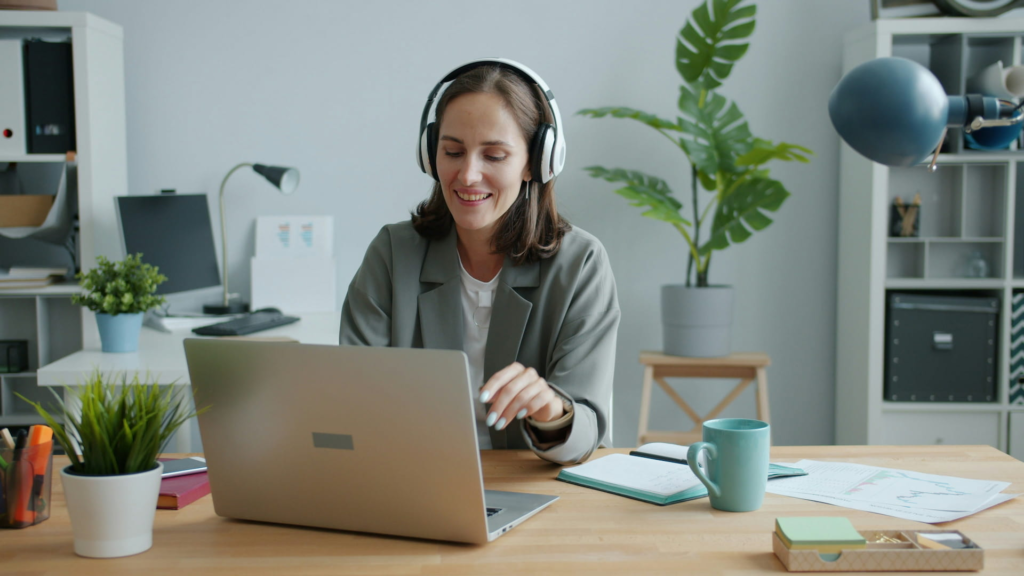
These take two minutes and people never look at them.
1. Check which microphone is actually selected. This is the most common fault in the whole category. A headset is connected over Bluetooth, the call app is still using the laptop array, and the owner assumes the headset is working because they can hear through it. Output and input are separate choices in every app. Look at both.
2. Turn noise suppression down, not up. Aggressive or high settings are tuned to destroy anything that is not obviously speech, and they take the quiet beginnings of your words with them. That is what makes somebody sound gated, clipped, or like they are cutting in and out. If people say they lose the first syllable of your sentences, this is why. Auto or low is more intelligible for most rooms, and the high setting is for a coffee shop rather than a spare bedroom.
3. Switch off automatic microphone level. Every app has a tick box along the lines of automatically adjust microphone volume, and it is on by default. It rides your level up and down, which makes your voice pump and makes the room noise swell in the gaps between your sentences. Turn it off, then set the level by hand so that normal speech sits well short of the top of the meter. Leave headroom. Clipping is worse than quiet.
If you use a proper microphone and the app offers an original sound or high fidelity mode, that is worth trying too, since it bypasses some of the processing above. On a laptop microphone in a hard room, leave it alone. The processing is helping you there.
Bluetooth quietly ruins your microphone
Here is the one almost nobody knows, and it explains a lot of disappointing headset purchases.
When a Bluetooth headset carries a call, the microphone channel goes through a hands-free profile that has historically squeezed your voice into a very narrow band of frequencies, far narrower than the music coming the other way. Newer Bluetooth audio standards have improved this considerably, and what you get depends on your headset, your computer and which profile they negotiate, so I am not going to pretend there is one number. The practical point stands: the same headset can sound noticeably different on a call depending on how it is connected.
If your headset came with a small USB dongle, use it rather than pairing over Bluetooth. That is what it is for, and business headsets ship with one precisely because the dongle route is more predictable.
This is the same lesson that shows up elsewhere in Logitech’s lineup, where connecting a keyboard over Bluetooth rather than its bundled receiver changes behavior that the manufacturer never documents. Wireless is not one thing, and the difference lands on the features you notice last.
And if you take work calls on earbuds, know what you are trading. They are convenient, they are discreet, and the microphone is a handful of millimeters wide sitting at the side of your head rather than near your mouth. That is a real cost. If your job is calls, it is the wrong tool, however good they sound for music.
Test it rather than trust it. Record yourself both ways using the method at the top of this post and listen to the two back to back.
When it is your internet and not your gear
Some audio problems cannot be fixed by anything in this post, and it is worth knowing which, because this is where people waste the most money.
If you sound robotic, warbly, metallic, or you drop whole syllables, that is the network. Audio arrives in small packets and the app has to invent something when they go missing. The artifacts are distinctive once you know them: a kind of underwater fluttering, or words that cut out mid-vowel. No microphone affects this. Neither does your room.
What helps is plugging into ethernet, moving nearer the router, getting off a congested band, or turning your video off, which frees up most of the bandwidth a call uses. If you are on a dock or hub, try the laptop’s own port to rule the dock out.
And one diagnostic that saves a lot of guessing: if the audio is bad for everyone on the call at the same time, it is not you. If it is bad only when you talk, it is you. People spend weeks blaming their microphone for a problem that was in somebody else’s house.
What to buy, in order
If you have worked through everything above and still sound worse than you want to, now it is a gear problem. Buy in this order, and stop as soon as you are happy.
First: any headphones you already own. Free, and it removes you as a source of echo for everybody else. If you are buying headphones anyway, our noise cancelling headphones guide covers that side, but for this specific problem the pair in your drawer is enough.
Second: a headset with a boom microphone. This is the fix that solves distance, which is the biggest factor on this page. It is also the least glamorous purchase in your home office and the one that changes how competent you sound the most.


We compared these and one other properly in our guide to the best noise cancelling headset with a mic for working from home, including which of them is certified for Teams and why that matters more than it sounds.
Third, and only if you are on camera constantly and will not wear a boom: a standalone USB microphone. This is the expensive route and it is the one that most depends on having sorted your room out first. Done right it sounds better than any headset. Done in a bare spare bedroom it sounds worse. If that is the path you want, the Blue Yeti and the Rode NT-USB Mini are the two worth comparing, and the smaller one is easier to get close to your mouth, which by now you will recognize as the point.
What you will notice about that order is that the free option comes first and the most expensive option comes last and helps the fewest people. That is not modesty. It is what the physics says.
Speakers are the wrong tool for calls, since your microphone will pick them up and echo you back to everyone. If you want them for everything else at the desk, we tested four in the best desktop speakers for a home office.
Frequently asked questions
Why do I sound bad on video calls when my microphone is expensive?
Usually because it is too far away, or because the room is hard and bare. A better microphone is better at hearing everything, including the reflections off your walls. Get it closer to your mouth and put something soft behind you, and the same microphone will sound like a different one.
Does a headset really sound better than a laptop microphone?
Yes, and not marginally. A laptop microphone is roughly 18 to 24 inches away and faces the room. A boom microphone is two or three inches away and faces you. Your voice arrives enormously louder relative to the room, so the headset does not have to guess which sound to keep.
Why do people hear an echo of themselves when they talk to me?
Your speakers are playing their voice and your microphone is picking it up and sending it back. Echo cancellation catches the easy cases and struggles when you both talk at once. Wearing any headphones breaks the loop completely and is the only reliable fix.
Should I turn noise suppression on or off?
Down, usually. Aggressive settings remove anything that is not plainly speech and take the quiet start of your words with it, which is what makes somebody sound clipped or gated. Auto or low suits a normal room. Save the high setting for genuinely noisy places.
Are AirPods good enough for work calls?
They are convenient and discreet, and the microphone is tiny and sits at the side of your head rather than near your mouth. For occasional calls they are fine. If your job is calls, a boom microphone is a real upgrade and you should test the two back to back rather than take anybody’s word for it.
Do I need acoustic foam for my home office?
No. The stick-on tiles sold for this do little at the frequencies your voice occupies. A rug, curtains instead of blinds, and an unevenly filled bookshelf will do more, and two of those are probably already in your house.
Why does my voice sound robotic or cut out mid-word?
That is the network rather than your hardware, and no microphone will fix it. Audio travels in packets and the app improvises when they go missing. Try ethernet, move closer to the router, or switch your video off to free up bandwidth.
How do I know whether the problem is me or them?
If the audio is bad for everybody on the call at once, it is not you. If it is only bad when you speak, it is you. Record yourself in your own call app for thirty seconds before changing anything, because the way you sound in your head is not the way you arrive.
Continue reading
The echo cancellation study linked above was commissioned by Microsoft and anonymizes its competitors, which is noted where it is cited. Bluetooth call audio depends on the profile your headset and computer negotiate, so no single figure is given for it. Specifications taken from current manufacturer listings and verified buyer reviews. Prices change often, so check at checkout. Last updated November 2026.