Elgato Facecam 4K vs Logitech Brio Ultra 4K: Which Should You Buy?
Category: Tech & Gear | Reading time: 8 min | Last updated: September 2026
Disclosure: This post contains affiliate links. If you buy through our links we may earn a small commission at no extra cost to you.
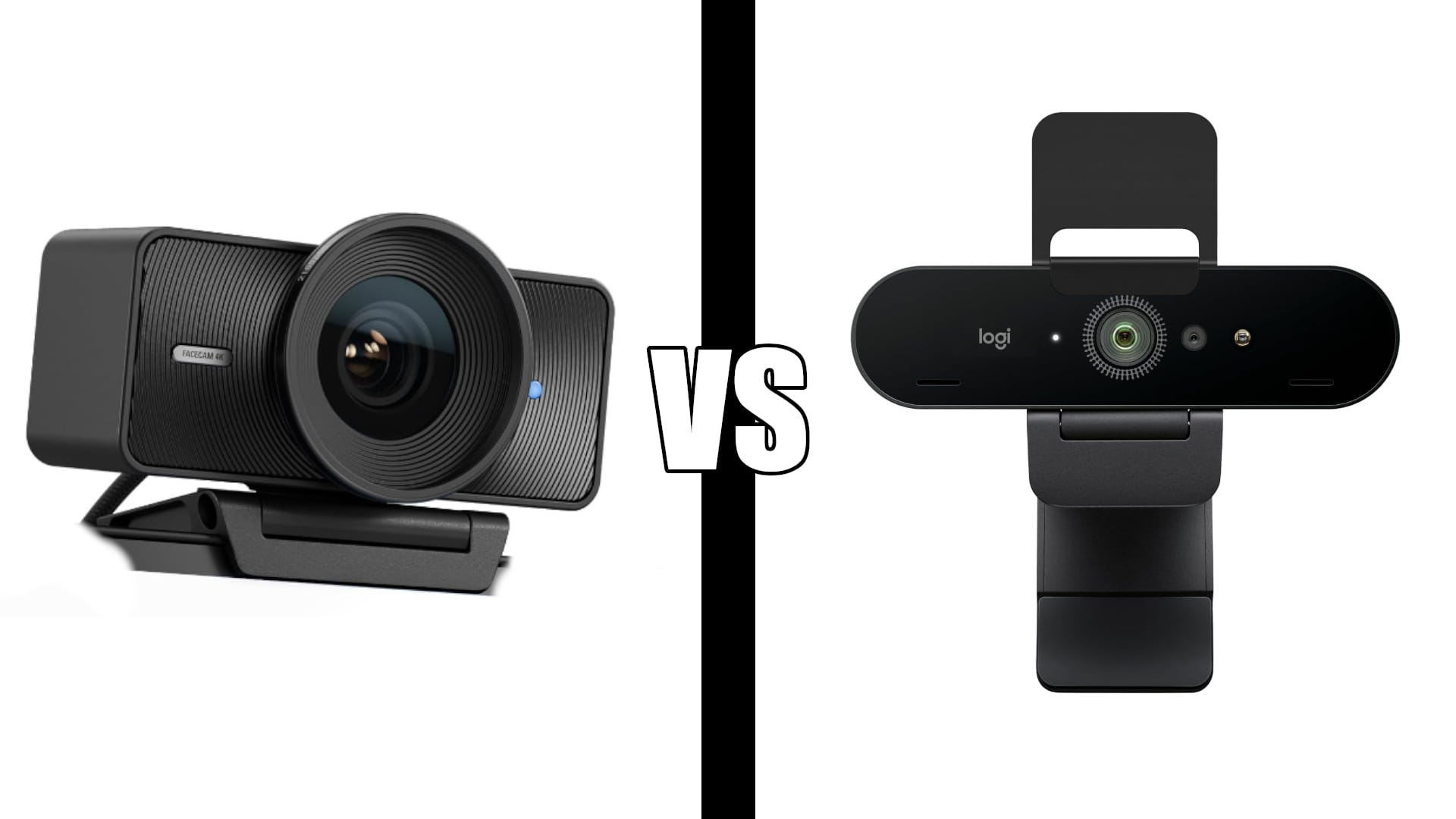
Elgato Facecam 4K vs Logitech Brio Ultra 4K. Both the Elgato Facecam 4K and Logitech Brio Ultra 4K deliver true 4K video but they are built for different people. The Facecam shoots 4K at 60fps with a Sony STARVIS 2 sensor, uncompressed output, and 49mm lens filter support. It is a creator-grade camera. The Brio shoots 4K at 30fps with RightLight 3 auto-exposure, Windows Hello facial recognition, dual noise-cancelling mics, and a privacy shutter. It is a professional video call camera. Same price bracket, very different priorities.
In this comparison
Key differences
Frame rate. The Facecam shoots 4K at 60fps. The Brio caps at 4K 30fps. For streaming and video content 60fps produces noticeably smoother motion. For video calls neither platform delivers 60fps to the other end anyway so it does not matter for Zoom or Teams.
Sensor. The Facecam uses a Sony STARVIS 2 sensor, the same technology found in professional security cameras, chosen specifically for low-light performance and image detail. The Brio uses a standard CMOS sensor with RightLight 3 software compensation for challenging lighting.
Microphone. The Brio has dual omnidirectional noise-cancelling mics built in. The Facecam has no built-in microphone at all. If you use the Facecam for calls you need a separate microphone or headset.
Software. Elgato Camera Hub gives you manual control over ISO, shutter speed, white balance, and exposure. Logi Options+ gives you zoom, color presets, and field of view adjustment. The Elgato software is deeper for anyone who wants full image control. The Logitech software is simpler for everyday use.
Lens filter support. The Facecam accepts standard 49mm lens filters the same way a DSLR does. The Brio does not support lens filters.
Connectivity. The Facecam is USB-C only. The Brio works with both USB-A and USB-C.
Elgato Facecam 4K
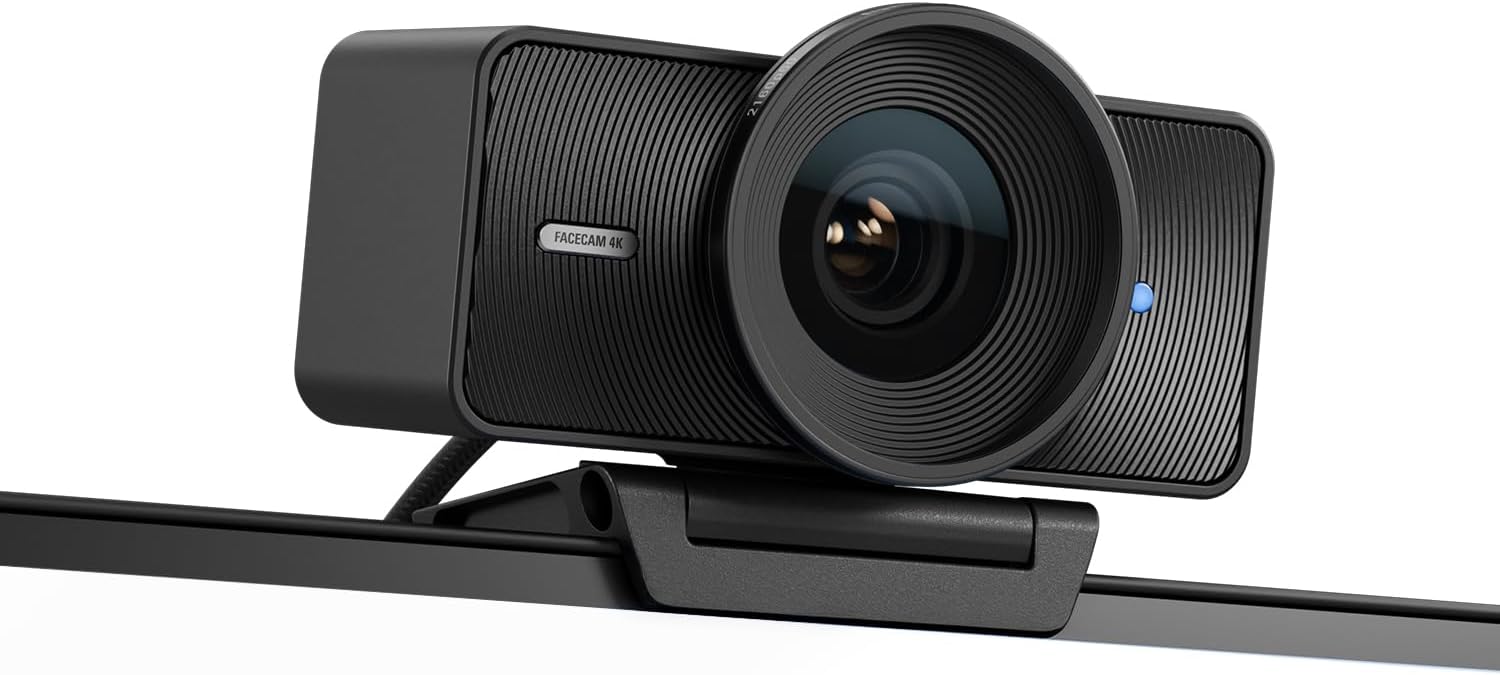
The Facecam 4K is the better camera of the two in pure image quality terms. The Sony STARVIS 2 sensor combined with Elgato Prime Lens technology and uncompressed video output produces footage that competes with entry-level mirrorless cameras. Multiple verified buyers specifically mention people commenting on how clear and professional their video looks during both livestreams and calls.
Camera Hub gives you control that most webcams do not offer: manual ISO, shutter speed, white balance, and exposure settings that you dial in once and leave. For streamers using OBS the Facecam integrates cleanly and reliably. The 49mm lens filter support is a feature borrowed from professional photography and unique among webcams at this price point.
The absence of a built-in microphone is the main practical limitation. For streaming this is rarely an issue since most streamers use a dedicated mic. For video calls it means you need a headset or separate microphone which adds to the total cost and setup complexity.
“The image quality is outstanding and I’ve had several people comment on how clear and professional my video looks during both livestreams and Zoom meetings. The Camera Hub software is another huge advantage. Once I got everything dialed in I haven’t had to touch it since. Everything has been reliable with no connection issues or random glitches.”
Who it’s for: Streamers, content creators, YouTubers, and podcasters who want the best possible image quality and full manual camera control. Also for anyone who video calls professionally and wants to look noticeably better than the average webcam.
Pros:
- 4K at 60fps, only webcam in this comparison with this spec
- Sony STARVIS 2 sensor
- Uncompressed video output
- Manual controls via Camera Hub
- 49mm lens filter support
- HDR
- Eco-friendly build
Cons:
- No built-in microphone
- USB-C only
- 545 reviews, lower review count than Brio
- Requires separate mic for calls
Logitech Brio Ultra 4K

The Brio is the more complete package for video call users. Built-in noise-cancelling mics mean you do not need a separate microphone. RightLight 3 handles challenging backlighting automatically without manual adjustment. Windows Hello logs you in by looking at the camera rather than typing a password. The attachable privacy shutter physically blocks the lens between calls.
Three field of view presets at 65, 78, and 90 degrees let you choose how much of your space is visible on calls. The 4.5 star rating across 1,300 reviews is the stronger validation of the two cameras and 3,000+ bought last month confirms consistent demand.
The Brio does not match the Facecam’s raw image quality or 60fps capability but for Zoom, Teams, and Google Meet the difference is minimal since those platforms compress video regardless.
“Nothing like 4K, absolutely nothing. Obvious huge improvement in image quality, autofocus actually works and quite well. What I like as much or more than anything is the instantaneous facial recognition. It’s immediate, no moving around so it reads just right, it just works.”
Who it’s for: Remote workers, professionals, and anyone who uses their webcam primarily for video calls and wants a complete plug-and-play solution with built-in mic, Windows Hello, and privacy shutter.
Pros:
- 4.5/5 stars, higher rated of the two
- 1,300 reviews at 4.5 stars
- Dual noise-cancelling mics built in
- Windows Hello facial recognition
- RightLight 3 handles backlighting automatically
- Three field of view presets
- Attachable privacy shutter
- USB-A and USB-C compatible
Cons:
- 4K at 30fps only, no 60fps
- No manual camera controls
- No lens filter support
- Software less powerful than Camera Hub
Specs side by side
| Spec | Elgato Facecam 4K | Logitech Brio Ultra 4K |
|---|---|---|
| Resolution | 4K at 60fps | 4K at 30fps |
| Sensor | Sony STARVIS 2 | CMOS |
| Light correction | Manual via Camera Hub | RightLight 3 auto |
| Microphone | None | Dual noise-cancelling |
| Windows Hello | No | Yes |
| Privacy shutter | No | Attachable |
| Lens filter | 49mm standard | No |
| Video output | Uncompressed | Compressed |
| HDR | Yes | No |
| Connectivity | USB-C | USB-A and USB-C |
| Field of view | Fixed | 65, 78, 90 degrees |
| Rating | 4.3/5 · 545 reviews | 4.5/5 · 1,300 reviews |
Which should you buy
Buy the Elgato Facecam 4K if you stream, create YouTube content, record podcasts, or do any video work where image quality is the primary consideration. The Sony STARVIS 2 sensor, 60fps, and uncompressed output are meaningful advantages for this use case. Budget for a separate microphone alongside it.
Buy the Logitech Brio Ultra 4K if you use your webcam primarily for Zoom, Teams, or Google Meet calls and want a complete solution with built-in mics, Windows Hello, and a privacy shutter. It is the better everyday video call camera with no additional accessories needed.
The honest verdict for most home office workers: The Brio. The Facecam is the better camera but for video calls the Brio’s built-in microphone, RightLight 3, and Windows Hello make it more practical day to day. The Facecam’s advantages show up most in recorded content where 60fps and uncompressed output matter. On a live Zoom call the platform compresses everything and the gap narrows considerably.
For a broader look at webcam options at every price point see our best webcam for Zoom guide. For the best budget options see the Logitech C920 vs C922 comparison.
If audio is your next upgrade after the webcam see our Blue Yeti vs Rode NT-USB Mini comparison for two of the best USB mics at the same price.
Frequently asked questions
Does the Elgato Facecam work for Zoom calls?
Yes. The Facecam works with Zoom, Teams, Google Meet, and every major video call platform. The main thing to know is it has no built-in microphone so you need a headset or separate mic for calls. The image quality on calls is excellent.
Does the Logitech Brio shoot 4K60?
No. The Brio caps at 4K 30fps. The Elgato Facecam 4K is the only webcam in this comparison that shoots 4K at 60fps.
Which has better low-light performance?
The Facecam. The Sony STARVIS 2 sensor handles low-light conditions better than the Brio’s CMOS sensor. If your home office is dimly lit or you work evenings the Facecam produces cleaner images without needing extra lighting.
Do I need a separate microphone with the Elgato Facecam?
Yes if you are using it for calls. The Facecam has no built-in microphone. For streaming most setups already include a dedicated mic so this is less of an issue. For video calls you need either a headset or a separate USB microphone.
Is the Logitech Brio worth it over a cheaper webcam?
The Brio is worth it for anyone who does regular professional video calls where appearance matters. The jump from a budget 1080p webcam to the Brio is immediately noticeable. See our best webcam for Zoom guide for the full range of options.
Continue reading
All prices approximate and subject to change. Check current pricing at checkout. Last updated September 2026.