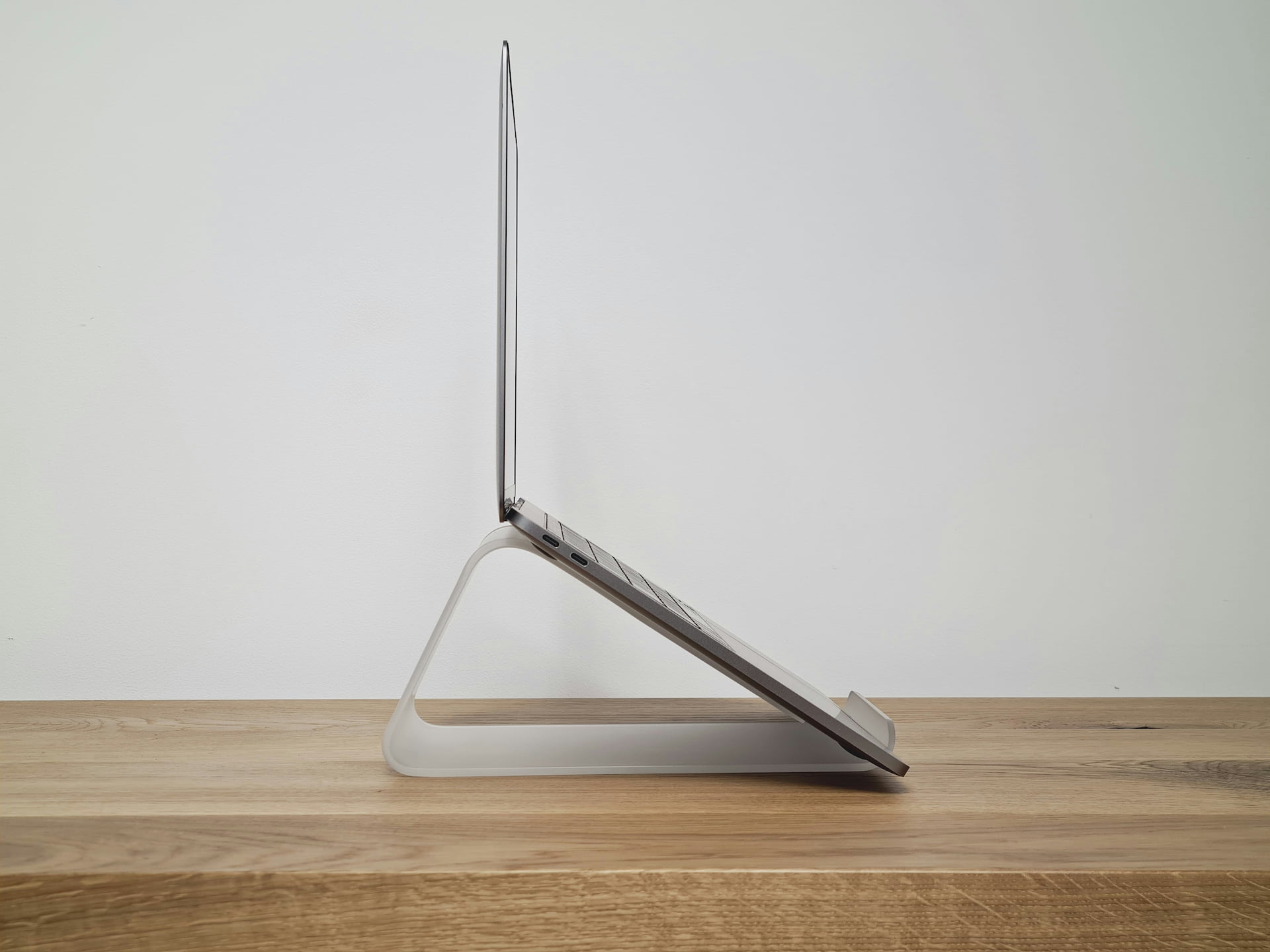
Best Laptop Stands for Home Office 2026: 8 Picks
Category: Tech & Gear | Reading time: 10 min | Last updated: June 2026
Disclosure: This post contains affiliate links. If you buy through our links we may earn a small commission at no extra cost to you.
All 8 picks at a glance
Working on a laptop all day without a stand is one of the most common ergonomic mistakes remote workers make. When your laptop sits flat on a desk, the screen is too low — you spend the day looking down, which puts your neck and spine in a position that compounds into real discomfort over weeks and months of daily use. A laptop stand raises your screen to eye level, which immediately improves posture and reduces the neck and shoulder strain that most laptop users just accept as normal.
Beyond ergonomics, a stand also improves airflow underneath your laptop, which helps prevent the thermal throttling that slows down performance during extended work sessions. And practically speaking, a raised laptop pairs naturally with an external keyboard and mouse — giving you a proper desktop-style setup from a laptop.
This guide covers eight stands across every category: adjustable aluminum risers, a vertical stand for desk space, a docking station stand with built-in ports, a cooling fan stand, a premium wood option, and two budget picks for different needs. Prices run from $7.99 to $54.29.
If you’re pairing your stand with an external monitor, see our best budget monitors for work from home guide — the two work together to create a proper ergonomic eye-level setup.
If you want to mount your monitor on an arm rather than a stand our best monitor arm guide covers seven options including a 2-in-1 laptop and monitor arm.
If your laptop runs hot a cooling pad pairs well with a stand — our best laptop cooling pad guide covers seven options from $21.59 to $129.99.
Jump to a stand
- 1. Lamicall Adjustable Stand — Best overall
- 2. Umaniy 8-in-1 Docking Stand — Best with docking station
- 3. BESIGN LS03 Aluminum Stand — Best budget aluminum
- 4. Gogoonike Portable Stand — Best ultra-budget
- 5. UGREEN Vertical Stand — Best vertical
- 6. RIWUCT Foldable Stand — Best mid-range
- 7. SAMDI Wood Stand — Best wood design
- 8. Kootek Cooling Pad — Best with active cooling
1. Lamicall Adjustable Laptop Stand — Best overall

Lamicall is one of the most recognized names in laptop stands, and the review count backs that reputation — 10,290 reviews at 4.8 stars makes this the most validated adjustable stand you can buy. At $35.99 it sits in the middle of the price range in this guide, delivering aluminum construction and full adjustability without the premium price of the wood or docking station options.
The adjustable height and angle is the core feature — you can position the stand to whatever configuration puts your screen at true eye level for your specific desk, chair, and height combination, rather than being locked into a fixed position. Most people find that the ideal laptop screen height is higher than they’d initially guess, and an adjustable stand lets you dial this in precisely.
The larger heavy base is a practical upgrade Lamicall specifically calls out — a heavier base means the stand doesn’t shift when you’re typing on the laptop keyboard (though for extended work sessions an external keyboard is still the better ergonomic choice). Multiple ventilation holes allow heat to dissipate from the laptop’s underside during use.
Compatible with laptops from 10″ up to 17.3″ — one of the widest ranges in this guide, covering everything from small ultrabooks to large gaming laptops.
“This laptop stand exceeded my expectations. Solid aluminum, very sturdy, and doesn’t wobble at all. I love that it’s adjustable so I can get my screen at the perfect height and reduce neck strain while working. Folds down easily and feels well-made, not flimsy. The gold color is subtle and looks great on the desk. Works perfectly and feels secure. Highly recommend.”
Who it’s for: Anyone who wants a well-proven, fully adjustable aluminum stand without going to the expense of a wood or docking station option. The review count makes this the default safe choice in the category.
Pros:
- 10,290 reviews at 4.8 stars — most proven option in this guide
- Fully adjustable height and angle
- Aluminum alloy construction — durable and premium feel
- Foldable for travel and storage
- Wide compatibility — 10″ to 17.3″
- Multiple ventilation holes for heat dissipation
- Available in 5 colors
Cons:
- Mid-range price — cheaper aluminum options exist in this guide
- External keyboard recommended for extended typing while on stand
- Fixed arm design doesn’t work as a vertical stand
| Spec | Detail |
|---|---|
| Price | ~$35.99 |
| Material | Aluminum alloy |
| Compatibility | 10″ – 17.3″ laptops |
| Adjustable | Yes — height and angle |
| Foldable | Yes |
| Colors | Silver, Black, Gray, Gold, Pink |
2. Umaniy 8-in-1 Laptop Docking Stand — Best with docking station

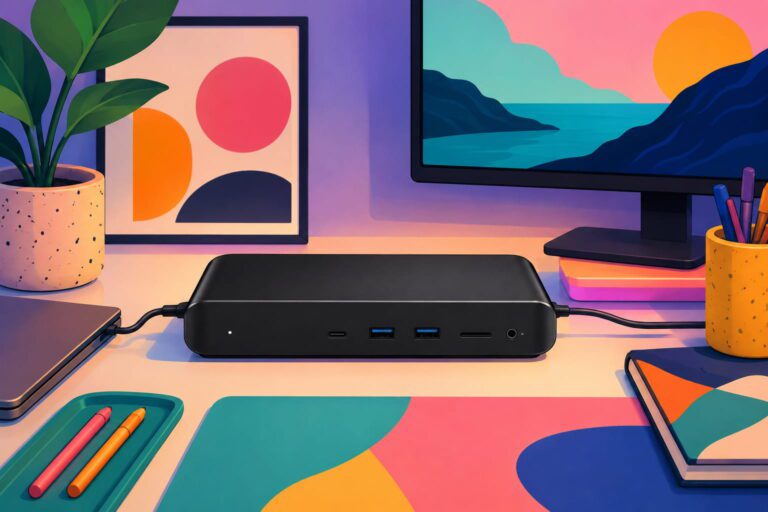
Every other stand in this guide does one thing: raise your laptop. The Umaniy does that and replaces a separate USB-C hub simultaneously. For remote workers who connect a monitor, external keyboard, mouse, and other peripherals to their laptop, a hub is usually a separate purchase sitting on the desk with its own cable. This integrates that hub directly into the stand’s base — one product, fewer cables, cleaner desk.
The 8 ports cover the most common connectivity needs: 4K HDMI output for an external monitor, USB-A 3.0 and USB-C 3.0 for data transfer at up to 5Gbps, SD and TF card slots for creators, and 100W power delivery to keep your laptop charged while everything is connected. The 9-level height adjustment and triangular support structure give it stability across different configurations.
Important compatibility note: the 4K HDMI output requires your laptop’s USB-C port to support DisplayPort Alt Mode — most modern laptops do, but older models with basic USB-C charging ports won’t support the HDMI function. Worth checking your laptop’s specs before buying specifically for the monitor output.
At 4.2 stars across 464 reviews it’s the lowest rated and least reviewed featured pick in this guide — worth factoring into your decision alongside the genuinely useful feature set.
“This laptop stand fits my HP laptop and the docking station functionality is great — perfect for connecting another monitor to show open documents. The weight is fine and overall it works well. One thing worth knowing: the 8-in-1 ports are all on one side, which can be a challenge depending on which side your laptop’s USB-C or HDMI ports are on. Setup may take some thought depending on your specific laptop layout.”
Who it’s for: Remote workers who connect multiple peripherals to their laptop daily and want to eliminate a separate USB hub from their desk setup.
If you need more ports alongside your stand our USB hub guide covers seven options from a simple 4-port expander to a full dual monitor docking station.
Pros:
- Laptop stand plus 8-in-1 USB-C hub in one product
- 4K HDMI for external monitor connection
- 100W power delivery — charges laptop while in use
- 9-level height adjustment
- Foldable with portable storage bag included
- Eliminates need for separate USB hub
Cons:
- Lower rating and review count than other picks in this guide
- HDMI requires USB-C DisplayPort Alt Mode — verify compatibility first
- USB-C only — not compatible with older USB-A only laptops
- Higher price than passive stands
- Ports on only one side
| Spec | Detail |
|---|---|
| Price | ~$39.99 |
| Ports | 4K HDMI, USB-A 3.0, USB-C 3.0, SD, TF |
| Power delivery | 100W |
| Height levels | 9 |
| Weight | 0.9 lbs |
| Foldable | Yes |
3. BESIGN LS03 Aluminum Stand — Best budget aluminum

At $16.99 with 23,780 reviews at 4.8 stars, the BESIGN LS03 is the most reviewed product in this entire guide by a significant margin — and it costs less than half the price of the Lamicall top pick. If your goal is getting a proven aluminum stand at the lowest possible price, this is the answer.
The detachable design is genuinely clever — the stand comes apart into flat pieces for storage and travel, making it more compact than folding designs that stay in one piece. Assembly takes three steps according to BESIGN, which sounds simple enough that it won’t slow you down when you want to set up quickly. It elevates your laptop by 6 inches — enough to put most screens closer to eye level for standard desk and chair height combinations.
Worth being honest about the limitation: it’s compatible with 10-15.6″ laptops rather than the 17.3″ upper limit of the Lamicall and Gogoonike picks. If you have a larger laptop, the BESIGN isn’t your option — but for the majority of remote workers on 13-15″ laptops it covers the full range.
“Seems sturdy enough and there are no jagged edges anywhere on it. Supports a laptop securely and has rubber feet to prevent movement. All in all, it does the job well.”
Who it’s for: Anyone who wants a quality aluminum stand at the lowest price — especially given the 23,780 reviews make this the most statistically reliable pick in the guide regardless of price.
Pros:
- Most reviewed product in this guide by a wide margin
- Premium aluminum at budget pricing
- Detachable design — compact for storage and travel
- Supports up to 8.8 lbs — stable for heavier laptops
- Open aluminum design keeps laptop cool
- 6 color options
Cons:
- Compatible up to 15.6″ only — not for larger laptops
- Fixed elevation — not adjustable like the Lamicall
- External keyboard needed for comfortable extended typing
| Spec | Detail |
|---|---|
| Price | ~$16.99 |
| Material | Aluminum alloy |
| Compatibility | 10″ – 15.6″ laptops |
| Elevation | 6 inches |
| Design | Detachable |
| Colors | Silver, Black, Space Gray, Pink, Gold, Gray |
4. Gogoonike Portable Foldable Stand — Best ultra-budget

At $7.99 this is the cheapest laptop stand in the guide — and what makes it notable at that price is the 6-level height adjustment, which gives you more positioning options than some stands costing three times as much. The range from 4.34″ to 6.59″ covers most comfortable viewing heights for standard home office desk and chair setups.
The folded dimensions of 9.96″ x 1.98″ x 0.68″ make it genuinely backpack-portable — thinner than most notebooks when collapsed. At 0.49 lbs it weighs less than a can of soda. For remote workers who move between home, cafes, and co-working spaces, this is a reasonable stand to leave permanently in a laptop bag.
The construction is ABS plastic with silicone pads rather than aluminum — which is how it hits this price point. The triangle support design adds stability, and large anti-slip silicone pads keep the laptop secure. Compatible up to 15.6″ laptops.
One important assembly note from the product listing worth passing on: the two support bars must be inserted at the same level on both sides to ensure balance. If they’re at different levels the stand will rock rather than sit flat — easy to avoid once you know to check it.
“Absolutely perfect — couldn’t ask for anything better. So strong and just right for what I need. No assembly required, which was a nice surprise. The adjustability is great — it goes from fully upright to almost completely flat, giving a wide range of positions to work with.”
Who it’s for: Anyone on a very tight budget, anyone who travels frequently and wants something that lives in their bag, or anyone who wants to try a laptop stand before committing to a more expensive option.
Pros:
- Lowest price in this guide
- 6-level height adjustment at this price is unusual
- Extremely lightweight at 0.49 lbs
- Folds very compact for travel
- Compatible with 10-15.6″ laptops
Cons:
- Plastic construction — less premium than aluminum options
- Must insert support bars at matching levels or it won’t sit flat
- Less stable than heavier aluminum stands during typing
| Spec | Detail |
|---|---|
| Price | ~$7.99 |
| Material | ABS plastic + silicone |
| Height range | 4.34″ – 6.59″ (6 levels) |
| Folded size | 9.96″ x 1.98″ x 0.68″ |
| Weight | 0.49 lbs |
| Compatibility | 10″ – 15.6″ |
5. UGREEN Vertical Laptop Stand — Best vertical

Every other stand in this guide positions your laptop at an angle above the desk surface. The UGREEN stores your laptop vertically — like a book standing upright — which serves a completely different purpose. Rather than raising the screen for ergonomic viewing, it gets the laptop almost entirely off the desk surface, freeing up maximum space for an external monitor, keyboard, and other equipment.
This is specifically the right choice for remote workers who use their laptop as a processing unit connected to an external monitor rather than as a primary display. The laptop goes in the vertical stand, the external monitor goes in front of you at eye level, and the keyboard and mouse connect wirelessly or via hub — giving you a proper desktop-style setup from a laptop with the laptop itself taking up barely any desk footprint.
At 5.9″ x 3.2″ x 2″ the stand itself is tiny. The adjustable slot fits laptop thicknesses from 0.47″ to 1″ — covering almost every mainstream laptop including thicker gaming models. Non-slip silicone inside the slot protects the laptop’s finish, and non-slip pads on the base prevent the stand from sliding.
“Very happy with the look of this with my MacBook on my desk — the finish is almost identical to the MacBook and it works very well for how simple the design is. Less moving parts means less things to break. I personally use it with my MacBook standing vertically and it still works as desired.”
Who it’s for: Remote workers running an external monitor setup who want to get their laptop almost completely off the desk surface, or anyone with a very small desk who needs to maximize usable space.
Pros:
- Gets laptop almost entirely off desk surface
- Compact stand footprint at 5.9″ x 3.2″ x 2″
- Adjustable slot fits wide range of laptop thicknesses
- Non-slip protection inside and out
- 7,683 reviews at 4.7 stars — well proven
- Works with laptops up to 17.3″
Cons:
- Laptop screen not usable while in vertical position — requires external monitor
- No height adjustment — purely vertical storage
- Not suitable if you need to use the laptop screen directly
| Spec | Detail |
|---|---|
| Price | ~$19.99 |
| Material | Aluminum alloy |
| Orientation | Vertical |
| Slot width | 0.47″ – 1″ |
| Stand size | 5.9″ x 3.2″ x 2″ |
| Compatibility | Up to 17.3″ |
6. RIWUCT Foldable Aluminum Stand — Best mid-range

The RIWUCT stands out on one specific spec: it raises your laptop up to 7.48 inches — the highest elevation of any stand in this guide. For taller users or anyone whose desk and chair combination puts them at a height where standard 5-6 inch risers don’t quite get the screen to true eye level, that extra inch or two of maximum height can make a real difference.
The small storage slot at the base is a nice practical touch — wide enough to hold a phone flat or a set of keys, which removes two items from your desk surface without needing a separate organizer. The foldable aluminum construction keeps it compact for storage and travel while maintaining the rigidity of metal rather than plastic.
At $23.94 it sits between the budget BESIGN and the premium Lamicall — aluminum construction and higher maximum elevation at a lower price than the top pick. Worth noting the recommendation for an external keyboard during intense typing, which applies to most laptop stands but is specifically called out in RIWUCT’s own product listing.
“A great little stand — I liked it so much I bought two, one for my home office and one for my office at work. Looks exactly as pictured and works exactly as pictured. Folds up nice and flat, extends pretty high, and you can adjust the angle for comfort however you want. Good value for the money and I’d recommend it.”
Who it’s for: Taller remote workers who find standard stands don’t raise their screen quite high enough, or anyone who wants aluminum construction with the highest elevation option in this guide.
Pros:
- Highest elevation in this guide at 7.48″
- Foldable aluminum — sturdy and compact
- Small base storage slot for phone or keys
- 4,553 reviews at 4.7 stars — well validated
- Multiple height and angle adjustments
- Non-slip pads at base and on holder hooks
Cons:
- External keyboard recommended for extended typing
- Compatible up to 16″ only
- Mid-range price — not the cheapest aluminum option
| Spec | Detail |
|---|---|
| Price | ~$23.94 |
| Material | Aluminum alloy |
| Max elevation | 7.48 inches |
| Compatibility | 10″ – 16″ laptops |
| Foldable | Yes |
| Colors | Silver, Gray, Matte Black, Pink |
7. SAMDI Walnut Wood Stand — Best wood design

Every other stand in this guide is aluminum or plastic. The SAMDI is natural walnut wood — a genuinely different material that brings warmth and character to a desk in a way no metal or plastic stand can. If you’ve invested in a wood desk, bamboo organizer, or leather desk mat, a wood laptop stand completes that aesthetic in a way an aluminum stand simply doesn’t.
Beyond aesthetics, the construction is functional — built-in air breathing slots provide heat dissipation similar to the open designs on aluminum stands, and a special cutout in the base manages data cables and charging cords to keep the desk tidy. The ergonomic slope angle is fixed rather than adjustable, but designed to position the screen at a comfortable working height.
At $54.29 this is the most expensive stand in the guide by a significant margin. That premium is almost entirely aesthetic — you’re paying for natural walnut wood versus aluminum or plastic. If the visual appeal of a wood stand is what you’re after, the price is justified; if you just want functional elevation at the best price, the BESIGN at $16.99 does the core job for a third of the cost.
Available in three wood finishes: Walnut-01, White Birch, and Walnut-03 — each with distinct grain patterns given the natural material variation in real wood.
“A fantastic looking stand — very cool how it’s created with just two simple bends. The wood is very well finished with a nice even color and no sharp, rough, or splintered edges. Holds the laptop at a good angle. Two things worth knowing: if you have a large, heavy laptop with a heavy lid, be careful not to lean the display too far back as the laptop could tip backwards. Also, the lip on the lower edge can be a bit short for laptops with thin beveled edges — mine occasionally wants to slide over the edge, though keeping the display more upright usually solves it.”
Who it’s for: Anyone who prioritizes desk aesthetics and wants a stand that genuinely looks beautiful rather than purely functional, especially if the rest of their desk setup uses natural or warm materials.
Pros:
- Natural walnut wood — the most distinctive design in this guide
- Built-in cord management cutout
- Air breathing slots for heat dissipation
- Amazon’s Choice designation
- Three wood finish options
Cons:
- Most expensive stand in this guide
- Fixed angle — not adjustable
- Lower review count than most options here
- Premium is primarily aesthetic rather than functional
| Spec | Detail |
|---|---|
| Price | ~$54.29 |
| Material | Natural walnut wood |
| Adjustable | No — fixed angle |
| Cord management | Built-in cutout |
| Finishes | Walnut-01, White Birch, Walnut-03 |
8. Kootek Laptop Cooling Pad — Best with active cooling

Every other stand in this guide provides passive heat dissipation — open designs that allow natural airflow underneath the laptop. The Kootek actively cools your laptop with 5 built-in fans: one larger 4.72-inch fan in the center and four smaller 2.76-inch fans around it. Two on/off switches let you run all 5 fans, just the large center fan, or just the four smaller ones depending on how much cooling you need.
At 14,819 reviews and 4.4 stars this is the second most reviewed product in the guide — well proven across a large sample of buyers. The 6 height settings give ergonomic positioning similar to adjustable stands, and the dual USB hub adds two extra ports which is useful given the stand itself connects via USB to power the fans.
The blue LED fans are a design choice that works well in some setups (gaming desk aesthetic) and less well in others (minimal professional home office). Worth considering whether the aesthetic fits your workspace before buying.
Worth being honest about what active cooling actually means in practice: fans help reduce laptop temperatures during extended high-CPU tasks like video editing, compiling code, or gaming. For standard office tasks — documents, email, video calls — passive stands provide sufficient airflow and the fans aren’t necessary. This is specifically worth the consideration if your laptop runs hot during demanding work.
“My son chose this with price in mind and mid-level expectations — but he was very pleased with the build quality. He says it works really well and is pretty quiet, which he wasn’t expecting. His laptop is running cooler and he likes the angle options. So far, so good.”
Who it’s for: Remote workers whose laptops run noticeably hot during work sessions, especially those doing video editing, data processing, or other CPU-intensive tasks where thermal throttling affects performance.
Pros:
- 5 active cooling fans that are quiet — only option in this guide with active cooling
- 14,819 reviews — second most proven pick in this guide
- 6 height adjustment settings
- Dual USB hub adds extra connectivity
- Independent fan controls — run all 5 or just 1
- Works with 12-17″ laptops
Cons:
- Fans add noise — not completely silent like passive stands
- Blue LEDs may not suit all home office aesthetics
- Requires USB connection to power fans — uses one of your laptop’s ports
- Larger and heavier than passive stands — less portable
| Spec | Detail |
|---|---|
| Price | ~$25.99 |
| Fans | 5 (1 large + 4 small) |
| Height settings | 6 |
| USB hub | Dual USB |
| Compatibility | 12″ – 17″ laptops |
| Colors | Blue, Multi, Purple, Red, Green |
How to choose
You want the most proven, reliable adjustable stand:
→ Lamicall Adjustable Stand. 10,290 reviews at 4.8 stars, fully adjustable, foldable.
You connect multiple peripherals and want to eliminate a separate hub:
→ Umaniy 8-in-1 Docking Stand. Stand plus hub plus 100W charging in one product.
You want aluminum quality at the lowest price:
→ BESIGN LS03. 23,780 reviews at 4.8 stars — the most proven option in this guide at $16.99.
You’re on an extremely tight budget or travel constantly:
→ Gogoonike Portable Stand. $7.99, 6 height levels, weighs under half a pound.
You use an external monitor and want to free up desk space:
→ UGREEN Vertical Stand. Gets your laptop almost entirely off the desk surface.
You need the highest elevation or are taller than average:
→ RIWUCT Foldable Stand. 7.48 inches maximum elevation — highest in this guide.
Your desk aesthetic uses wood or natural materials:
→ SAMDI Walnut Wood Stand. The only genuinely beautiful option in this guide.
Your laptop runs hot during demanding work sessions:
→ Kootek Cooling Pad. Active fan cooling addresses thermal throttling that passive stands can’t.
If you’re pairing your stand with a new external monitor, see our best budget monitors for work from home — a laptop stand and external monitor together create a proper ergonomic desktop setup from a laptop.
Continue reading
Frequently asked questions
Do I really need a laptop stand if I already have a monitor?
If you’re using an external monitor as your primary display and your laptop is closed or vertical, a stand isn’t strictly necessary — but a vertical stand like the UGREEN pick still makes sense to keep the laptop off your desk surface and organized. If you ever use the laptop screen directly for extended periods, a stand that raises it to eye level significantly reduces neck and shoulder strain over time.
What height should my laptop screen be at?
The top of your screen should be roughly at eye level — so when you’re sitting with good posture looking straight ahead, your gaze falls naturally at the upper third of the display. Most people’s laptops sit 8-10 inches too low without a stand, which means looking down for hours each day. A 5-7 inch riser typically gets most people close to the right height depending on desk and chair combination.
Can I type on my laptop keyboard while it’s on a stand?
Technically yes, but it’s not comfortable for extended typing — the keyboard will be raised and angled in a way that strains your wrists. For anything beyond brief interactions, an external keyboard placed flat on the desk is the correct ergonomic solution when using a laptop stand. This is why stands and external keyboards are almost always recommended together.
Will a laptop stand make my laptop run cooler?
Passive stands (all options except the Kootek) improve airflow by elevating the laptop off the desk surface, which can modestly reduce temperatures during normal use. Active cooling pads with fans (the Kootek) provide more meaningful temperature reduction during demanding tasks. If your laptop throttles performance due to heat during video editing or similar tasks, an active cooling pad is worth considering over a passive stand.
Are laptop stands universal or do I need a specific one for my laptop brand?
Most laptop stands are universal — they’re designed to hold any laptop within a specified size range (typically 10-17.3 inches) regardless of brand. The exceptions are vertical stands, which need to accommodate your laptop’s specific thickness — the UGREEN vertical stand in this guide adjusts from 0.47″ to 1″ which covers the vast majority of laptops including most MacBook Pro models.
All prices approximate and subject to change. Check current pricing at checkout. Last updated June 2026.