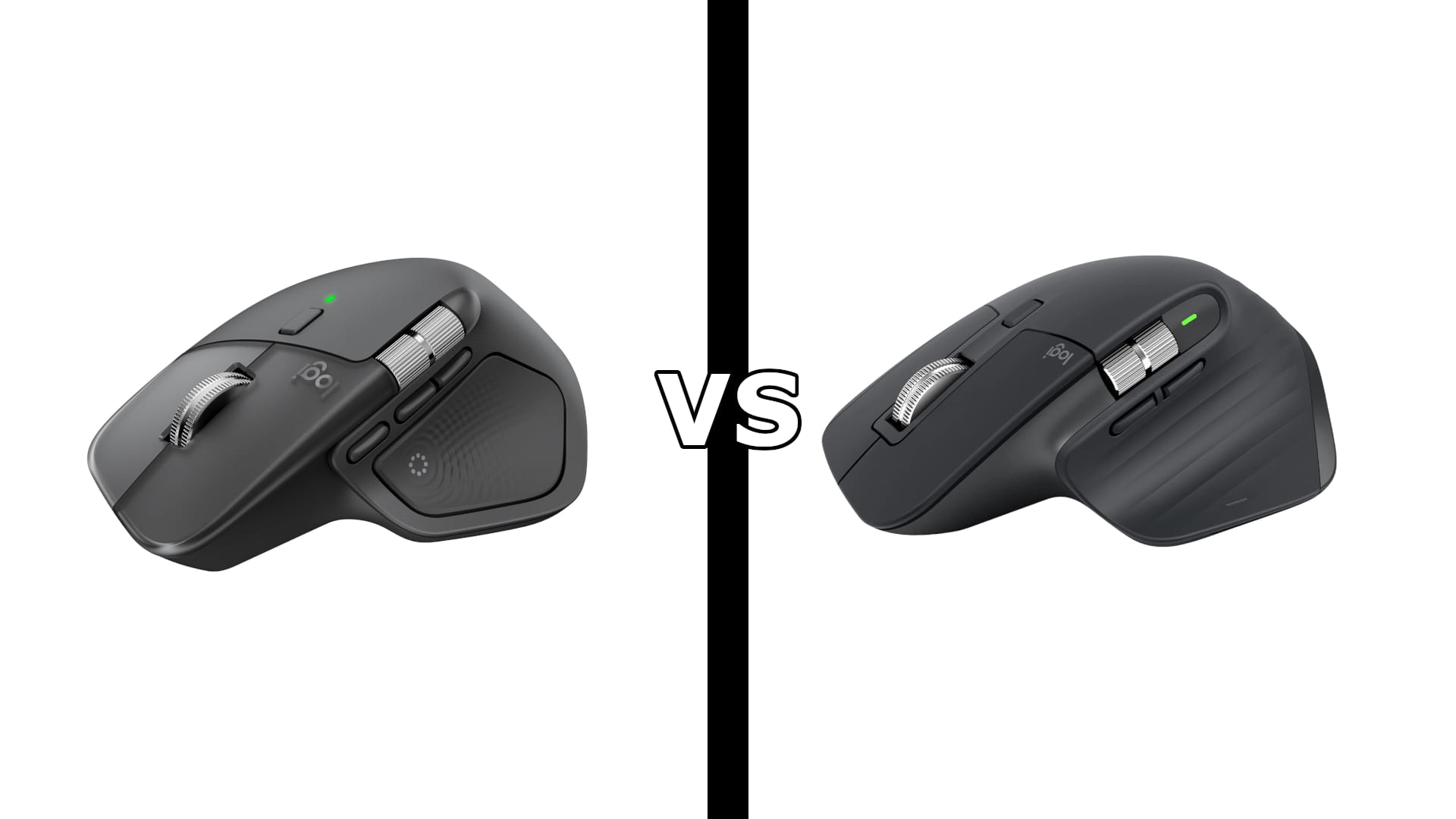
Logitech MX Master 4 vs MX Master 3S: Is the Upgrade Worth It?
Category: Tech & Gear | Reading time: 8 min | Last updated: September 2026
Disclosure: This post contains affiliate links. If you buy through our links we may earn a small commission at no extra cost to you.
The short answer: If you already own an MX Master 3S, keep it. Haptic feedback and the Actions Ring are nice, not necessary, and everything that made the 3S great is unchanged. If you’re buying your first MX Master, the 4 is the one to get, since both sit at nearly the same price and the 4 has the newer receiver and a bigger battery.
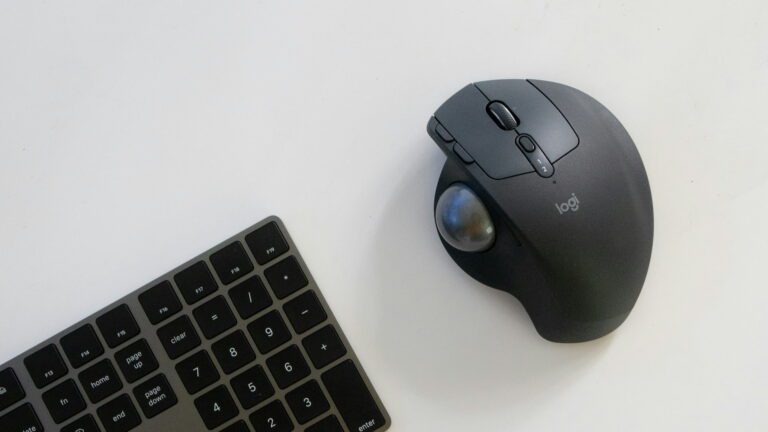
The Logitech MX Master 4 vs MX Master 3S comparison is unusual because the core of the mouse barely changed. Same 8,000 DPI Darkfield sensor, same MagSpeed scroll wheel, same quiet clicks, same 70 day battery life. What’s new is how you interact with it.
In this comparison
Key differences
Haptic feedback. The MX Master 4 has a Haptic Sense Panel in the thumb area that gives you a physical buzz for actions, shortcuts, and notifications, including when the battery runs low or you switch devices. On Windows 11, it’s built into the operating system, so you feel feedback when managing windows or aligning objects in PowerPoint. The 3S has no haptics.
Actions Ring. The MX Master 4 adds a customizable overlay that appears at your cursor with the tools for whatever app you’re in. Logitech’s own lab study of 37 MX Master users found shortcuts through the Actions Ring made mouse actions 33 percent faster. It needs Logi Options+ to work. The 3S uses a gesture button instead.
Receiver. The MX Master 4 includes a Logi Bolt USB-C receiver, which plugs straight into a modern laptop. The 3S includes a Logi Bolt USB-A receiver. If your laptop only has USB-C ports, that’s a real difference.
Size and weight. The MX Master 4 is slightly bigger and heavier at 150 g versus 141 g. Most people won’t notice, but it’s worth knowing if you already find the 3S large.
Battery capacity. The MX Master 4 has a 650 mAh battery and the 3S has 500 mAh. Both are rated for up to 70 days, and both give about three hours of use from a one minute charge.
In the box. The 3S includes a USB-C charging cable. The MX Master 4 does not, so you’ll use one you already have.
Buttons. The MX Master 4 has 8 buttons, including the Haptic Sense Panel. The 3S has 7 plus a gesture button.
What stayed the same
This is the part most upgrade guides skip. These are identical on both mice:
- Sensor. Darkfield high precision, 200 to 8,000 DPI, tracks on glass
- Scrolling. MagSpeed electromagnetic wheel, 1,000 lines per second in free spin, 87 percent more precise in ratchet mode
- Thumb wheel for horizontal scrolling
- Quiet clicks, 90 percent less click noise
- Battery life, up to 70 days with a one minute quick charge giving about three hours
- Multi-device, pairs with up to three devices with Easy-Switch
- Shape and handedness, the same sculpted right-handed design
- Software, Logi Options+ on Windows and macOS
If the MagSpeed wheel and the 8K sensor are why you want an MX Master, both mice deliver exactly the same experience.
Logitech MX Master 4: Best for new buyers

The MX Master 4 is the same proven mouse with two new ways to work. The haptics give you a small physical buzz tied to actions, which sounds like a gimmick until you’re switching between three machines and can feel which one you’re on. The Actions Ring puts app-specific tools at your cursor, so you stop hunting through menus in Photoshop or Excel.
The other quiet upgrade is connectivity. The Logi Bolt receiver is USB-C, which matters if your laptop dropped USB-A ports years ago, and Logitech rates the radio at twice the connection strength of the previous model. The battery is bigger at 650 mAh, though the rating is still 70 days.
Two caveats. The haptics only do something in supported apps, and plenty of owners turn them down or off. And there’s no charging cable in the box, so you’ll need a USB-C cable of your own.
“I had the MX Master 3 for years until the left mouse button started to wear out. It feels pretty much the same. The scroll wheel has a great feel, the thumb wheel is smooth, it tracks perfectly. The haptics are a bit gimmicky in my opinion. I set them to their lowest level and it is fine. The mouse is big, I admit that. As a travel mouse it may be too big for many people.”
Who it’s for: Anyone buying their first MX Master, anyone on a USB-C only laptop, and anyone who wants app-specific shortcuts at their cursor.
Pros:
- Haptic feedback for actions and device switching
- Actions Ring for app-specific shortcuts
- Logi Bolt USB-C receiver
- Larger 650 mAh battery
- Same 8000 DPI sensor and MagSpeed wheel as the 3S
- 10K+ bought last month
Cons:
- Haptics only work in supported apps
- No charging cable in the box
- Heavier at 150 g
- 4.3 stars, lower than the 3S
| Spec | Detail |
|---|---|
| Buttons | 8, including Haptic Sense Panel |
| DPI | 200 to 8,000, Darkfield |
| Receiver | Logi Bolt USB-C |
| Battery | 650 mAh, up to 70 days |
| Weight | 150 g |
| Dimensions | 128.2 x 88.4 x 50.8 mm |
Logitech MX Master 3S: Best value and the safer shape

The MX Master 3S has been the default recommendation for productivity mice since 2022, and the MX Master 4 doesn’t change that. It has the same sensor, the same scroll wheel, the same quiet clicks, and the same battery rating. It’s also the better reviewed of the two at 4.6 stars across 8,855 reviews, compared with 4.3 for the newer model.
It’s slightly smaller and lighter at 141 g, which matters if you have smaller hands or already find MX Master mice on the large side. It also includes a charging cable, and the 7 buttons plus gesture button cover nearly everything the Actions Ring does, just through a different method.
The one thing to check is your laptop. The included Logi Bolt receiver is USB-A, so if your machine is USB-C only you’ll either use Bluetooth or need an adapter.
“I have now bought 5 of these mice. It is a well-built mouse that just feels ergonomically comfortable in the hand. I love the extra buttons, particularly the forward and backward buttons, and appreciate the smooth scrolling and how solid the buttons feel. I initially found the metal scroll wheel took some getting used to, the metal ridges are a little hard on the finger if you do a lot of scrolling. Now that I’m used to that, I have no complaints.”
Who it’s for: Anyone who wants the proven MX Master experience without paying for haptics, and anyone who finds the MX Master 4 too big.
Pros:
- 4.6 stars across 8,855 reviews
- Same 8000 DPI sensor and MagSpeed wheel as the 4
- Lighter at 141 g
- Charging cable included
- 7 buttons plus a gesture button
- Four years of proven reliability
Cons:
- No haptic feedback or Actions Ring
- USB-A receiver, not USB-C
- Smaller 500 mAh battery
- Metal scroll wheel takes adjusting to for heavy scrollers
| Spec | Detail |
|---|---|
| Buttons | 7 plus gesture button |
| DPI | 200 to 8,000, Darkfield |
| Receiver | Logi Bolt USB-A |
| Battery | 500 mAh, up to 70 days |
| Weight | 141 g |
| Dimensions | 124.9 x 84.3 x 51 mm |
Specs comparison
| Feature | MX Master 4 | MX Master 3S |
|---|---|---|
| Haptic feedback | Yes | No |
| Actions Ring | Yes | No |
| Buttons | 8 | 7 plus gesture |
| Sensor | Darkfield, 200 to 8,000 DPI | Darkfield, 200 to 8,000 DPI |
| Tracks on glass | Yes | Yes |
| Scroll wheel | MagSpeed plus thumb wheel | MagSpeed plus thumb wheel |
| Quiet clicks | Yes | Yes |
| Receiver | Logi Bolt USB-C | Logi Bolt USB-A |
| Bluetooth | Yes | Yes |
| Multi-device | Up to 3 | Up to 3 |
| Battery | 650 mAh, up to 70 days | 500 mAh, up to 70 days |
| Charging cable included | No | Yes |
| Weight | 150 g | 141 g |
| Colors | Graphite, Pale Gray | Graphite, Pale Gray |
| Reviews | 2,023 | 8,855 |
| Rating | 4.3/5 | 4.6/5 |
Who should buy which
Buy the MX Master 4 if:
- You’re buying your first MX Master
- Your laptop is USB-C only
- You work in apps where the Actions Ring saves real time, like Photoshop, Premiere, or Excel
- You switch between three machines and want to feel which one you’re on
Buy the MX Master 3S if:
- You want the proven version with the longer review history
- You find MX Master mice large already
- You want a charging cable in the box
- Haptics and app overlays don’t fit how you work
Keep your MX Master 3S if you already own one. The sensor, scroll wheel, clicks, and battery life are unchanged. Haptics and the Actions Ring are conveniences, not reasons to replace a working mouse.
One thing neither mouse fixes: both are horizontal mice, so your forearm stays rotated palm down all day. If you have wrist or forearm strain, see our MX Master 3S vs MX Vertical comparison and our Logitech Lift vs MX Vertical comparison instead.
For every option across hand sizes and budgets, see our best ergonomic mouse guide. Building out the rest of the desk? Our MX Keys vs MX Keys S comparison covers the keyboard side.
Frequently asked questions
Is the MX Master 4 worth upgrading from the 3S?
For most people, no. The sensor, scroll wheel, quiet clicks, and battery rating are identical. You’re paying for haptic feedback, the Actions Ring, and a USB-C receiver. If you have a working 3S, keep it. If you’re buying new, the 4 makes sense since both cost about the same.
What is the Actions Ring?
It’s a customizable overlay that appears at your cursor with shortcuts for the app you’re using, so you can apply a filter or run a command without moving to a menu. It requires Logi Options+. Logitech’s lab study of 37 MX Master users found mouse actions were 33 percent faster with Actions Ring shortcuts.
Do the haptics actually do anything useful?
It depends on your apps. On Windows 11, haptics are integrated into the OS, so you feel feedback when managing windows or aligning objects in PowerPoint. Outside supported apps, they mostly signal device switching and low battery. Some owners set them to the lowest level or turn them off.
Is the MX Master 4 bigger than the 3S?
Slightly. The MX Master 4 is 128.2 mm long and 88.4 mm wide at 150 g, and the 3S is 124.9 mm long and 84.3 mm wide at 141 g. Both are full-size mice that fill a medium to large hand.
Does the MX Master 4 come with a charging cable?
No. The 3S includes a USB-C charging cable, but the MX Master 4 does not, so use one you already have.
Does either work on glass?
Yes. Both use the same Darkfield high precision sensor and track on nearly any surface, including glass.
Is the MX Master 4 left-handed?
No. Both mice are right-handed only. For a left-handed ergonomic mouse, the Logitech Lift comes in a left-handed version, covered in our Lift vs MX Vertical comparison.
Does the MX Master 4 work with older Logitech receivers?
No. It uses a Logi Bolt receiver, which isn’t compatible with older Unifying receivers. The same is true of the 3S.
Continue reading
Prices change often. Check current pricing at checkout. Last updated September 2026.