Logitech K270 Review — Is It Worth It for Your Home Office?
Category: Tech & Gear | Reading time: 6 min | Last updated: July 2026
Disclosure: This post contains affiliate links. If you buy through our links we may earn a small commission at no extra cost to you.

The verdict upfront
The Logitech K270 is a phenomenally good keyboard for the price. At under $24 you get a full-size wireless keyboard with a number pad, multimedia hotkeys, a reliable USB receiver, and a claimed two-year battery life. It’s not the most aesthetic keyboard on the market and it’s not going to win any premium feel awards — but it does exactly what a home office keyboard needs to do, reliably, without asking you to spend much money doing it.
I’ve been using it daily for the past two weeks and here’s the honest take.
What I like
The keys are quiet. I share a home office with my partner and my previous SteelSeries keyboard was noticeably loud. The K270 is significantly quieter — the kind of keyboard you can type on during a video call without it being picked up on the microphone. For anyone in a shared office space this matters more than most keyboard reviews acknowledge.
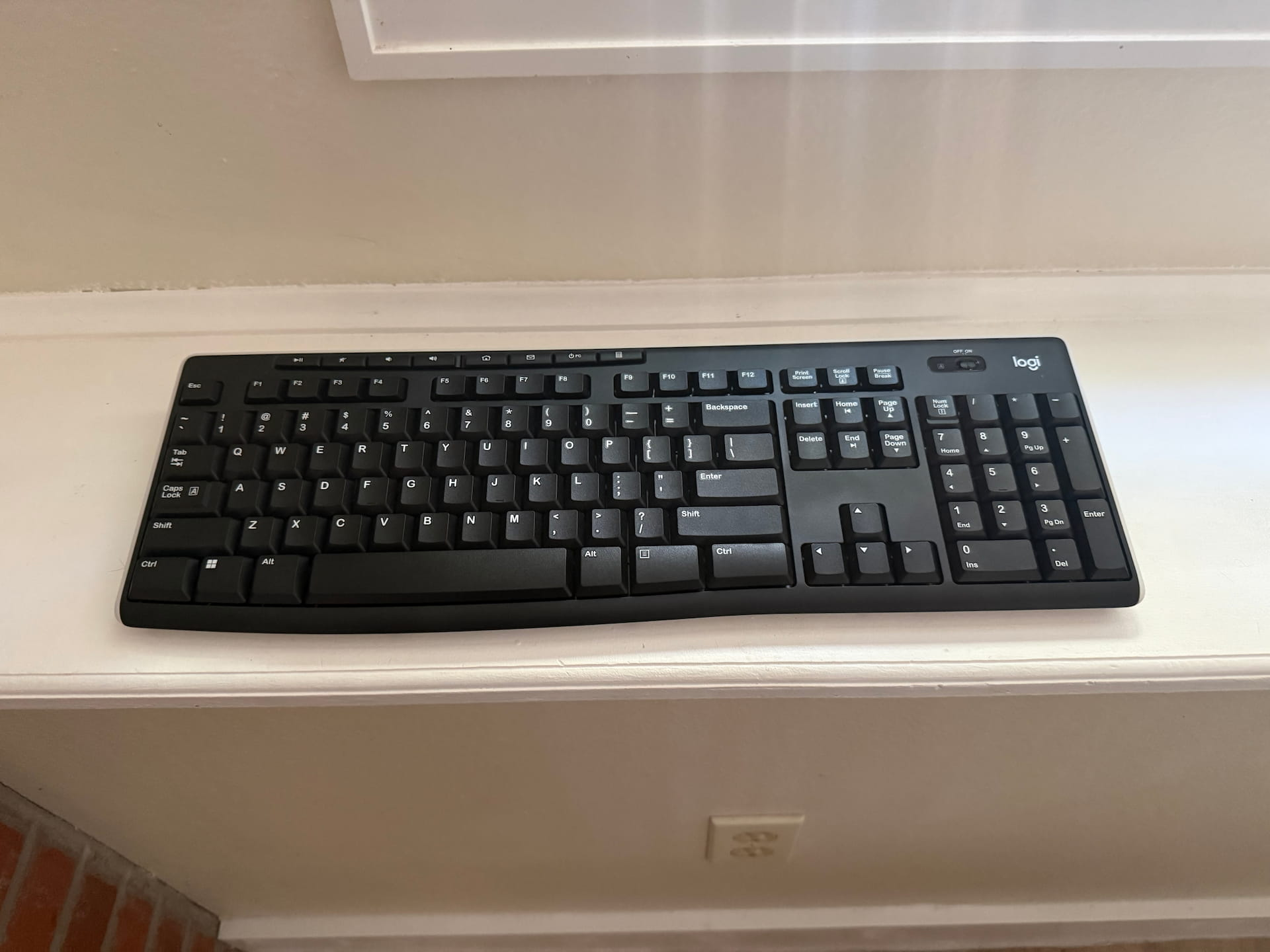
The size is right for a small desk. I have a small home office setup and desk space is limited. The K270 is full size — meaning it includes a number pad on the right — but it still fits comfortably on a compact desk without dominating the surface. Full size with number pad in a package that doesn’t require a large desk is a harder combination to find than it should be.
The hotkeys are genuinely useful. The top row includes dedicated keys for home, music play/pause, volume, email, and a calculator button. These sound like minor additions but when you’re switching between tasks all day having a physical calculator button is more convenient than you’d expect. No keyboard shortcut needed.
The two height adjustment legs. The fold-out legs tilt the keyboard to a slightly higher angle at the back which makes a real difference in typing comfort during long sessions. Basic feature, but it works.
Auto sleep and battery life. The keyboard goes to sleep automatically when not in use which is useful for anyone who forgets to manage battery. Amazon buyers report up to two years on a single set of batteries — consistent with what Logitech claims. A keyboard you charge or replace batteries on twice a year rather than every few weeks is meaningfully less friction in a home office.
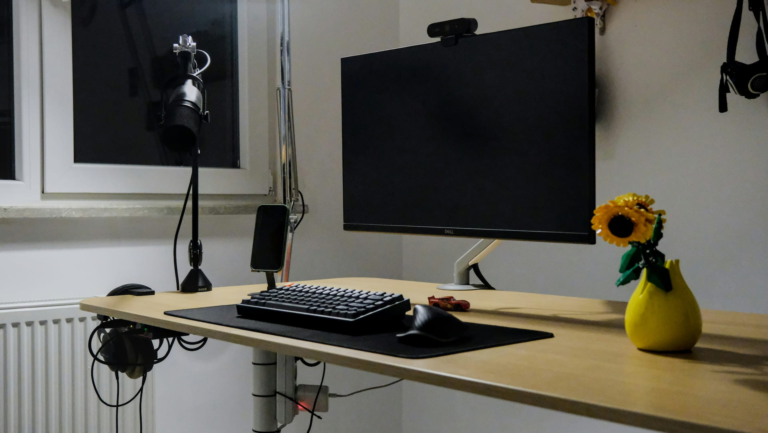
The USB receiver works well for a standing desk. A wireless keyboard matters more when you’re using a standing desk that moves up and down — no cables getting pulled or tangled as the desk height changes. The 2.4 GHz receiver handles the wireless connection reliably at desk distances and the 33-foot range means you can use it from across the room if needed.
What I don’t like
It’s light and can move around. The K270 is on the lighter side which means it slides on a desk surface if you type aggressively. A desk mat solves this — the keyboard stays in place much better on a mat than on a bare desk — but it’s worth knowing if you type hard.
Occasional key misreads. Occasionally I hit a key and have to press it again because the first press didn’t register. This might be operator error on my part but it’s happened enough to mention. It doesn’t affect every typing session but it does happen.
Not the most aesthetic keyboard. The K270 is clearly plastic and it looks like it. If you’re building a setup where aesthetics matter and you want something that looks premium on a desk, this isn’t it. It’s a functional keyboard not a beautiful one.
Windows only. The K270 is explicitly a Windows keyboard — Mac users need to look elsewhere. If your home office runs on macOS this keyboard doesn’t make sense.
No Bluetooth. The USB-A receiver takes up one port on your computer. Not a dealbreaker — the receiver is small and reliable — but if you’re already port-limited it’s one more thing occupying a slot. A Bluetooth option would be cleaner.
Who this keyboard is for
The K270 makes the most sense for Windows users who want a reliable full-size wireless keyboard without spending much money, work in a shared space where key noise matters, or have a small desk where size is a consideration. One thing to remember: the USB receiver is hidden in the middle side section of the box so make sure you find it!
It also makes sense for standing desk users specifically — wireless matters when your desk moves and the K270’s receiver handles that reliably without any setup required.
If you want something more premium, quieter, or with better build quality our best ergonomic keyboard guide covers options from $54.99 to $319.95. If you want a wireless keyboard and mouse combo see our best wireless keyboards and mice guide.
Specs
| Spec | Detail |
|---|---|
| Price | ~$23.99 |
| Connectivity | 2.4 GHz USB-A receiver |
| Range | Up to 33 feet |
| Battery | Up to 2 years |
| Layout | Full size with number pad |
| Hotkeys | 8 multimedia keys |
| Compatibility | Windows only |
| Spill resistant | Yes |
| Colors | Black, Rose, Off White |
What other buyers say
“Great product — easy to set up, just put the USB in the port, pull the tab out of the battery slot, turn it on and you’re good to go. Comfortable to type on and I’m loving it. One tip: the USB receiver is NOT stored in the slot on the back of the keyboard — it’s hidden inside the box so don’t throw the packaging out before you find it. Would definitely purchase again.”
“So cute it made my coworker buy one. Great price and works well — the keys are pleasant to hear and use and not too loud. The key caps can be taken off easily to clean which is a big plus since most electronics are difficult to clean properly. Getting it set up was easy for a non-tech person — IT had no issue other than giving me a hard time for having a pink keyboard. I actually want to sit at my desk and use it because it’s such a nice change from the black and gray of most electronics. 10/10.”
“Great keyboard for everyday use. Comfortable keys, quiet typing experience, and reliable wireless connectivity. Battery life is excellent and the full-size layout with number pad makes work much easier. Solid quality and great value for the price.”
Pros and cons
Pros:
- Under $24 — best value wireless keyboard in this guide
- Quiet keys — noticeably quieter than mechanical or clicky alternatives
- Full size with number pad
- 8 multimedia hotkeys including calculator
- Up to 2-year battery life
- Auto sleep feature
- Spill resistant
- Removable keycaps
- 9,889 reviews at 4.3 stars
- 6,000+ bought last month
Cons:
- Windows only — no Mac compatibility
- No Bluetooth — USB-A receiver only
- Light construction — can slide on bare desks
- Occasional key misread
- Plastic build — not premium looking
The bottom line
For under $24 the Logitech K270 is one of the best home office keyboard purchases you can make if you’re on Windows. Quiet keys, full size layout, number pad, multimedia hotkeys, reliable wireless, two-year battery — it covers every practical need without asking you to spend more than necessary.
It won’t impress anyone with how it looks and it’s not going to replace a premium ergonomic keyboard for someone with wrist issues. But for a shared home office, a small desk, or a standing desk setup where wireless is a practical necessity, it’s a genuinely excellent keyboard at a price that’s hard to argue with.
Continue reading
Frequently asked questions
Is the Logitech K270 good for a home office?
Yes — it covers the core home office keyboard requirements: full size layout with number pad, quiet keys suitable for shared spaces, reliable wireless connection, long battery life, and multimedia hotkeys for everyday tasks. The under $24 price makes it accessible for any budget.
Does the Logitech K270 work with Mac?
No — the K270 is designed for Windows and has limited Mac functionality. Mac users should look at Logitech’s MX Keys S or Wave Keys which are cross-platform compatible.
How long does the Logitech K270 battery last?
Logitech claims up to 2 years on a single set of batteries. The auto sleep feature that activates when the keyboard isn’t in use contributes significantly to that battery life — the keyboard isn’t drawing power when you’re not typing.
Does the Logitech K270 work with a standing desk?
Yes — and it’s a particularly good fit for standing desk users. The USB-A receiver provides wireless connection up to 33 feet so the keyboard works reliably regardless of desk height position. No cables to manage as the desk moves.
Price approximate and subject to change. Check current pricing at checkout. Last updated July 2026.