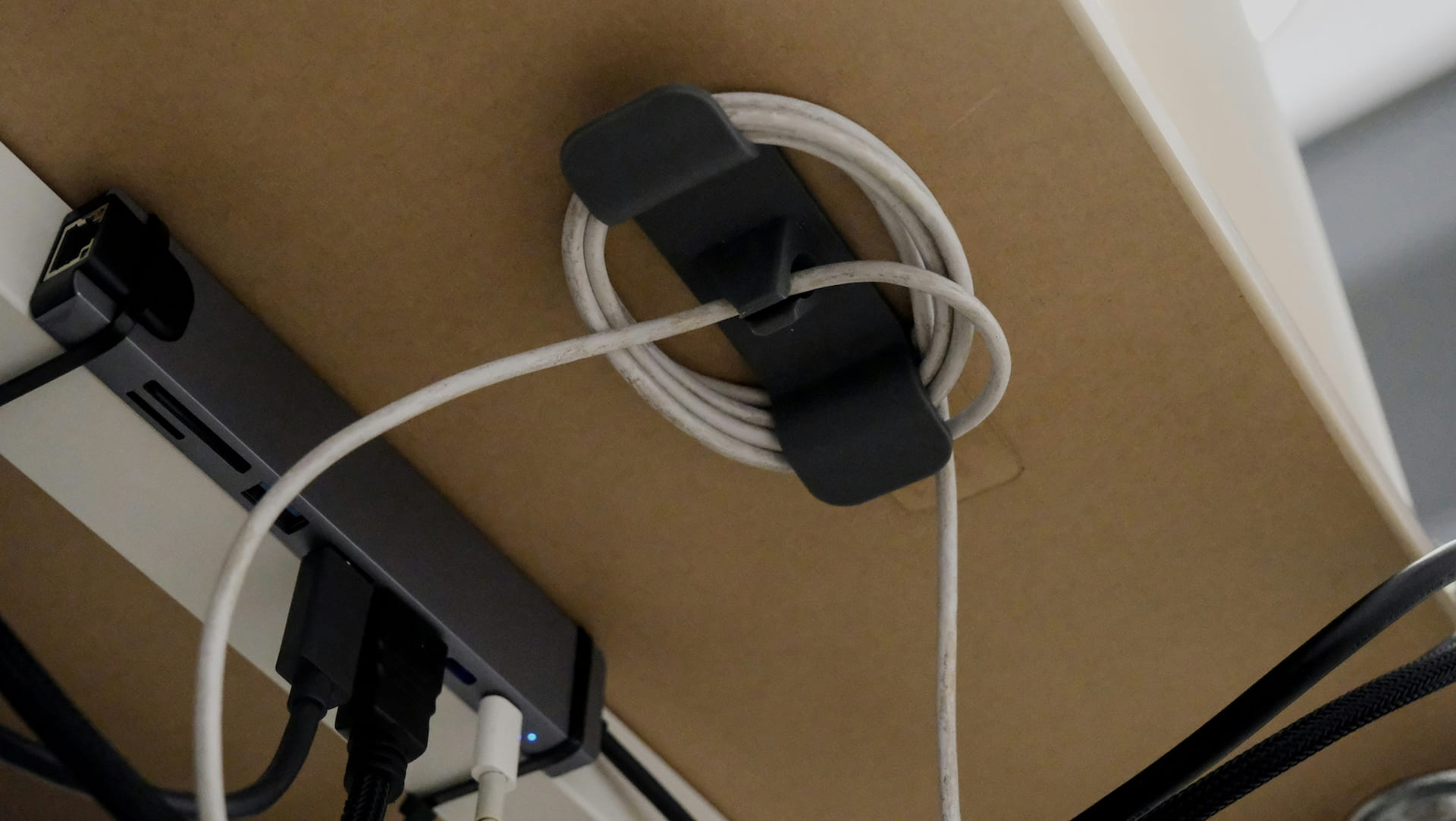
How to Manage Cables at Your Home Office Desk: Complete Guide 2026
Category: How-To Guides | Reading time: 9 min | Last updated: June 2026
Disclosure: This post contains affiliate links. If you buy through our links we may earn a small commission at no extra cost to you.
A messy desk doesn’t just look bad. It affects how you feel about sitting down to work. Research on environment design consistently shows that visual clutter competes for attention — your brain processes everything in your field of view whether you want it to or not. Cables draped across a desk, tangled behind a monitor, or snaking across the floor register as unresolved disorder every time you look at them.
The good news: cable management is one of the fastest, cheapest upgrades you can make to a home office. Most of it takes under an hour and costs under $50 total.
For the full organization picture beyond just cables our office organization guide covers 15 products across every category.
Cables are the most visible source of desk clutter — for everything else our home office organization guide covers desk surface, paperwork, lighting, and seating all in one place.
A USB hub consolidates multiple cables into one connection point — our USB hub guide covers seven options that help reduce desk cable clutter.
This guide covers every desk cable management approach — from hiding cables completely under your desk to organizing what’s on the surface — with specific product recommendations at every price point.
Quick picks


See all 7 solutions below ↓
Why cable management matters more than you think
Before getting into products — here’s why this is worth doing properly rather than just tidying cables once and forgetting about it.
The focus argument:
A University of California study found visual clutter directly competes for cognitive resources. A desk with cables draped across it isn’t just aesthetically unpleasant — it’s mildly taxing your attention every time you look at it. A clean desk surface is a better working environment, not just a nicer looking one.
The video call argument:
Even with a blurred background cables visible on your desk or in your background register as unprofessional to people on the other end of your calls. A clean setup looks intentional.
The safety argument:
Cables on the floor are a trip hazard. Cables under tension from being yanked or twisted degrade faster. Cable management extends the life of your equipment as much as it improves your workspace.
Cables are only part of desk clutter — our desk organizer guide tackles the rest, from paperwork to pens to everyday carry items.
A good desk power strip is the starting point for clean cable management. See our best desk power strip guide for six options across every mounting style.
The four approaches to desk cable management
Different cable problems need different solutions. Most desks need a combination of two or three of these.
Approach 1 — Hide everything under the desk
The cleanest solution. Your power strip, adapters, and cable slack all go under the desk in a tray or box — completely out of sight from anyone sitting at the desk or on a video call.
Best for: Anyone with a lot of adapters, power bricks, or a surge protector that’s currently sitting on the floor or visible on the desk surface.
1. VIVO Under Desk Cable Management Tray — Best overall
Rating: 4.5 average · 75% of buyers give it 5 stars · 1,133 reviews
At $20 the VIVO tray is the highest-return cable management purchase available. It mounts underneath your desk with four screws — mounting holes are 11 inches apart — and holds your entire power strip along with the cable slack from everything plugged into it.
The 16.5″ x 3″ metal tray sits flush under the desk surface and is completely invisible when you’re sitting at your desk. The partially open front design means you can add or remove cables without unmounting the tray. At 11 lbs load capacity it handles a standard surge protector and a pile of adapters without flexing.
Before installing this: measure under your desk to confirm you have clearance and the mounting holes will land on solid wood or particle board rather than a hollow section.
“Perfect for creating a compartment under your workstation to organize and gather wires. Feels solid and well finished — not flimsy at all. Smooth surfaces with no sharp edges. Easy to install with just a screwdriver — the supplied screws are self-tapping so you can skip the drill entirely. Installs fast and sits completely unobtrusive under the desk. Minimalist design that just disappears. Happy with the purchase.”
— Verified Amazon Buyer, April 2026 · ⭐⭐⭐⭐⭐ · VIVO Under Desk Cable Management Tray
Who it’s for: Anyone whose power strip is currently on the floor or sitting on the desk surface. The single most effective cable management upgrade for most home offices.
Pros:
- Hides power strip and adapters completely
- Metal construction — won’t sag or flex
- 11 lb load capacity
- Partially open front for easy cable access
- Available in black and white
- Self-tapping screws
Cons:
- Requires screwing into your desk — not removable without holes
- 16.5″ — won’t fit a very long power strip
- Mounting on glass or thin desks not recommended
A new monitor means new cables to manage — our budget monitors guide covers six solid options if you’re also in the market for an upgrade.
| Spec | Detail |
|---|---|
| Price | ~$19.99 (from $29.99) |
| Size | 16.5″ x 3″ |
| Load capacity | 11 lbs |
| Mounting | 4 screws — 11″ apart |
| Colors | Black, White |
2. Bluelounge CableBox — No-drill alternative
Rating: 4.7 average · 81% of buyers give it 5 stars · 2,975 reviews
If you don’t want to drill into your desk the Bluelounge CableBox is the answer. Your power strip goes inside the box, the lid closes, and the cable mess is completely hidden. Openings at each end let cables run in and out cleanly.
Made from flame-retardant plastic with ventilation openings to prevent heat buildup. Non-slip base keeps it in place. Available in black, white, moonlight blue, and light sage — the color options mean it can sit visibly on your desk or floor without looking like an eyesore.
“A genuine game changer for keeping cables contained and out of sight. Sturdy — won’t flex or creak — and roomy enough to fit a large surge protector plus a few wall warts. One honest note: bulky wall warts can start pushing against the lid if you have several of them, so you may need to get creative with how you arrange things inside. Otherwise it handles neatly coiled cables and most things you’d want to throw in it. Exactly what it needs to be.”
— Verified Amazon Buyer, July 2025 · ⭐⭐⭐⭐ · Bluelounge CableBox
Who it’s for: Renters who can’t drill into the desk, or anyone who wants a simpler no-commitment solution than the VIVO tray.
| Spec | Detail |
|---|---|
| Price | ~$25.99 |
| Dimensions | 6.25″ x 16″ x 5.25″ |
| Material | Flame-retardant plastic |
| Colors | Black, White, Moonlight Blue, Light Sage |
Approach 2 — Route cables along surfaces
For cables that need to run from one point to another — monitor to wall, desk to floor — a cable raceway or sleeve keeps them bundled and out of the way rather than draped loosely.
3. EVEO J Channel Cable Raceway Kit — Best for wall routing
Rating: 4.3 average · 73% of buyers give it 5 stars · various reviews
J channel raceways are the solution for cables that need to travel from your desk to the wall or along a baseboard. The six included pieces give you 96 inches total — enough to route cables from a desk in the middle of a room to the wall outlet behind it.
Self-adhesive backing sticks to most clean surfaces without drilling. The non-locking channel design lets you add or remove cables without tools. Fits up to 10 power cords or 16 ethernet cables depending on cable thickness.
“One of the best purchases I’ve made recently. All cables around my desk are neatly tucked away and everything looks significantly cleaner. Easy to install and the adhesive is holding up well after several weeks of use. I only needed two of the six included pieces for my desk so there are plenty of extras. Running a triple monitor PC setup with peripherals, phone charger, and various other cables — these handled everything without issue. Highly recommend.”
— Verified Amazon Buyer, October 2025 · ⭐⭐⭐⭐⭐ · EVEO J Channel Cable Raceway Kit
Who it’s for: Anyone with cables running across the floor or down the wall visibly. The fix that makes a desk setup look properly installed rather than improvised.
If you’re still choosing a desk see our home office desk guide for eight options with built-in power outlets.
| Spec | Detail |
|---|---|
| Price | ~$16.97 |
| Total length | 96″ (6 x 16″ pieces) |
| Capacity | 10 power cords or 16 ethernet cables |
| Mounting | Self-adhesive |
| Color | Black |
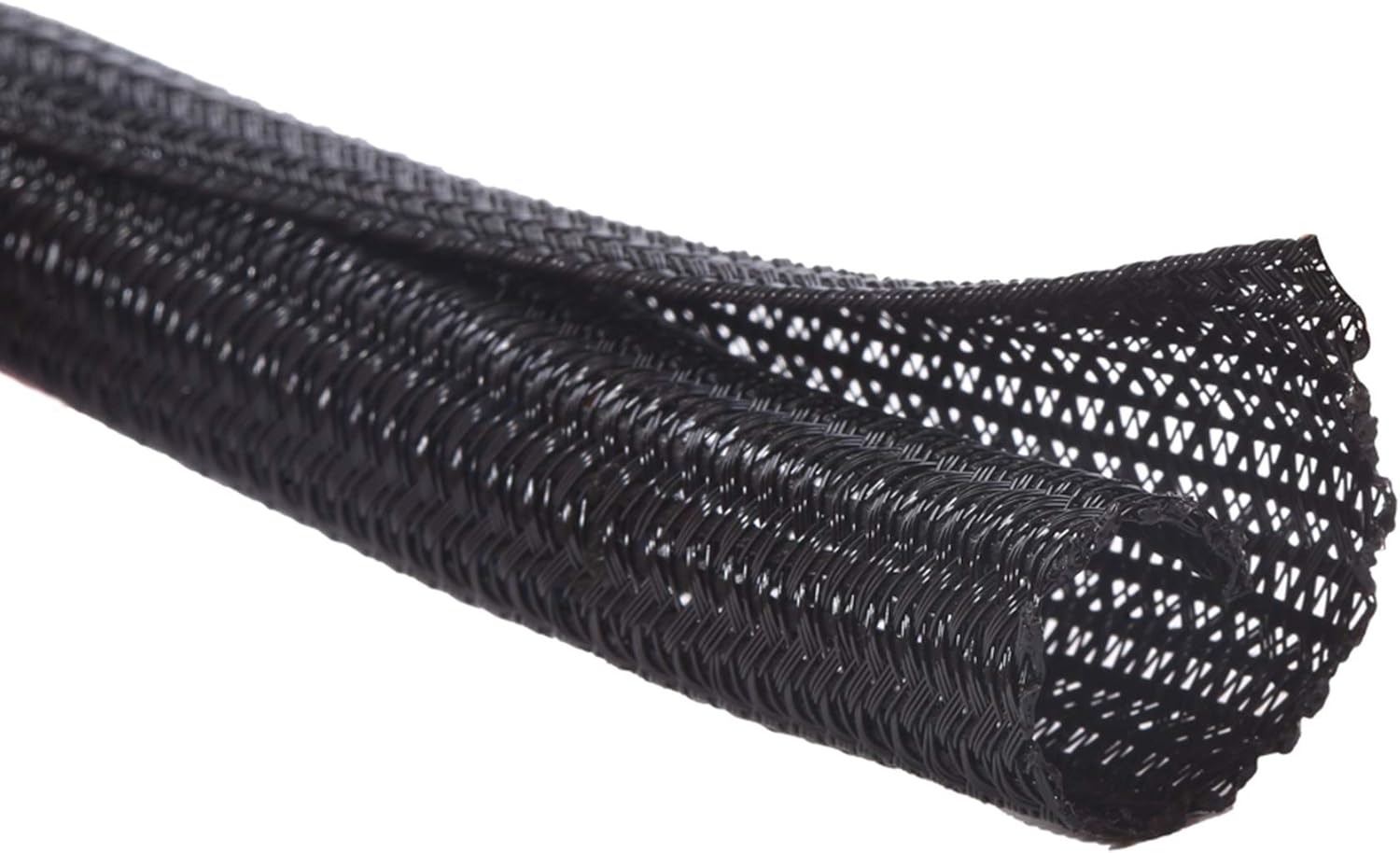
4. Alex Tech Cable Sleeve — Best for bundling
Rating: 4.4 average · 79% of buyers give it 5 stars · various reviews
A cable sleeve takes multiple individual cables and wraps them into a single clean bundle. The split design means you can load cables without disconnecting anything — just open the sleeve, lay your cables in, and close it around them.
At $8.99 for 10 feet it’s the cheapest item on this list and one of the most effective for monitor cables, speaker cables, or anything with multiple runs going in the same direction. UL recognized, rated to 257°F — safe for power cables.
Also functions as a cat deterrent — the textured sleeve material discourages chewing.
“Bought this with low expectations and higher cable shame. What I got was the ability to look at my desk without wincing. Instantly transforms a chaotic spaghetti monster of cords into a single well-behaved cable bundle. Power cords, HDMI, ethernet — all quietly bundled and no longer plotting against your sanity. The split design is genuinely clever: open it up, insert cables, done. No tools, no instructions. Flexible and durable enough to protect against pets, chair wheels, and your own feet. Bonus: it makes any setup look more professional instantly, even if what’s plugged in absolutely is not.”
— Verified Amazon Buyer, April 2026 · ⭐⭐⭐⭐⭐ · Alex Tech Cord Protector Wire Loom
Who it’s for: Anyone with multiple cables running together from a monitor, desk, or entertainment setup. The $9 fix that turns five messy cables into one clean bundle.
| Spec | Detail |
|---|---|
| Price | ~$8.99 |
| Length | 10 feet |
| Diameter | 1/2 inch |
| Color | Black |
| Temperature rating | -103°F to 257°F |
Approach 3 — Organize cables on the surface
For cables that need to stay accessible — USB cables, phone chargers, headphone cables — clips and ties keep them organized without hiding them completely.
5. Soulwit Self-Adhesive Cable Clips — Best for desk surface

Rating: 4.4 average · 74% of buyers give it 5 stars · various reviews
Cable clips solve the specific problem of cables that slide off the desk or disappear behind furniture when unplugged. Stick a clip to the edge of your desk, route your USB cable or phone charger through it, and the cable stays exactly where you put it — even when the device isn’t plugged in.
50 clips is enough to organize an entire desk setup with plenty left over. Works on any clean surface — wood, glass, metal, ceramic. The tab-and-insert mechanism holds cables securely without requiring force to open or close.
A wireless charging stand also helps cut down on cables — our Belkin vs Anker comparison covers two of the top options
“Great for mounting cables — able to fit multiple thicker cables in a single clip which is genuinely useful. The clip itself is strong with a little flex and snaps closed securely. Two honest cons worth knowing: the adhesive backing is extremely sticky which sounds good until the protective cover tears when you try to remove it, leaving the adhesive exposed before you’re ready. Also not low profile — because it’s designed to hold thicker cables it sits taller than you might expect, so less discreet than it looks in photos. That said for 50 clips at this price it’s worth it for straightforward cable organization.”
— Verified Amazon Buyer, May 2026 · ⭐⭐⭐⭐ · Soulwit Self-Adhesive Cable Clips
Who it’s for: Anyone whose cables fall behind the desk when unplugged or who spends time fishing for the right cable. A 10-minute installation that saves daily frustration.
| Spec | Detail |
|---|---|
| Price | ~$13.95 |
| Quantity | 50 clips |
| Material | Polyamide66 |
| Colors | Black, Grey, White |
| Surfaces | Wood, glass, metal, ceramic |
6. VELCRO Brand Cable Ties 150pk — Best for bundling loose cables

Rating: 4.6 average · 80% of buyers give it 5 stars · 3,290 reviews
Velcro ties are the foundation of any cable management setup. Before routing cables through a tray, sleeve, or raceway you use velcro ties to bundle related cables together and eliminate loose slack.
The VELCRO Brand ties are worth buying over cheap alternatives for one reason: they’re reusable and stay reusable. Cheap velcro ties lose their grip after a few uses. These are trusted by network and data centers — they handle repeated opening and closing without degrading.
150 ties is a lifetime supply for a home office. Buy these first before doing anything else.
“If you do any cabling — TV, computer, anything — these are worth their weight in gold. Keeps cable runs, extension cords, and wire bundles neat and easy to work with. Adhesion is very good which matters as much as the tie itself. Just the right size for most applications. Cable management has always been a pet peeve of mine and it makes a difference that not only shows visually but makes future maintenance significantly easier. Whenever I see a rat’s nest of wires I know it means shoddy workmanship — these prevent exactly that.”
— Verified Amazon Buyer, May 2026 · ⭐⭐⭐⭐⭐ · VELCRO Brand Cable Ties
Who it’s for: Everyone. Velcro ties are the first step in any cable management project regardless of what else you’re doing.
| Spec | Detail |
|---|---|
| Price | ~$12.45 |
| Quantity | 150 ties |
| Length | 8 inches |
| Reusable | Yes |
| Colors | Black |
Approach 4 — Eliminate cables entirely
The most effective cable management is removing cables from the equation. Going wireless for your keyboard, mouse, and phone charging eliminates the cables that create the most desk clutter.
7. TopMade Wireless Charging Mouse Pad — Eliminate your phone charger cable

Rating: 4.5 average · 75% of buyers give it 5 stars · 433 reviews
The phone charging cable is one of the most common sources of desk clutter — it gets moved, tangled, knocked off, and generally makes a mess of the desk surface. A wireless charging mouse pad eliminates it entirely.
The TopMade XXL pad covers your full keyboard and mouse area — 31.5″ x 15.75″ — and has 15W wireless charging built into the surface. Set your phone on the charging spot and it charges while you work. No cable, no hunting for the charger, no cord draped across your desk pad.
“Had this for over a week and the phone charger works great — strong magnet, charges moderately quickly. The size is fantastic and perfectly matches a large monitor setup. Two honest issues worth knowing: the pad took effort to lay flat out of the box and still required taping down in a few spots to keep it from lifting at the edges. The AirPods charging is also finicky — needs to be positioned perfectly to charge with a case on, and AirPods Pro didn’t charge on the MagSafe spot despite working on other MagSafe chargers. Phone charging is reliable, AirPods charging is hit or miss. Overall still worth buying if phone wireless charging is your primary use case.”
— Verified Amazon Buyer, January 2026 · ⭐⭐⭐⭐ · TopMade Wireless Charging Mouse Pad
For a full review of going wireless with your keyboard and mouse — which eliminates the two other most common desk cables — see our complete wireless keyboard and mouse guide.
| Spec | Detail |
|---|---|
| Price | ~$36.54 |
| Size | 31.5″ x 15.75″ |
| Wireless charging | Up to 15W |
| MagSafe | Compatible |
| Surface | Smooth textile weave |
The complete cable management setup — what to buy and in what order
Step 1 — Velcro ties first ($12.45)
Bundle related cables together before doing anything else. This reduces the cable count immediately and makes every subsequent step easier.
Step 2 — Under desk tray or cable box ($19.99-$25.99)
Get your power strip and adapters off the floor and out of sight. This single step makes the biggest visible difference.
Step 3 — Cable clips on the desk surface ($13.95)
Stick clips along the back edge of your desk to keep USB cables and chargers exactly where you need them.
Step 4 — Sleeve or raceway for remaining runs ($8.99-$16.97)
Bundle any cables still running visibly along surfaces or walls.
Step 5 — Go wireless where possible
Wireless keyboard and mouse eliminates two cables permanently. Wireless charging mouse pad eliminates the phone charger cable.
Total for a complete setup: under $75.
Continue reading
If you’re upgrading your desk setup, a monitor light bar pairs well with a cleaner cable setup — see our monitor light bars guide for recommendations.
Frequently asked questions
What’s the best first cable management purchase?
The VIVO under desk tray if you’re comfortable drilling two holes into your desk. The Bluelounge CableBox if you’re not. Either one makes the biggest immediate visual difference for the lowest cost.
Do cable raceways work on all surfaces?
Most self-adhesive raceways stick well to smooth clean surfaces — painted drywall, wood, metal. They’re less reliable on textured surfaces, wallpaper, or brick. Clean the surface with isopropyl alcohol before applying for the strongest bond.
Is it worth going wireless just for cable management?
Yes — if you’re already in the market for a new keyboard and mouse, going wireless is worth it for cable management alone. The performance difference between wired and wireless is imperceptible for office work and the desk gets significantly cleaner. See our wireless keyboard and mouse guide for recommendations at every budget.
How do I manage cables on a standing desk?
Standing desks require flexible cable management because the cables need to move with the desk as it raises and lowers. Use velcro ties to bundle cables with enough slack for the full height range, and route them through a cable sleeve rather than a rigid raceway. A cable tray mounted under the desk moves with it — the power strip and adapters stay organized at any height.
What about cable management for dual monitors?
Dual monitor setups have more cables — two monitor power cables, two display cables (HDMI or DisplayPort), and potentially a USB hub. A cable sleeve bundling all monitor cables together into one run makes a significant difference. A monitor arm also helps — it routes cables through the arm itself rather than leaving them hanging. See our dual monitor setup guide for the complete configuration.
All prices approximate and subject to change. Check current pricing at checkout. Last updated June 2026.